React Native TypeScript Template Guide
Find the right React Native TypeScript template for your next app. Compare features, architecture tradeoffs, and starter kits to ship your MVP faster.
 Parth
Parth
You clone a promising React Native boilerplate because the README promises a working app by the end of the afternoon. Then the install exposes stale packages, loose JavaScript files, unclear navigation types, and a backend that exists only as a comment saying “connect your API here.” The quick start becomes a week of configuration, dependency debugging, and decisions the template was supposed to make for you.
A useful React Native TypeScript template should remove that uncertainty without hiding important trade-offs. It should establish strict contracts across the app, keep Expo and native dependencies aligned, and give the client a credible path to authentication, APIs, databases, testing, and deployment. The difference between a convenient starter and an architectural liability appears after the first feature, not during the first launch.
Table of Contents
- Why Typed Templates Are the New Baseline
- Anatomy of a Strict TypeScript Configuration
- Navigating Expo SDK and Native Dependencies
- Beyond the Frontend, Edge APIs and Database Adapters
- The Case for Opinionated Premium Starter Kits
- Evaluating and Extending Your Chosen Template
- Common Template Pitfalls and How to Avoid Them
Why Typed Templates Are the New Baseline
Untyped boilerplates look fast because they defer decisions. You can put a screen on a device quickly, but every route, request, form, and shared state object becomes an opportunity for a runtime mistake. By the time an MVP has several user flows, the cost of discovering those mistakes has moved from the editor to manual testing, device debugging, and production support.
TypeScript changes that boundary. A route can require a specific parameter shape, a component can reject an incomplete prop object, and an API client can expose a mismatch before the request reaches a server. That doesn't make a product correct by itself, but it makes incorrect assumptions visible while the code is still being written.
The ecosystem now supports treating typed development as the default rather than an upgrade. The 2024 State of JavaScript survey collected 14,015 responses between November 13 and December 10, 2024. 67% of respondents said they write more TypeScript code than JavaScript code, 98% use JavaScript for frontend development, and approximately one-quarter use it for mobile applications. React was used by more than 80% of respondents in the same survey, giving React Native teams access to a large surrounding talent and tooling ecosystem.
The cost of a weak starting point
A JavaScript-first starter often creates several forms of duplication:
- Navigation duplication: Developers document route parameters separately because the compiler can't enforce them.
- Contract duplication: The mobile client and server each define request and response shapes, then drift apart.
- Review duplication: Reviewers spend time checking assumptions that a type system could reject automatically.
- Onboarding duplication: New contributors need unwritten knowledge to understand which values are safe to pass between layers.
A TypeScript-first foundation addresses these problems at the boundary where they begin. It also makes hiring, onboarding, code reuse, and maintenance more practical for startups and independent developers working across web and mobile contexts.
Practical rule: A template should make the safe path the path of least resistance. If developers must invent their own types, API conventions, and navigation patterns after cloning it, the template has only moved the setup work around.
The important distinction is between a template that contains TypeScript files and one that creates typed architecture. The latter connects navigation, authenticated sessions, API payloads, component props, and shared state. That coverage is what turns TypeScript from a file format into a useful engineering control.
Anatomy of a Strict TypeScript Configuration
A template isn't type-safe because its files end in .tsx. Many starters rename files while leaving the compiler permissive, allowing the project to pass builds with significant gaps. The configuration must make missing or ambiguous types uncomfortable enough that developers fix them immediately.
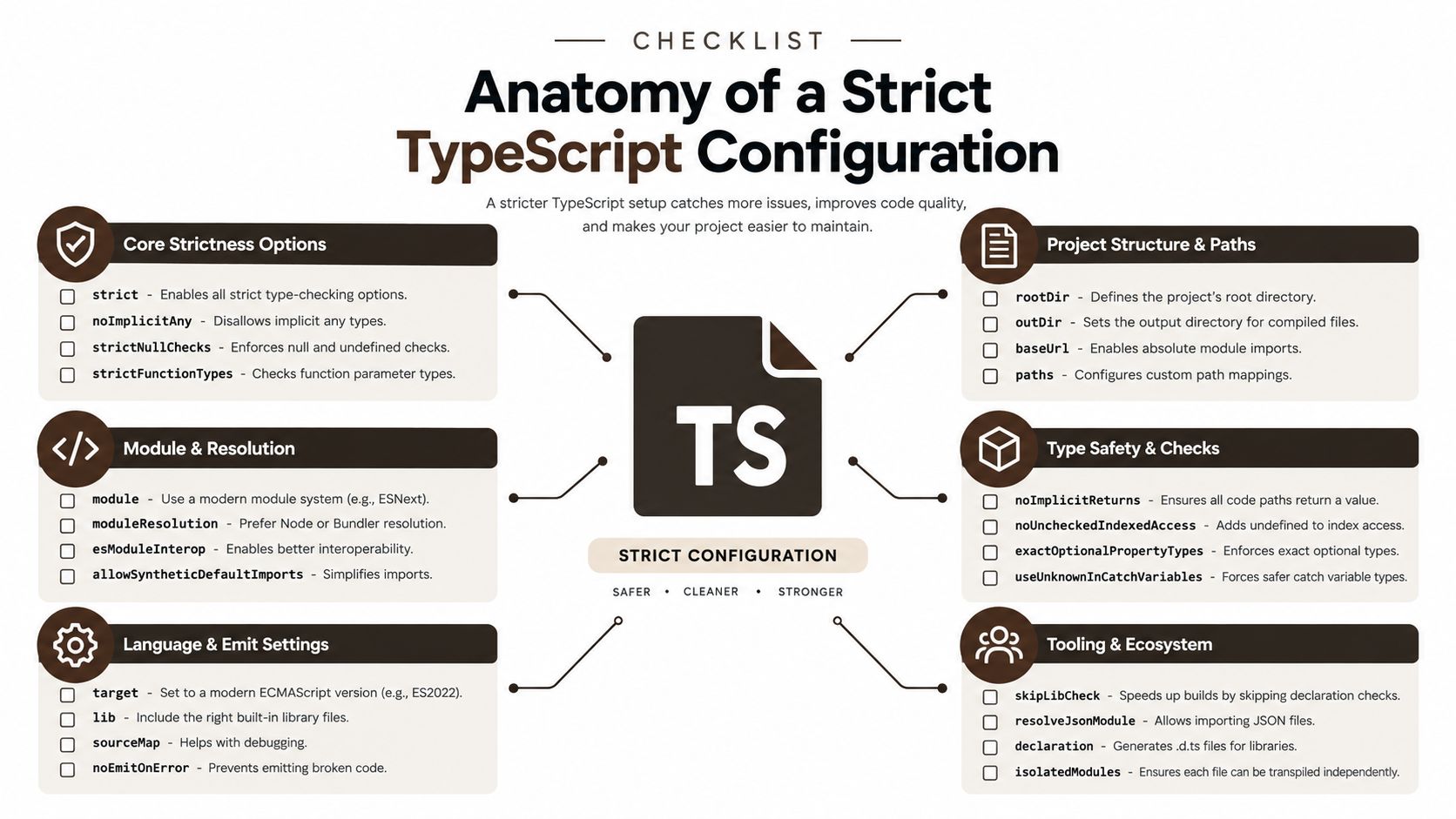 An infographic checklist outlining essential configuration options for a strict and robust TypeScript project setup.
Start with the compiler boundary
React Native projects target TypeScript by default, but Babel transforms TypeScript source during bundling. Babel strips types. It doesn't validate whether a navigation parameter is valid, whether a response matches its declared interface, or whether a component receives the required props.
That means a production template needs a separate compiler step. The React Native TypeScript documentation supports running tsc --noEmit independently, including in CI, so type errors block a merge before they reach a device.
A dependable baseline includes:
- File extensions: Enforce
.tsand.tsxfor application code. Files using.jsxaren't type-checked, so allowing them creates a silent escape hatch. - Root configuration: Keep one central
tsconfig.jsonthat defines project scope, module behavior, path aliases, and included files. - Strict checking: Enable
strict, then addnoUncheckedIndexedAccessandexactOptionalPropertyTypeswhere the project's library compatibility allows it. - CI enforcement: Run
tsc --noEmitas a required validation step rather than treating it as an optional local command. - Unused-code checks: Configure unused locals and parameters according to the team's tolerance, especially if dead code can conceal incomplete flows.
Type the seams, not just the screens
The most valuable types live between layers. Define route names and parameters centrally, model authenticated user and session objects explicitly, and describe database DTOs separately from UI view models. Environment variables also deserve a typed access layer so a missing configuration value fails clearly instead of becoming an undefined value deep inside a request.
The same principle applies to Hono endpoint contracts. If the server accepts one shape and the mobile client assumes another, TypeScript coverage remains superficial. Shared interfaces or generated contracts reduce that drift, but they still need validation at runtime because external input can violate compile-time assumptions.
For a focused example of how Expo and React Native TypeScript concerns fit together, compare the project structure with this Expo React Native TypeScript guide. The useful question isn't whether every value has an annotation. It's whether the compiler protects the points where data changes ownership.
Navigating Expo SDK and Native Dependencies
A React Native template can look cheap on day one and get expensive the first time a native dependency collides with your SDK version. Cross-platform still matters because one codebase can cover the mobile platforms that dominate usage. StatCounter's worldwide mobile operating-system data for June 2025 reported 74.26% for Android and 25.39% for iOS. Together, Android and iOS represented 99.65% of worldwide mobile operating-system share in that cited data.
That reach does not remove native work. It concentrates it. Camera modules, notifications, haptics, and auth SDKs still bring platform permissions, build settings, and native implementation details that can break at different layers.
Expo is a compatibility strategy
Expo SDK versions are tied to specific React Native versions. Expo packages are built for apps that have the expo package installed and configured, so picking native libraries in isolation often creates version drift. Good templates do not treat dependency selection as a scavenger hunt. They pin the Expo SDK, React Native, and Expo module versions together, then install packages through Expo's workflow instead of letting every engineer guess.
Free templates often become fragile in exactly these cases. Their package manifests may install successfully while leaving native compatibility to the developer. That is the hidden architectural cost people miss when they compare a no-cost boilerplate with a more opinionated foundation. The boilerplate gives you screens and folders. You still absorb the work of checking whether your libraries, config plugins, build profiles, and native setup belong together. A production-oriented starter makes the supported SDK explicit, keeps upgrades deliberate, and documents which packages are safe to add.
| Approach | Dependency Management | New Architecture Readiness | Maintenance Burden |
|---|---|---|---|
| Ad hoc native packages | Developers choose versions independently | Must be investigated package by package | High |
| Expo-managed workflow | Expo aligns packages with its SDK and React Native version | Better baseline, still requires library validation | Moderate |
| Opinionated Expo foundation | Versions and installation rules are established centrally | Compatibility checks become part of template governance | Lower at the start, with upgrade discipline still required |
Treat architecture support as a gate
Expo documentation states that SDK 55 and later run entirely on React Native's New Architecture, with no legacy-architecture switch. The Expo New Architecture guide also explains that SDK packages and Expo Modules API modules support that architecture.
Library review has to happen before adoption, not during a failed upgrade. "It worked in the last app" is not a useful standard if the package depended on legacy bridge behavior or has weak maintenance. Check current architecture support, native installation requirements, release activity, and behavior on both platforms.
Paid, opinionated starters often justify themselves here. The value is not the folder structure. The value is that someone already made and maintained the compatibility decisions across the app shell, native modules, and deployment path. Even then, upgrade discipline still matters. A starter kit can reduce risk at the beginning, but it cannot remove the need to audit dependencies before one blocked package turns a routine SDK upgrade into a rewrite.
Beyond the Frontend, Edge APIs and Database Adapters
You can ship a polished mobile shell in a weekend, then lose the next two weeks wiring auth, sessions, validation, storage, and file flows that the template never touched. That is the true cost of a frontend-only starter. Teams with an existing backend platform can absorb that split. Founders, agencies, and small product teams usually end up paying for it in glue code, duplicated types, and late architectural decisions made under release pressure.
A full-stack starter earns its keep when the client and server share TypeScript contracts from the start. Requests have one defined shape. Session state is represented the same way across app and API. Database records can be mapped into UI-facing models in one place instead of being transformed slightly differently in every screen, hook, and mutation handler.
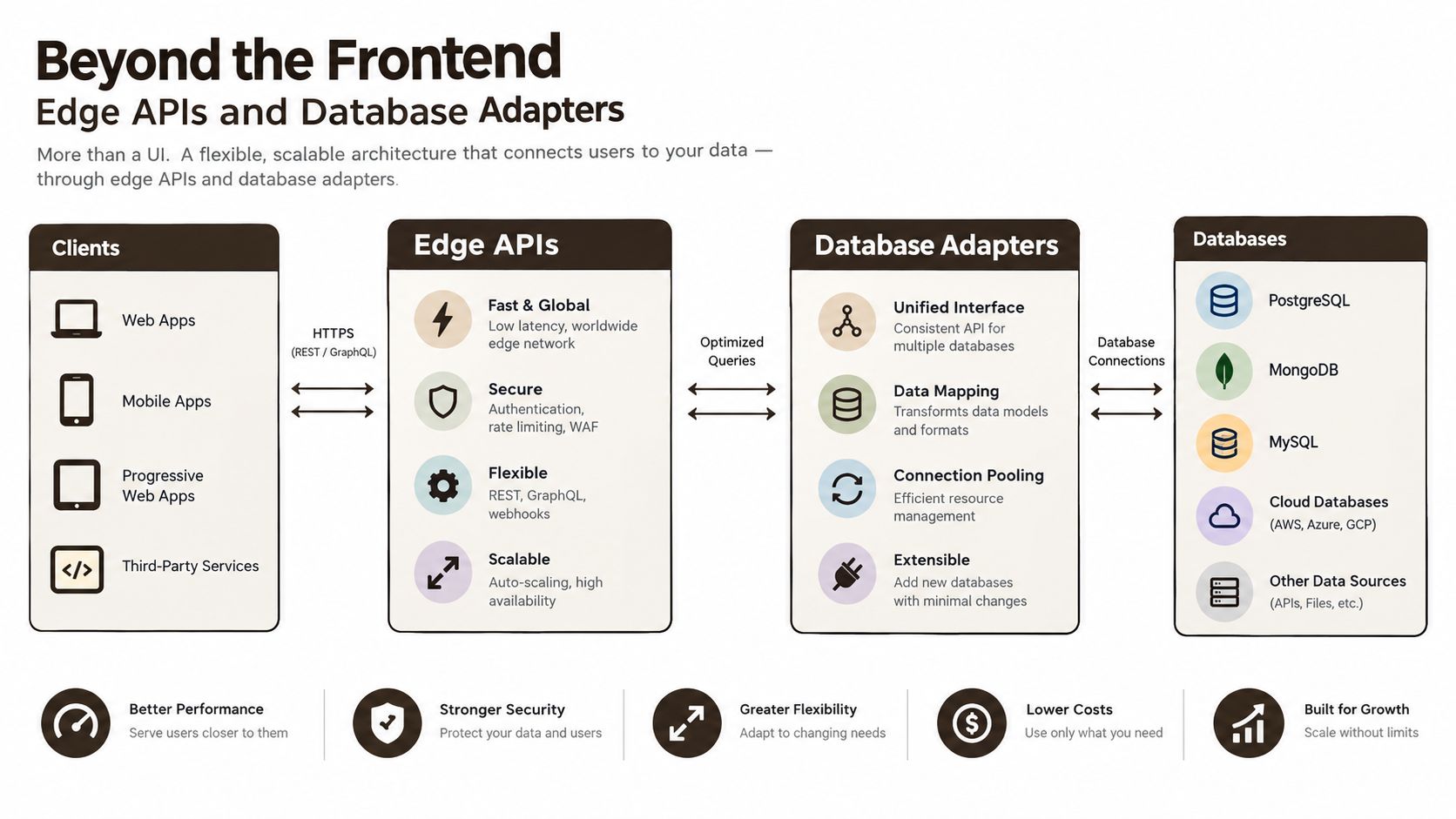 A diagram illustrating a software architecture connecting client applications to various databases via edge APIs and adapters.
Why the edge layer matters
Hono is a practical fit for lightweight TypeScript APIs that run close to users on edge infrastructure. The framework itself is only part of the story. What matters in practice is a thin request layer with explicit validation, predictable handlers, and a clean boundary between the app and persistence. That boundary becomes even more useful once AI features, background jobs, or file processing enter the product, because those concerns rarely belong in the client.
A database adapter solves a different problem. It keeps application operations stable while the persistence details stay behind an adapter boundary. In a template built around a Supabase adapter, that means authentication, real-time sync, and storage logic can evolve without forcing a rewrite of every query hook or screen-level data transform. Free boilerplates often skip this layer. The result looks simpler until the first schema change leaks database assumptions into the UI.
The responsibilities should stay obvious:
- The mobile client handles presentation, local interaction, navigation, and tightly scoped local state.
- The edge API authenticates requests, validates input, applies business rules, and returns stable contracts.
- The adapter layer translates application operations into database-specific queries and subscriptions.
- Shared types connect these layers without exposing database implementation details to the UI.
This structure cuts a category of drift that shows up early in real projects. Because both platforms consume the same Hono contracts, one schema change can propagate to iOS and Android at the same time. A copied backend flow for each platform cannot give you that guarantee.
The trade-off is governance
An integrated backend does not remove complexity. It moves key decisions to the beginning. Teams still need clear rules for secrets, authorization, migrations, cache boundaries, and failure handling across client, API, and database. If a starter kit hides those choices behind convenience helpers, debugging a production incident gets painful fast.
The strongest full-stack starters show working patterns for authentication, validation, loading states, errors, persistence, and replacement paths. That is the difference between a starter that saves time and one that only postpones the expensive parts.
The Case for Opinionated Premium Starter Kits
Free boilerplates can be excellent learning resources. They become expensive when a team treats a collection of repositories, packages, and abandoned decisions as an application foundation. The purchase price is visible. The hidden cost appears in dependency conflicts, inconsistent conventions, missing CI checks, undocumented native setup, and the time each developer spends reconstructing the original author's assumptions.
An opinionated starter makes different trade-offs. It chooses a navigation model, state approach, API structure, styling system, and development workflow in advance. That reduces local freedom, but it also reduces the number of architectural decisions a small team must make before building product-specific behavior.
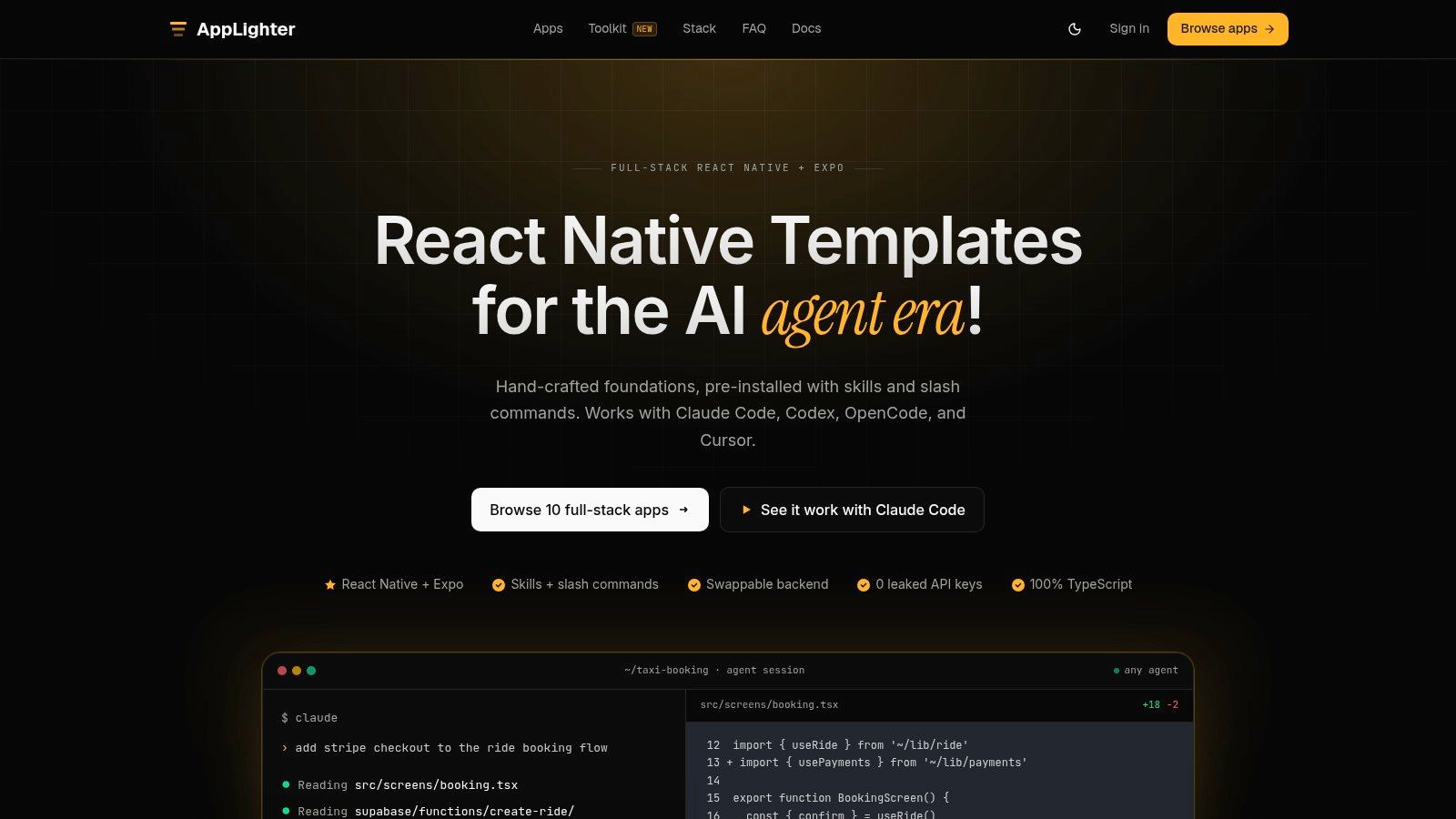 Screenshot from https://www.applighter.com
Pay for coherence, not decoration
The useful premium features aren't extra screens or a larger component library. They're the connections between systems:
- Navigation and auth: The session state determines which route tree the user can access.
- State and persistence: Local state has a defined relationship with server data and cache invalidation.
- Backend and contracts: API calls use shared types rather than handwritten assumptions.
- AI tooling and conventions: Claude Code rules, Cursor plugins, and project instructions help agents follow the established architecture instead of generating isolated patterns.
- Delivery and verification: Linting, type-checking, tests, and build workflows are part of the repository rather than a future cleanup task.
That last point matters more as teams use AI-assisted development. An agent can produce code quickly, but it won't reliably choose the right architecture without explicit constraints. Rules, directory conventions, planning artifacts, and small validated changes give the agent a narrower space in which to make mistakes.
A product team evaluating a premium option can review the React Native Expo starter kit against its own delivery needs. The question should be practical: does the kit reduce repeated plumbing while leaving business logic under your control?
A coherent foundation also helps agencies standardize client work. Developers can spend their attention on domain-specific workflows instead of rebuilding authentication, navigation, API adapters, and mobile configuration for every project. That doesn't guarantee a successful launch, but it changes where engineering time goes.
The trade-off is lock-in. An opinionated kit may favor a particular backend, state library, or AI workflow. Before adopting it, inspect the source, identify replacement points, and confirm that the conventions are understandable without the original author.
A short demonstration can reveal whether the pieces are connected rather than merely listed in a README.
Evaluating and Extending Your Chosen Template
Don't commit an application to a starter because its demo screen looks polished. Audit the repository as if you're inheriting it from another team. A good template should explain its boundaries, expose its checks, and make replacement possible when your product outgrows one of its choices.
Run the audit before adding features
Use a clean environment and follow the documented setup from start to finish. Then inspect the result:
- Read the dependency graph. Identify Expo and React Native versions, native modules, state libraries, UI packages, API clients, and packages that appear unused.
- Break the checks deliberately. Pass an invalid prop, alter a route parameter, or introduce an impossible response shape. Confirm that
tsc --noEmit, linting, and tests fail in the expected places. - Trace one complete request. Follow authentication, client invocation, edge handler, validation, database adapter, response mapping, and UI state. If the path is hard to explain, future debugging will be harder.
- Inspect testing boundaries. Look for unit tests around contracts and state transitions, component tests for important interaction, and a way to exercise critical flows on both platforms.
- Review the design system. Check whether tokens, themes, spacing, typography, and reusable components are centralized. A flexible system is more valuable than a large catalog of screens.
- Read deployment instructions. The pipeline should make environment requirements, build profiles, migrations, and release steps visible.
Charts and other data-heavy features add another useful test. If the template doesn't include a charting layer, evaluate the package's native compatibility, rendering behavior, and installation path using resources such as Chartsy React SDK installation, then isolate that integration behind a small feature boundary.
Extend by seams
The safest extension strategy is additive. Keep authentication, navigation, API, and database modules behind stable interfaces. Add a feature folder with its own screen, state, contracts, and tests rather than placing domain logic in a shared utility directory because it happens to be convenient.
When replacing a core module, change one boundary at a time. Introduce an adapter, migrate one consumer, run the full checks, and remove the old path only after the new implementation has proved itself. This keeps future template updates possible and gives the team a clear rollback point.
A template is a foundation, not a permanent authority. Keep the conventions that remove friction, and replace the ones that conflict with the product's actual needs.
Common Template Pitfalls and How to Avoid Them
A heavy starter can become its own form of technical debt. The kitchen-sink template includes every UI component, integration, screen, and service the author could imagine. New developers then struggle to distinguish required infrastructure from demo code, while the application carries dependencies it never uses.
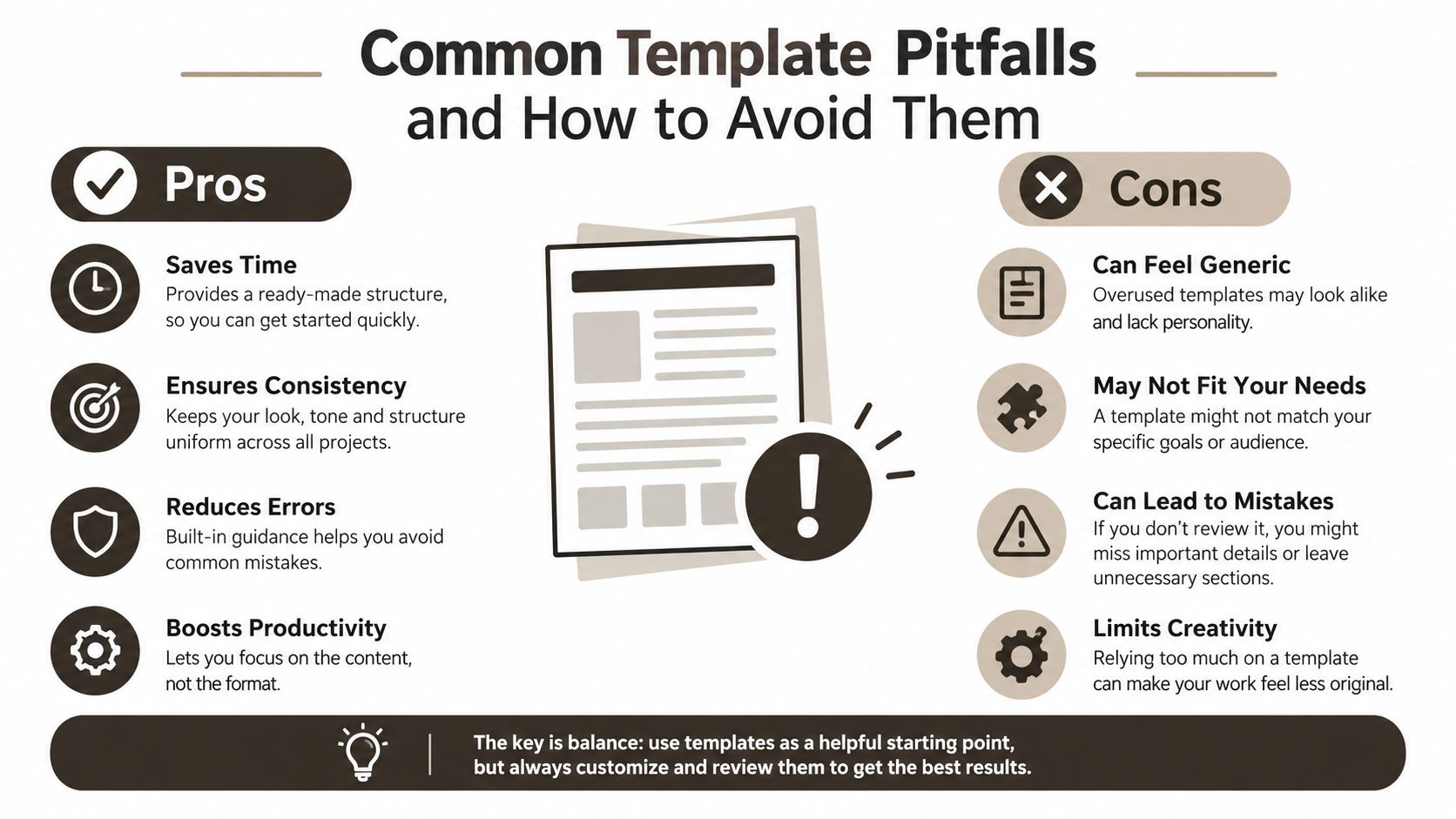 An infographic comparing the pros and cons of using templates, highlighting how to balance efficiency and customization.
Keep the foundation lean
Start by deleting examples that don't support the product. Remove unused screens, mock services, sample assets, and optional integrations early. A smaller codebase makes architecture easier to understand and reduces the chance that an agent or new contributor copies a pattern that was included only for demonstration.
Third-party UI libraries deserve similar scrutiny. They can accelerate early screen development, but they may impose styling conventions, add native dependencies, or make accessible customization difficult. Use them where they provide durable value, and wrap them behind your own components when you need a stable design-system API.
SDK maintenance is another common failure point. Don't wait until a store submission or native package upgrade forces a rushed migration. Maintain a written upgrade process, review release notes, test the New Architecture compatibility of affected libraries, and keep dependency changes separate from feature work.
The most useful critique of free starter culture is that “free” often excludes evaluation and maintenance. Developers who want a candid account of why many community templates fail can read The React Native template industry is mostly broken and here's how to fix it, then apply the same skepticism to paid kits.
Remove anything you can't explain. If a dependency, folder, or automation step has no clear owner and no current use, it isn't free. It's future maintenance.
Choose a template that gives you strict contracts, aligned native dependencies, and a backend boundary you can inspect. Then keep it lean by deleting examples, testing upgrades, and preserving clear seams as the product grows.
AppLighter provides an opinionated Expo and React Native foundation with TypeScript, navigation, authentication, state management, Hono and database integrations, and AI-assisted development tooling already connected. Visit AppLighter to evaluate whether that approach fits your next mobile product.