Asana Alternative Free: 10 Tools Compared for 2026
Discover the best Asana alternative free options in 2026, with feature summaries, pros and cons, best-for use cases, and a quick look at plan limits.
 Sanket
A small team cancels a paid project workspace to cut software costs, then discovers that its new free plan can't accommodate everyone, has little room for attachments, or hides the view the team relies on. The replacement looked similar in a feature list. The daily workflow doesn't.
That's the challenge with choosing an Asana alternative free plan. Free tiers differ most in the limits teams feel after setup: who can join, how much work can be stored, how many boards or projects can stay open, and which views or controls require an upgrade. Asana's free Personal plan costs $0 and supports up to 2 users, with unlimited tasks and projects, list, board, and calendar views, and more than 100 advertised integrations (Asana's pricing page). That can work for one person or a pair, but a growing team needs to check the capacity before migrating.
The options below aren't ranked by a single score. Each fits a different kind of team, and each has a point where its free plan may start to pinch. Choose based on how your team handles work now, then test the limit you're most likely to hit next.
Table of Contents
- 1. ClickUp
- 2. Trello
- 3. Notion
- 4. Airtable
- 5. monday.com Work Management
- 6. Wrike
- 7. Teamwork.com Projects
- 8. Zoho Projects
- 9. Linear
- 10. Jira Software
- Top 10 Free Asana Alternatives Compared
- Pick One Free Plan, Then Test It Against Your Real Workflow
1. ClickUp
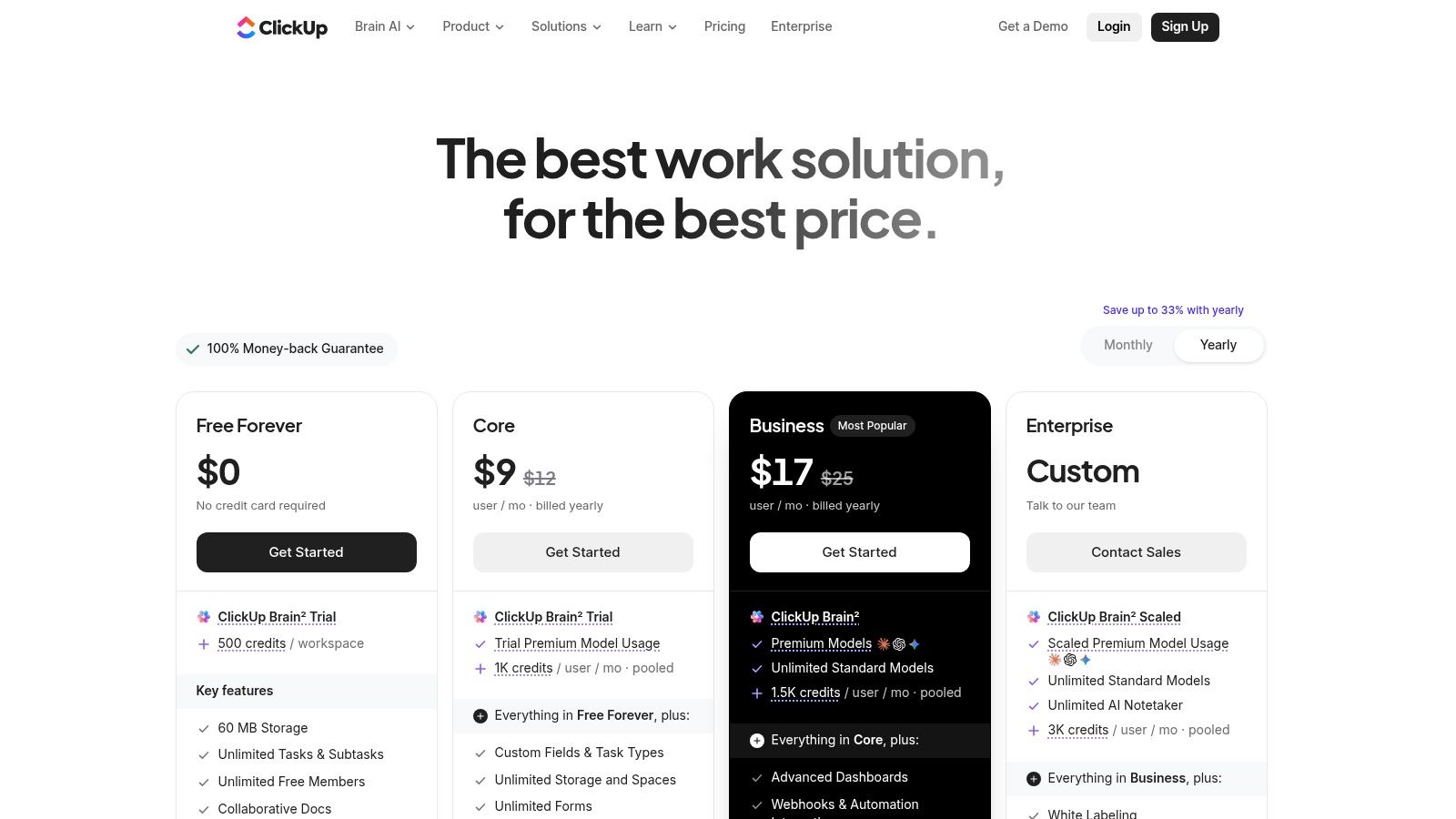
A small team moving from Asana may need more contributor access without losing task structure. ClickUp's free plan supports unlimited members and tasks, with Kanban and calendar views, Docs, basic sprint tools, native time tracking, and basic custom fields (ClickUp's plan details). That range suits teams that want planning and documentation alongside task management, though it takes more setup than a simple board.
 ClickUp
Storage is the limit to test early. ClickUp's plan limits list 60 MB of storage per workspace, plus lifetime quotas of 60 Custom Field uses and 60 Gantt Chart uses (ClickUp Help Center's plan limits). Teams attaching screenshots, design files, or build artifacts to tasks can reach the storage cap quickly. Keeping those files in external storage helps preserve room in the workspace, but adds another place to manage.
Best fit and the second-month test
ClickUp fits a small startup that needs broad contributor access and structured workflows. It is a weaker choice for teams that expect generous file storage, advanced permissions, or every integration at no cost.
Before migrating, create the custom fields and Gantt views your real workflow needs. Check the lifetime quotas, then test the workspace with actual project files. Also decide how spaces, folders, and lists should be organized before inviting the team. Without that structure, ClickUp's feature range can make everyday work harder to find.
2. Trello
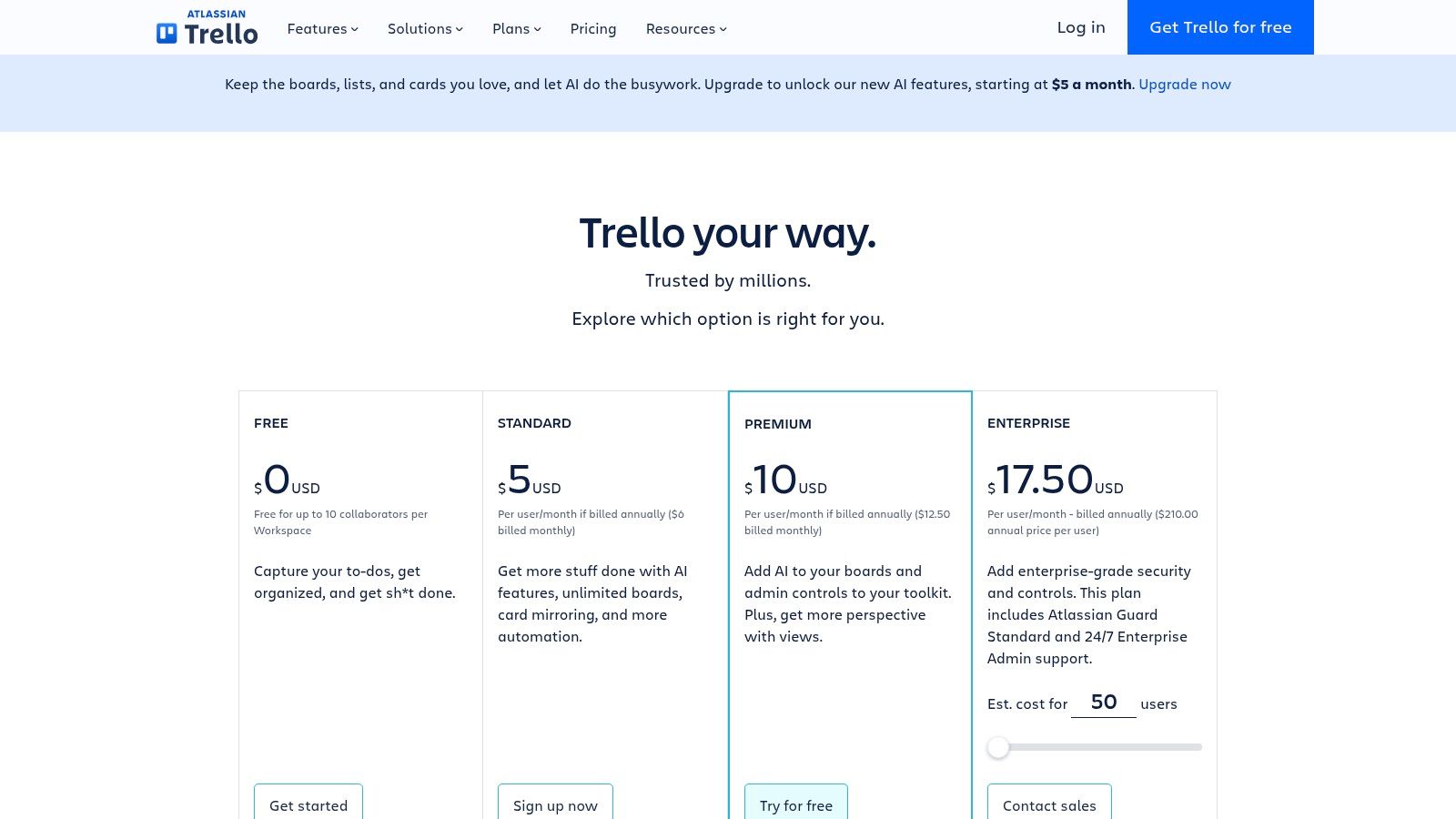
A content team can use Trello to move assignments from ideas to review to publication on a single board. Cards hold task details, while lists make the workflow visible. The familiar interface is easy for non-technical collaborators to learn, and desktop and mobile apps keep the board accessible. Power-Ups and Atlassian connections extend what a board can do (Trello's plan details).
 Trello
Trello's free workspace supports up to 10 open boards and 10 collaborators. Native timeline, dependency, time-tracking, and reporting features are not included. That makes Trello a practical fit for lightweight Kanban, but a weaker choice when a product launch depends on task relationships or managers need reporting across projects. In the second month, check whether the team is running into board or collaborator limits, or missing the views and relationships its workflow needs.
Best fit and the second-month test
Choose Trello for a small team coordinating simple, visible workflows. Test it with active cards, real deadlines, and the people who will update them. A board can show what is waiting, but it will not automatically provide dependency tracking or cross-project reporting. If those gaps lead to extra tools or manual updates, include that time in your cost comparison, alongside practical cost-reduction strategies. A lower subscription cost may come with more work to manage.
3. Notion
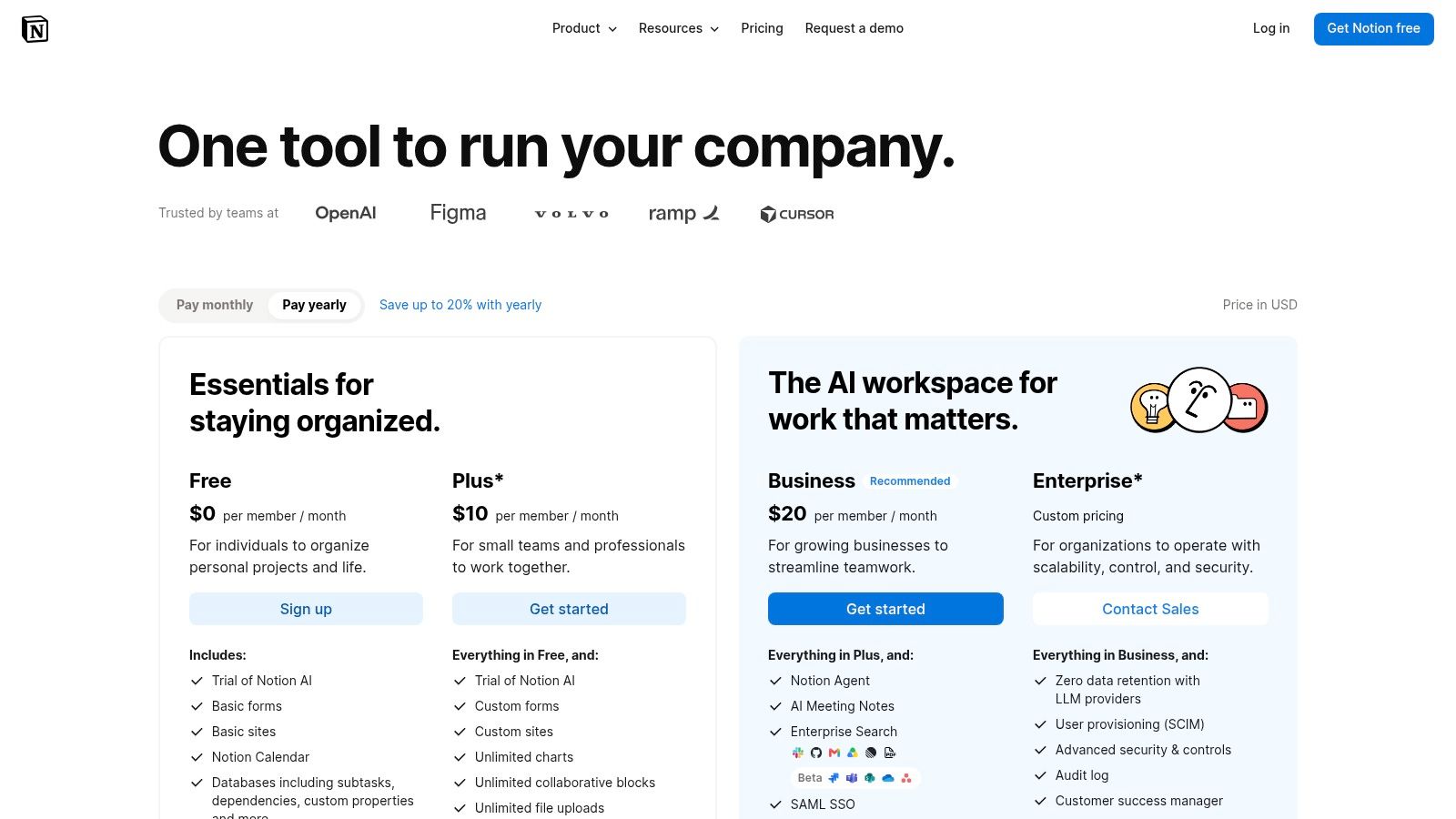
Notion works best when project context belongs beside the work. A team can keep product specifications, meeting notes, roadmaps, and task databases in the same workspace. Databases can appear as boards, lists, calendars, or timelines, so a project doesn't have to live in a separate task tool from the document that explains it. Templates can help teams start with a structure instead of building every page from scratch (Notion's plan details).
 Notion
The flexibility is also the main cost. Notion doesn't force a team into a ready-made sprint system, so someone needs to configure databases, properties, and views to match the workflow. That's manageable for a documentation-heavy product team, but it can become ongoing workspace maintenance if the team keeps changing its project model. File-upload and team-collaboration limits can also become upgrade triggers, so test with the actual files and people who'll use it.
Best fit and the second-month test
Pick Notion when documents and project tracking need to stay connected. It's not the easiest choice for teams that want a structured agile workflow on day one. Build a representative project database, add the team's real specification and task views, then check whether users can find the latest information without relying on an administrator to explain the setup.
Notion AI is available as an add-on or through plan-dependent credits. Don't treat AI availability as a core project feature until you've checked the current plan terms and confirmed how the team would use it.
4. Airtable
Airtable is a spreadsheet-meets-database option for teams whose work needs more structure than a simple task board. A content operation can link campaigns to assets and owners. A product team can connect issues to releases or stakeholder requests. Grid, Kanban, and calendar views give different people a way to work with the same records, while forms can collect requests in a consistent format (Airtable's pricing information).
 Airtable
That flexibility is valuable when the team has a clear data model. It's less helpful when everyone expects a ready-made project-management flow. The team has to decide which fields matter, how records relate, and which views make the work legible. If no one owns that structure, the base can turn into a collection of fields and views that different people interpret differently.
Best fit and the second-month test
Airtable suits teams that organize projects around custom records, such as editorial calendars, launch plans, or request queues. It's a weaker fit for teams that need task dependencies and sprint conventions without configuration. Before committing, create a real workflow and check which free-plan limits apply to the team's records and collaborators. Power users may outgrow the free tier, and collaborator or permission choices can affect billing if the team later upgrades.
5. monday.com Work Management
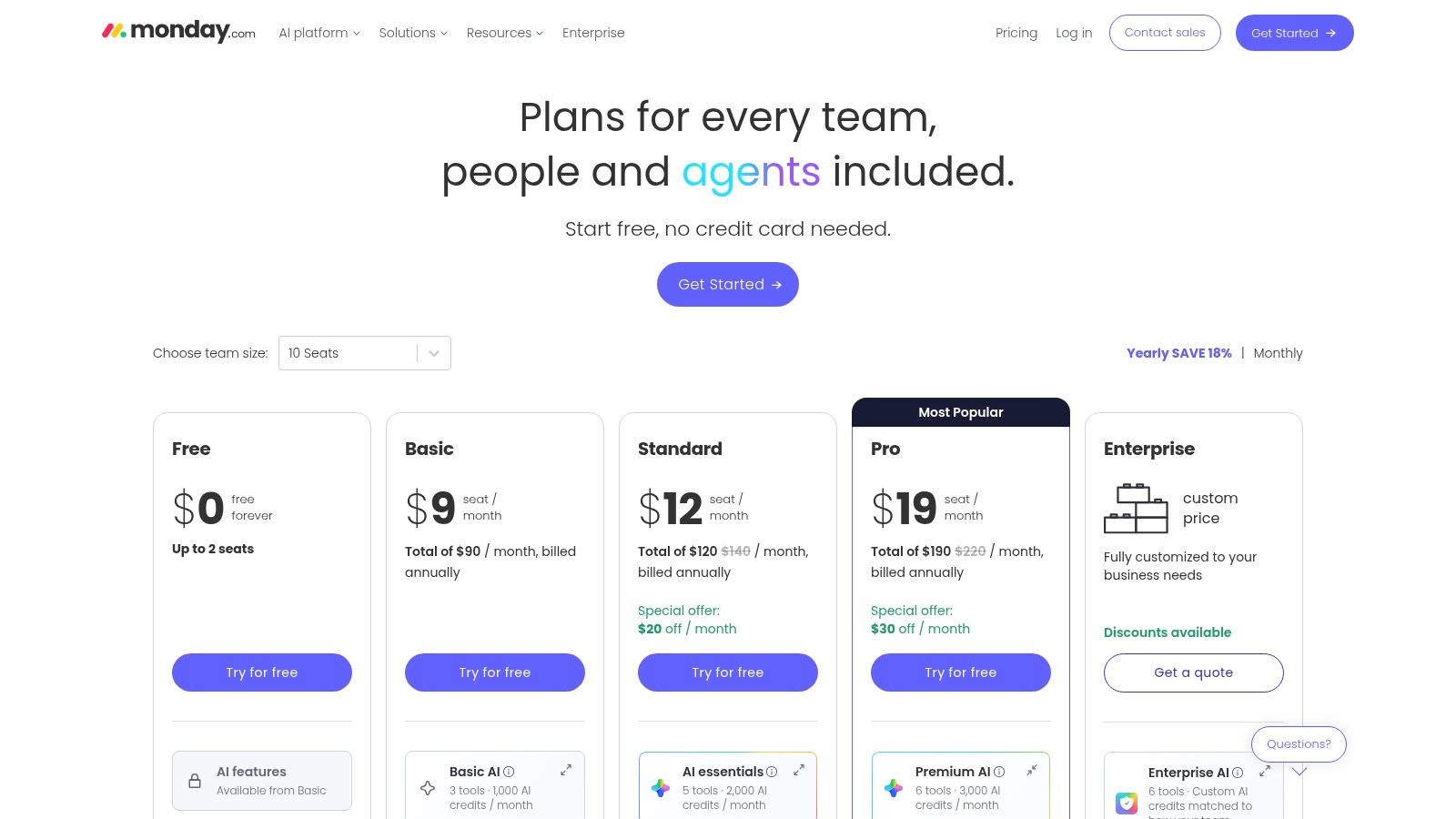
A small team moving off Asana may find monday.com's visual boards easier to scan: columns and statuses show who owns each task and where work stands. Templates can speed up setup. The company also offers separate Work Management, CRM, and Dev products, which may suit teams that later need related workflows (monday.com's pricing page).
The free plan allows up to two seats, so it cannot support an Asana team with more than two people who need access. Automations and advanced views are also reserved for paid tiers. Check those limits against the team's actual workflow before rebuilding projects.
Best fit and the second-month test
monday.com fits an individual or two-person group that prefers visual boards and a straightforward interface. It is a weaker free option for teams that need broader access or rely on locked views and automations. The trade-off becomes clearer once the initial setup is done and the team starts managing real work.
For a second-month test, add the statuses your team uses, invite the people who need to contribute, and produce a manager's update. Check whether the free plan supports each step, including the views and integrations the workflow depends on. If a seat cap or missing feature blocks the process, compare paid plans before moving the rest of the team's work.
6. Wrike
Wrike is built for teams that want a more structured work-management system. It offers board and table views, request forms, and Gantt capabilities, with desktop and mobile apps available on the free plan (Wrike's pricing page). That can suit an operations or delivery team that wants requests to enter through a defined process instead of arriving through informal messages.
The free plan has limits that matter once real work accumulates: 2 GB of storage and 200 active tasks per account. The platform also has a steeper learning curve than simple Kanban tools. That structure can pay off for teams with repeatable processes, but it can slow down a small group that only needs a shared checklist.
Best fit and the second-month test
Wrike fits teams that expect to need more advanced resource planning and reporting over time. It's less attractive for a team that wants the lightest possible setup. During a trial, check how request forms feed into active work, whether the team can archive completed tasks effectively, and whether the storage limit fits its files. If the system feels heavy before the workflow becomes useful, a simpler board may be the better free choice.
7. Teamwork.com Projects
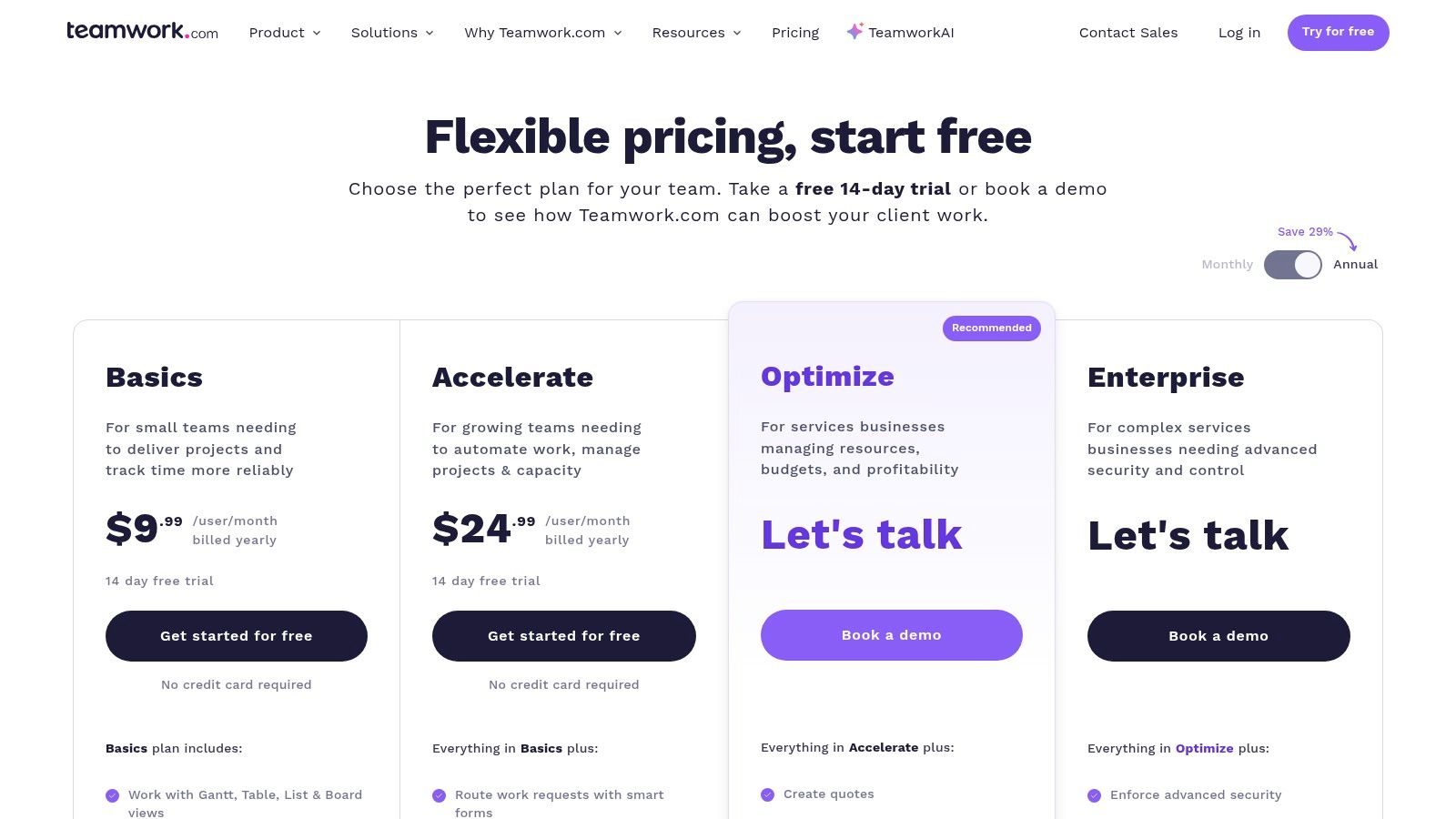
Teamwork.com Projects is oriented toward client work and agency delivery. Teams can manage projects and tasks while controlling how clients participate. That external-collaboration focus can be useful when a client needs visibility into progress without being given the same access as an internal team. The broader Teamwork product family includes Chat, Desk, and Spaces, so the platform may fit organizations looking to connect project delivery with related work (Teamwork.com's pricing page).
The free plan gives teams a place to start with project and task management. Don't assume it includes the economics and controls an agency needs to run billable work. Time tracking, budgeting, advanced reporting, and other client-focused capabilities sit on paid tiers. If the team uses project profitability or billable hours to make decisions, verify those features before migrating.
Best fit and the second-month test
Choose Teamwork.com Projects if external client collaboration is central to delivery. Its terminology and interface may feel agency-focused for an internal product team, and a free setup may not cover the time and reporting workflow that makes the platform valuable to an agency.
Test a real client project with the access controls you'd use in production. Ask whether the client can see the right updates, and whether the team can track the work it bills for. Pairing project tools with clear feedback processes can also help agencies keep customer input visible (tools to prioritize customer feedback).
8. Zoho Projects
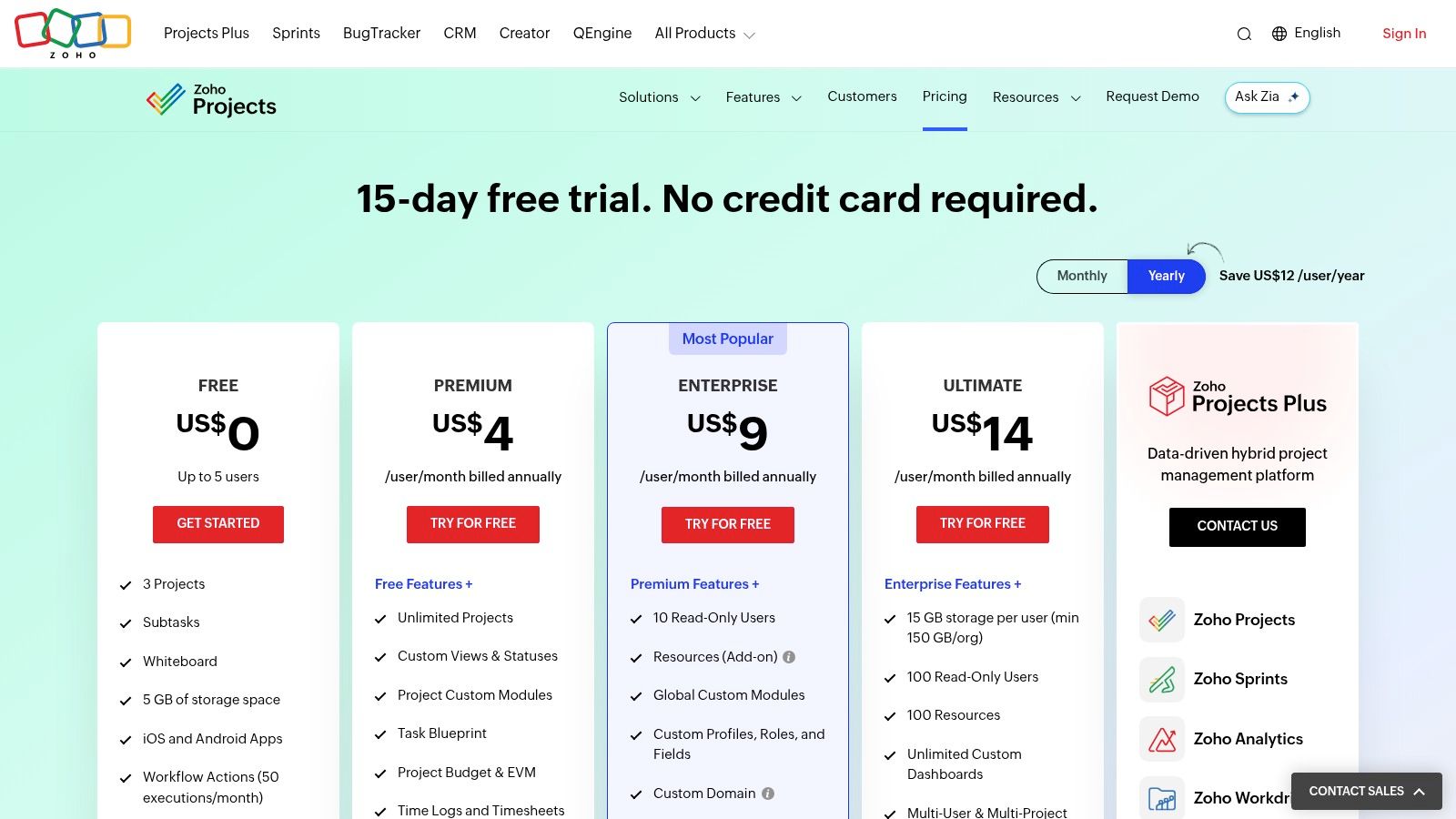
Zoho Projects gives teams tasks, subtasks, whiteboard functionality, and mobile apps, with integrations across Zoho's product suite and third-party tools. Its free plan is aimed at small teams and a limited number of projects. Paid tiers add capabilities such as Gantt charts, custom views, and time tracking (Zoho Projects pricing).
This is a practical option for teams already using Zoho products or those that want straightforward project structures. The interface can feel utilitarian compared with newer work-management platforms, and the agile feature set is less focused on developer workflows than Jira or Linear. That isn't necessarily a drawback. A team managing internal operations may not need an engineering-first issue tracker.
Best fit and the second-month test
Zoho Projects fits a small team that wants tasks and subtasks without building a custom database. It can also be a sensible starting point for organizations already invested in Zoho. The second-month question is whether the project cap or missing paid-tier views interrupt daily work. Put an active project in the free plan, then check whether the team can organize its tasks and produce the updates it needs without adding workarounds.
9. Linear
Linear is a focused issue tracker for product and engineering teams. It's built around fast issue handling, backlog management, and opinionated workflows, with keyboard shortcuts that help frequent users move quickly. That focus makes it a poor substitute for a general-purpose workspace if marketing, operations, and client services all need the same tool (Linear's pricing page).
 Linear
For a product team, the trade-off is often worthwhile: issues and sprint work stay central instead of being squeezed into a general task list. The free plan is suited to small teams, while paid plans add more controls and AI capabilities. Confirm the current limits on teams and issues before you move an established backlog. Some AI usage and advanced features require paid plans or credits.
Best fit and the second-month test
Linear suits a startup engineering team that wants a clean backlog and issue workflow. It's not as broad as ClickUp or monday.com for cross-functional work, so keep that difference in view if several departments need one shared system.
Run an actual bug or feature request through triage, planning, and delivery. Check whether engineers can work quickly and whether product stakeholders can follow progress without extra status meetings. Strong process design matters as much as the tool when a team wants to improve developer productivity (practical approaches to improving developer productivity).
10. Jira Software
Jira Software is the most natural fit in this list for teams that work through Scrum or Kanban. It provides boards, backlogs, workflow customization, and development integrations. Its free cloud plan supports up to 10 users and 2 GB of storage (Atlassian's Jira pricing page). That capacity can suit an early engineering team that needs a shared issue tracker without moving straight to a paid tier.
 Jira Software
Jira's strength is also its main cost. A team can configure detailed workflows and connect development work, but setup and administration take more effort than a simple task board. The free storage and user caps can constrain a growing team, and the workflow can feel excessive if the team only needs a shared list of responsibilities.
Best fit and the second-month test
Choose Jira when software delivery is the core workflow and the team wants structured backlogs, Scrum or Kanban boards, and development integrations. Don't choose it just because the team writes software. If engineers and non-technical contributors need a light, shared project space, a simpler tool may be easier to maintain.
Before migrating, run a representative backlog through issue creation, prioritization, sprint planning, and review. Check who will own workflow changes and access settings. Teams using Slack can also evaluate how their Slack and Jira setup will support the handoffs they already rely on. For teams comparing a wider set of engineering utilities, these developer productivity tools offer additional context.
Top 10 Free Asana Alternatives Compared
| Tool | Core Features | UX / Quality | Best For | Free-Plan Value & Standout |
|---|---|---|---|---|
| ClickUp | Tasks, Docs, chat, Kanban, time tracking | ★ Broad, all-in-one toolkit | 👥 Solo users and small teams | 💰 Unlimited tasks and members; 60 MB storage limit |
| Trello | Boards, lists, cards, Power-Ups, automation | ★ Simple and easy to learn | 👥 Teams using lightweight Kanban | ✨ Quick setup; free workspaces limited to 10 open boards |
| Notion | Pages, databases, task views, templates | ★ Flexible, document-first workspace | 👥 Teams combining product docs and tasks | 💰 Free option; ✨ templates; sprint workflows need setup |
| Airtable | Grid, Kanban, calendar, forms, linked records | ★ Highly customizable | 👥 Teams with bespoke project workflows | ✨ Relational data and forms; free-plan limits may constrain growth |
| monday.com Work Management | Custom boards, templates, statuses | ★ Polished visual interface | 👥 Individuals and very small teams | ✨ Multiple product areas; free plan capped at a very small team |
| Wrike | Board/table views, request forms, Gantt | ★ Powerful, with a steeper learning curve | 👥 Growing teams needing planning and reporting | 💰 Free task management; limits include 2 GB storage and 200 active tasks |
| Teamwork.com Projects | Projects, tasks, client access | ★ Client-work oriented | 👥 Agencies and client-facing teams | 💰 Free starting plan; time tracking and budgeting are paid-tier features |
| Zoho Projects | Tasks, subtasks, whiteboard, integrations | ★ Practical, utilitarian interface | 👥 Small teams using Zoho or seeking budget upgrades | 💰 Free plan supports small teams and limited projects |
| Linear | Issue tracking, backlogs, keyboard shortcuts | ★ Fast, focused workflow | 👥 Product and engineering teams | ✨ Streamlined triage; advanced features and AI may require paid plans |
| Jira Software | Scrum/Kanban boards, backlogs, integrations | ★ Structured, but more complex to administer | 👥 Software teams needing agile workflows | 💰 Free for up to 10 users; 2 GB storage limit |
Pick One Free Plan, Then Test It Against Your Real Workflow
Don't choose a free project-management tool by counting features. Choose two or three options that match your team type, then run the same real project through each. A founder and a collaborator might start with ClickUp or Trello. A documentation-heavy product team may prefer Notion. An engineering team could test Linear and Jira. An agency should look closely at Teamwork.com Projects if client access is central.
Use your actual tasks, files, and collaborators. A clean demo workspace won't show whether the plan fits the work you need to do. Check the conditions that tend to show up after setup:
- Seats: Invite the people who need to create, update, review, or approve work. Don't test with only the person configuring the tool.
- Storage: Add the files your team normally attaches, such as design assets, screenshots, or project documents. Check whether external storage will be necessary.
- Board and task limits: Create the projects and boards you expect to keep active. Find out whether you'll need to archive work or change plans.
- Views and workflow controls: Try the views, dependencies, custom fields, automations, and permissions the team relies on. Confirm which are available without payment.
The broader market gives teams plenty of ways to start without a paid subscription. One directory reported tracking 359 project-management tools as of October 16, 2026, with 46% free, freemium, or open source (ProjectManager's overview of open-source project-management software). That variety doesn't make every tool interchangeable. Free can mean a generous collaboration plan, a limited trial-like workspace, or software your organization hosts and maintains itself.
Before the trial ends, write down the upgrade trigger that would make a paid plan worthwhile. It might be more seats, a specific view, storage, automation, reporting, or client controls. Also note who would own the migration if the team outgrows the free tier. A good choice isn't just free today. It fits the work now and gives the team a clear next step when its capacity changes.
AppLighter gives founders and product teams a starter kit for building and shipping mobile apps with Expo and React Native, including authentication, navigation, state management, an API layer, and AI-assisted development tooling. If your project-management tool is helping you coordinate an app launch, visit AppLighter to see how its pre-configured foundation can help your team move from prototype to production.