AI Rules Explained: What They Are and How to Use Them
Learn what AI rules are, why they matter for app safety, and how to design rule-based constraints for your AI workflows with practical examples.
 Sanket
You ship an AI feature on Friday. On Monday, a user asks it something slightly off script, it answers with confidence, and that answer is wrong, unsafe, or exposes data it shouldn't have touched. AI rules are how you stop that Monday from happening. They're not paperwork you add after launch. They're the boundaries you build into the product before anyone depends on it.
Table of Contents
- What Are AI Rules and Why Should You Care
- The Core Concepts Behind AI Rules
- Why AI Rules Matter for App Behavior and Safety
- How to Design Effective AI Rules for Your Workflow
- Real-World Examples of AI Rules in Action
- Balancing AI Rules with Development Speed
- Common Misconceptions About AI Rules
- Frequently Asked Questions About AI Rules
What Are AI Rules and Why Should You Care
Your support chatbot refunds a user who never paid. Your code assistant adds a login bypass you didn't notice. Your AI feature sends personal data to a model provider you never approved. These aren't model failures alone. They're missing rules.
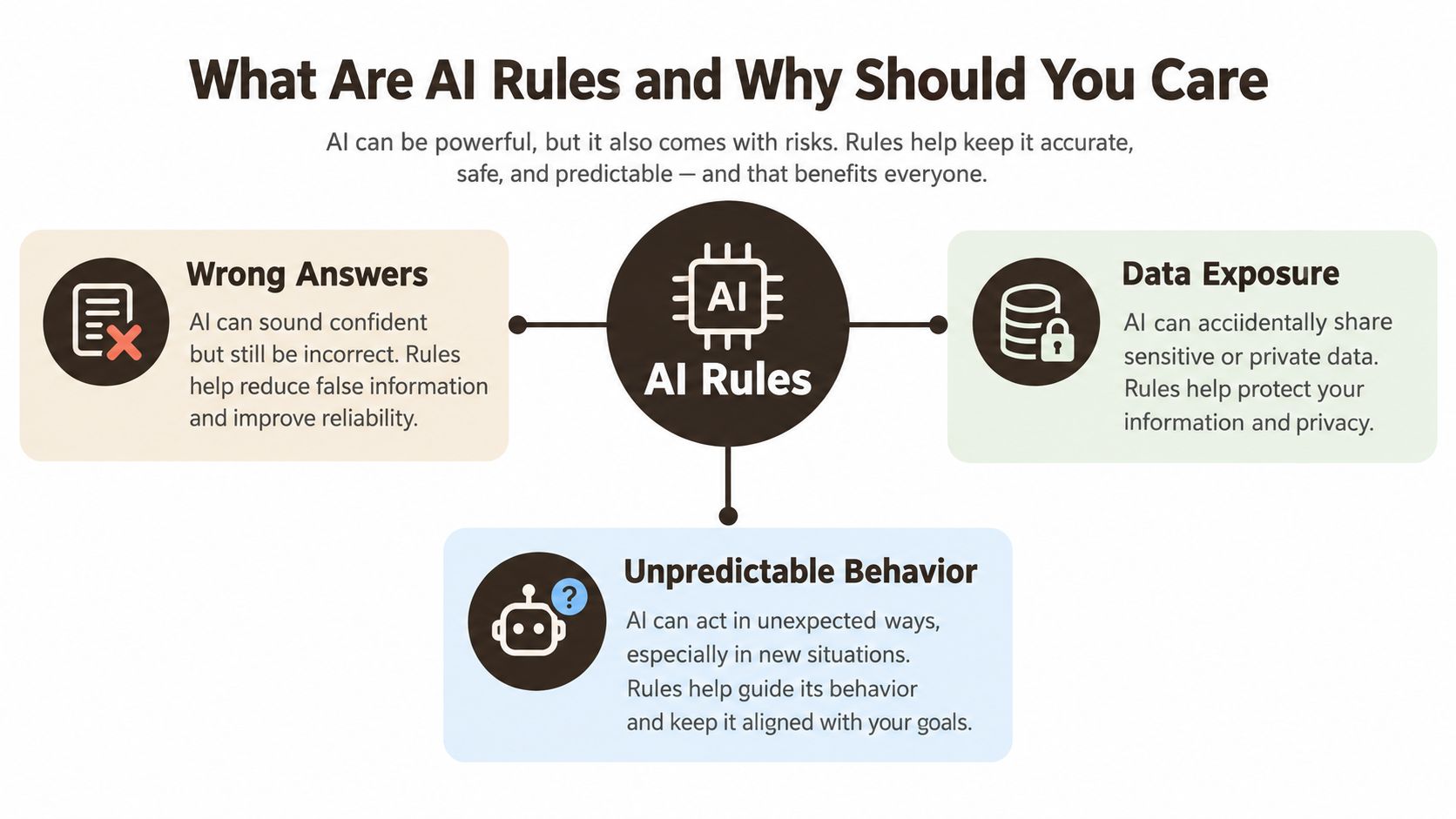 A diagram explaining AI rules as solutions to risks like wrong answers, data exposure, and unpredictable behavior.
AI rules are explicit, enforceable constraints on how an AI system behaves, what it can access, and how people check its output. Some sit at the model level, such as a system instruction that says the assistant can explain a billing error but can't issue a refund. Others sit at the application level, such as an API check that rejects the refund request even if the model asks for it.
What Without Rules Looks Like in Practice
Without that second layer, you're trusting a prompt to do a permission system's job. A user rephrases a request, adds a fake support ticket, or pastes instructions into a document, and the model complies. The prompt said no. The system allowed yes.
Practical rule: If an action matters, enforce it in code, not only in the prompt.
Regulators are now formalizing this logic. The EU AI Act implementation timeline shows the world's first horizontal AI regulation entered into force on 1 August 2024, with the first substantive obligations applying on 2 February 2025. That staged rollout continues through later dates for general purpose AI, transparency, and certain high risk systems in regulated products.
If you're planning business adoption rather than just experimenting, AI consulting insights from Up North Media can help you think about implementation as an operational decision, not a single tool purchase. For an app team, the translation is simple. Decide what the AI may do, what it must never do, and what a human must approve.
A demo can survive ambiguity. A production app can't. Rules turn an impressive prototype into something your users, your team, and your incident process can rely on.
The Core Concepts Behind AI Rules
Start with one uncomfortable fact. AI models are probabilistic, not deterministic. A normal function returns the same result for the same input. A language model can produce a different, plausible answer each time, including when it's wrong.
That's why AI rules work like traffic laws. Road markings guide drivers. Barriers stop the worst mistakes. Cameras create evidence. Police handle cases that need judgment. No single control makes driving safe.
The Vocabulary You Actually Need
- Constraints: Limits on inputs, tools, data, or outputs, such as blocking medical advice in a fitness app.
- Guardrails: Checks that steer or stop behavior, such as rejecting an answer with no retrieved source.
- Validation: Tests on output structure and content, such as requiring valid JSON before your app uses it.
- Logging: A privacy conscious record of prompts, outputs, decisions, and errors so you can reconstruct failures.
- Human oversight: A real escalation path where a person can review, override, or stop an action.
- Risk classification: Deciding which use cases are minor, sensitive, or high risk before you design controls.
Hard rules block an action. Use them for payments, deletion, account access, and regulatory boundaries. Soft rules flag work for review. Use them when output may be acceptable but a person should check context, tone, or uncertainty.
Rules Belong at Different Layers
Put instructions in the prompt, permissions in application logic, authorization in the API, and release checks in the deployment pipeline. If one layer fails, another catches the problem. A prompt can tell Claude Code not to edit authentication. Your branch protection, tests, and reviewer requirement make that instruction meaningful.
The layered view aligns with how regulators increasingly describe high risk systems. The EU regulatory framework for AI expects providers to maintain full lifecycle risk management, validate training and test data, preserve traceable event logs, produce technical documentation, implement human oversight, and maintain accuracy, resilience, and cybersecurity.
When you move from model behavior into a working app, AI integration best practices are a useful prompt to think beyond the chat box and design the surrounding system. The model generates. Your rules decide what generation is allowed to become action.
Why AI Rules Matter for App Behavior and Safety
Three things break when rules are weak. User trust, legal compliance, and engineering reliability all depend on behavior you can predict, explain, and repair.
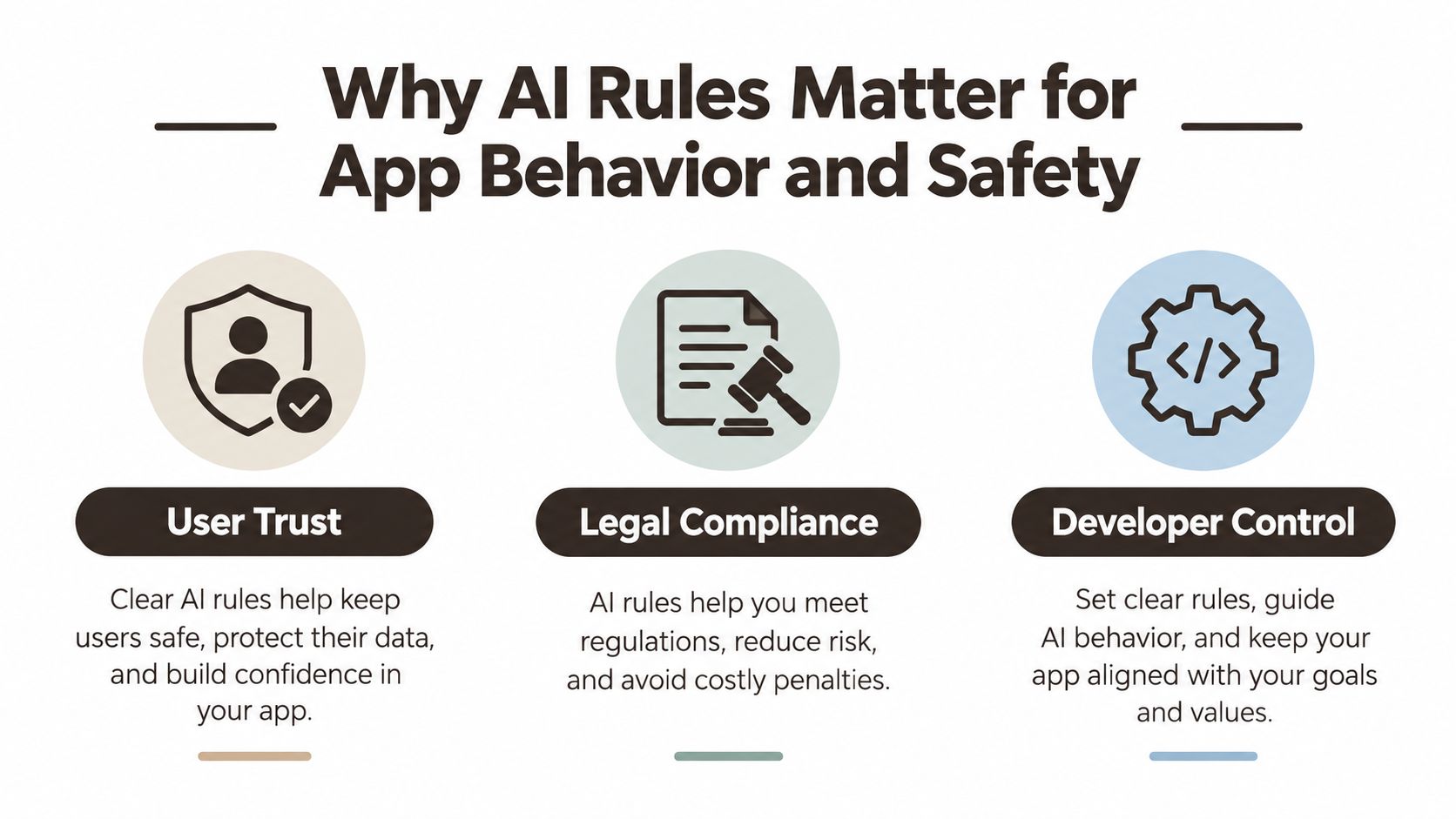 An infographic titled Why AI Rules Matter for App Behavior and Safety featuring User Trust, Legal Compliance, and Developer Control.
Users don't judge your intent. They judge the answer they received, the data you handled, and whether the app helped or harmed them. In Pew Research Center's survey across 25 countries, a median of 53% trusted the EU to regulate AI effectively, compared with 37% for the United States and 27% for China. Trust varies by market, so transparent governance can matter as much as speed or model quality.
Legal Risk Has a Price
The EU approach is risk based. Unacceptable risk uses are prohibited, high risk systems face strict requirements, and lower risk systems generally face transparency or limited duties. Non compliance can lead to administrative fines of up to €15 million or, for companies, up to 3% of worldwide annual turnover, whichever is higher.
You may not be building a high risk system. You still need to know that before launch, not after a user complaint. Classification determines what documentation, logging, oversight, and testing you should build.
Rules Make Incidents Fixable
Suppose your AI search feature starts inventing product prices. Without logs, you can't see which prompt, model version, retrieval result, or fallback caused it. Without output validation, bad prices reach checkout. Without a kill switch, you must ship an emergency release to stop it.
Good rules give you a sequence:
- Detect: Monitor refusals, errors, escalation rates, and unusual tool calls.
- Contain: Disable the risky tool or route users to a safe fallback.
- Correct: Fix the prompt, permission, data source, or validation test.
- Prove: Show what happened and what changed.
Deployers also have operational work under the EU model, including monitoring operation, controlling relevant input data, retaining logs for at least six months, and reporting risks or incidents. That's product engineering, not legal decoration.
Rules aren't there to make AI timid. They're there to keep a useful feature inside the job your users hired it to do.
How to Design Effective AI Rules for Your Workflow
Design rules the way you'd design an API. Name the actor, the allowed action, the conditions, the failure response, and the test that proves it works.
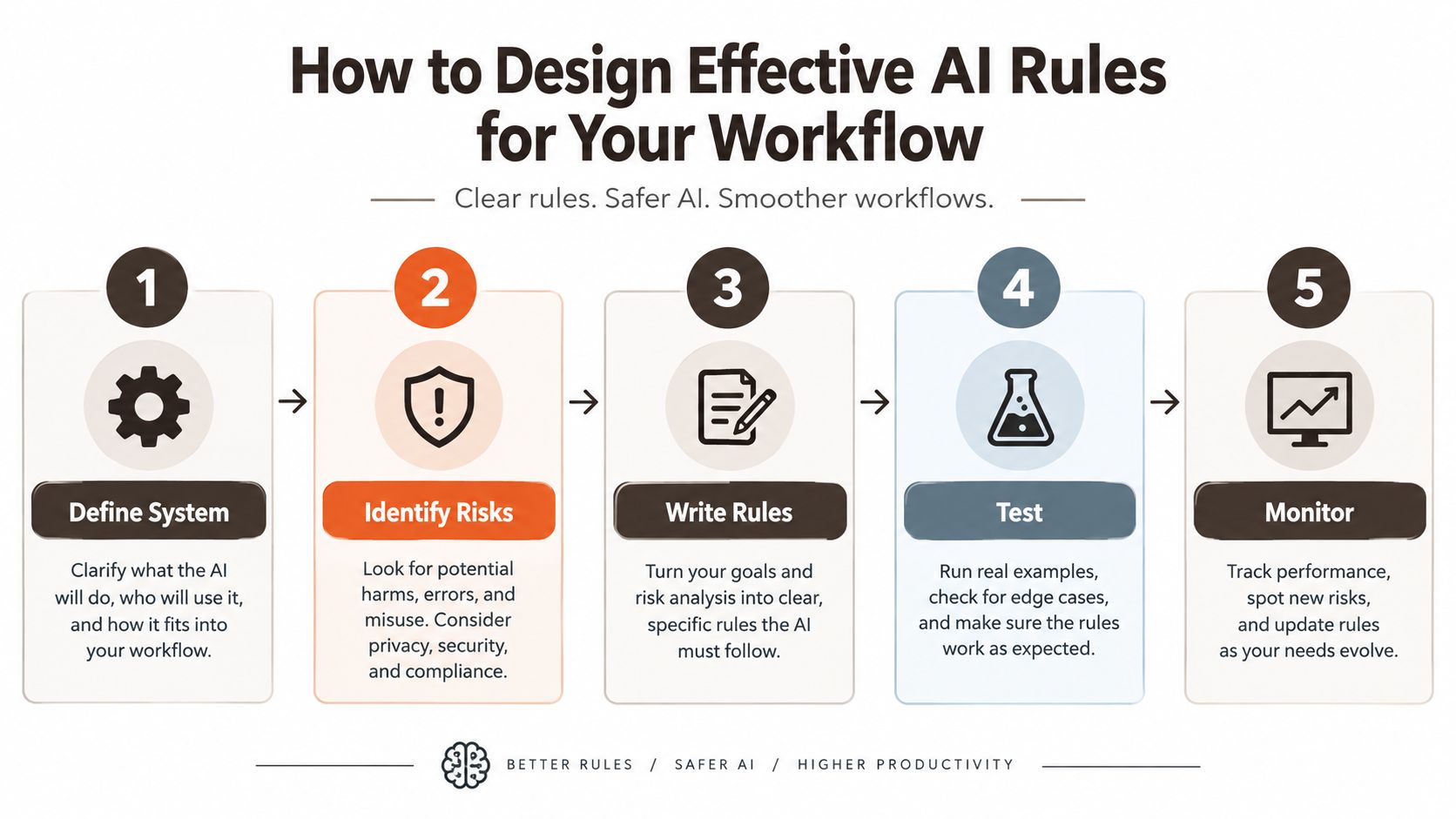 A five-step infographic guide on how to design effective AI rules for a workflow, from defining to monitoring.
Five Steps That Fit a Real Workflow
- Define boundaries: List the jobs the AI may perform, tools it may call, data it may read, and actions requiring approval. Be specific. "Help users" is not a boundary.
- Identify failure modes: Ask what happens with malicious prompts, missing data, stale retrieval, duplicate tool calls, unsafe dependencies, and personal data in logs.
- Write testable rules: Replace "be safe" with "never send email addresses to the model provider" or "require human approval before changing authorization logic."
- Choose enforcement points: Put fast checks in the Expo client only for usability, real authorization in the Hono API, and release gates in CI.
- Monitor and revise: Review incidents, failed checks, and user escalations. Version rules like code so a change has an owner and a reason.
Use input validation before a model sees a request, output filtering before a user sees a response, permission checks before a tool runs, and approval gates before irreversible actions. If you're shaping the prompt layer, prompt engineering guidance for developers helps you write instructions that pair cleanly with these system controls.
If you can't test a rule, you have a value statement, not a rule.
Test Like an Attacker, Not Only a User
Normal accuracy tests won't catch prompt manipulation, data leakage, model extraction, or an assistant following instructions hidden in user content. For general purpose models, the EU AI Act high level summary treats cumulative compute above 10^25 floating point operations as a trigger for systemic risk controls, including adversarial testing and incident reporting.
Most app teams won't train such a model. You still inherit risk when you integrate one. Ask providers for model documentation, known limitations, evaluation evidence, retention settings, and integration instructions. Then add your own red team cases around your data, tools, roles, and abuse paths.
One practical starting point is AppLighter, a starter kit built on Expo, Hono, and TypeScript that includes Claude Code rules and Cursor instructions for project conventions. Treat any template rules as a first draft, then adapt them to your permissions, data, and release process.
Real-World Examples of AI Rules in Action
A useful rule names a risky change and states exactly what blocks it. The photo below captures the ordinary setting where these decisions now happen, a developer moving between generated code, a phone build, and the next release.
 A male software developer working on code on a laptop while viewing task progress on his smartphone.
Example one, authentication changes need a person. Your Claude Code project rule says AI may draft login UI but can't alter session handling, token storage, or authorization helpers without reviewer approval. CI checks changed paths and fails the merge until a named owner approves. If violated, the code stays unmerged, not "probably reviewed later."
That matters because AI assistance is already normal. In a Computing report on AI code security risks, 42% of developers surveyed said their codebases were predominantly AI generated, yet only 67% reported reviewing code before deployment and just 29% felt very confident detecting vulnerabilities in AI assisted code. Only 17% had no AI development control policies, depending on how the wider findings are read alongside review habits, but the gap between generation and confident review is the operational warning.
The short video below gives a practical view of AI assisted development, which is where these approval boundaries earn their keep.
Example two, personal data never becomes prompt filler. Developers redact names, emails, tokens, and production records before sending context to Cursor or Claude Code. Secret detection runs before commit. Approved providers and retention settings are documented. For concrete assistant patterns, Cursor examples for app developers can help you separate helpful context from sensitive context.
Two More Rules You Can Copy and Adapt
- Dependency gate: AI may propose an update, but dependency scanning and a passing test suite must succeed before merge.
- Database boundary: In Supabase, AI generated code can't bypass row level security policies. API authorization tests run as different users and must prove one account can't read another account's records.
- Support action gate: An AI assistant may summarize a ticket and draft a reply. Refunds, account deletion, and address changes need a human confirmation in the product interface.
Each example has an intent, an enforcement point, and a consequence. That's the difference between advice and a rule.
Balancing AI Rules with Development Speed
Strict review for every generated line will slow you down. No review for risky lines will slow you down later, during an incident. The balanced answer is risk tiering.
Let AI move quickly on reversible work such as spacing fixes, copy variants inside approved strings, test scaffolding, and isolated UI components. Slow down for authentication, payments, personal data, migrations, API permissions, and dependency changes. Those areas combine high impact with mistakes that are easy to miss in a fluent diff.
Automate the Cheap Checks
Formatting, linting, type checks, unit tests, secret detection, and dependency scanning can run automatically. They give reviewers a cleaner job: judge intent, authorization, data flow, and edge cases instead of hunting syntax errors. This guide to AI assisted coding fits that mindset, using the assistant for speed while keeping humans responsible for consequential decisions.
Privacy is where vague speed arguments fall apart. In developer research on privacy compliance in AI generated code, 52.94% had to spend extra effort checking whether generated code met privacy requirements, and 41.18% manually wrote code most of the time to satisfy those requirements. The study concluded programming assistants didn't reliably generate code compliant with privacy laws.
That's not a case against AI. It's a case for building the privacy checklist into your workflow before the assistant generates the feature.
Speed rule: Automate routine verification so human attention is available for the changes that can hurt users.
Consider a profile export feature. AI can build the screen quickly. Your rules still require consent, data minimization, deletion handling, safe logging, and approval for the endpoint. You keep the productive part and remove the expensive surprise.
Rules don't compete with shipping fast. They stop speed from becoming a loan you repay with rework, support tickets, and emergency patches.
Common Misconceptions About AI Rules
"AI rules are only for large enterprises." A solo developer can leak a database, break login, or send private prompts to the wrong provider just as completely as a big company. Small teams need fewer rules, not none. Start with secrets, personal data, authentication, and release approval.
"Rules mean we can't use AI." Rules define where AI is welcome. A team may allow generated UI and tests while requiring approval for billing code. That's not a ban. It's a workable division of responsibility.
The Prompt Only Fallacy
"Our system prompt says never do that, so we're covered." A prompt is guidance to a model. It isn't authorization, encryption, validation, or an audit trail. If the underlying API lets any authenticated user delete another user's record, polite model behavior won't save you.
"The model is safe, so the app is safe." A strong model can still be connected to excessive tools, poor retrieval, exposed logs, or a database policy that returns too much. Safety lives in the whole system, including your Expo client, API routes, storage, analytics, and support process.
"Never trust AI code is enough." It's a sentiment, not an operating procedure. Which files require a second reviewer? Which tests block release? What evidence do you retain? What happens when a scanner finds a secret at midnight? Specific answers help. Slogans don't.
Don't swing to the opposite error either. Rules that require three approvals for a button label will teach developers to bypass the process. Protect the actions and data that carry real consequences, keep low risk work light, and revise the boundaries when incidents or product changes expose a gap.
Frequently Asked Questions About AI Rules
Do AI Rules Apply to a Small App
Yes, if your app uses AI to answer users, call tools, process personal data, or generate code. Start with approved providers, redaction, secret scanning, permission tests, and human approval for sensitive changes.
What Should I Document
Record the model provider, purpose, data sent, retention setting, known limitations, reviewer, tests run, and escalation path. That record helps you answer privacy, incident, and deletion questions later.
How Do I Enforce Rules in Claude Code or Cursor
Store project instructions in version control, protect sensitive paths with branch rules, and block merges with automated tests and scanners. Treat the assistant's instructions as guidance, then let your repository and API enforce the boundary.
Start with the rules that protect authentication, personal data, and releases, then add model boundaries and audit logs as your AI features grow. AppLighter offers an Expo and Hono starter kit with Claude Code rules and Cursor instructions already wired into the project structure, so you can adapt a working rule set instead of assembling one after your first incident.