7 Cursor Examples for Expo and React Native
Explore 7 cursor examples for Expo and React Native, with rules, skills, templates, and AI workflow tactics for AppLighter projects.
 Damini
Better Cursor output doesn't mainly come from writing longer prompts. The useful cursor examples make project context reusable through rules, skills, commands, and templates, so developers don't have to restate the same Expo or React Native conventions in every chat. That distinction matters in AppLighter workflows, where authentication, navigation, state management, APIs, and AI integrations already shape the starter project.
The seven resources below map to different stages of app development. Some help establish rules, others support onboarding, compose repeatable skills, adapt templates, migrate legacy configuration, wire commands, or enforce stack-specific conventions. Each annotation focuses on what the example demonstrates, where it fits, what to copy, what to change for Expo or React Native, and what to verify before accepting generated code. For broader workflow context, compare this approach with NotFair Google Ads setup, where reusable configuration also matters more than isolated instructions.
Table of Contents
- 1. Cursor Docs Rules for AI
- 2. Cursor Docs Quickstart
- 3. spencerpauly awesome Cursor Skills
- 4. sangampandey Cursor Templates
- 5. nedcodes-ok cursorrules collection
- 6. hutchic .cursor
- 7. survivorforge cursor-rules
- Top 7 Cursor Examples Comparison
- Turn These References Into a Safer AI Workflow
1. Cursor Docs Rules for AI
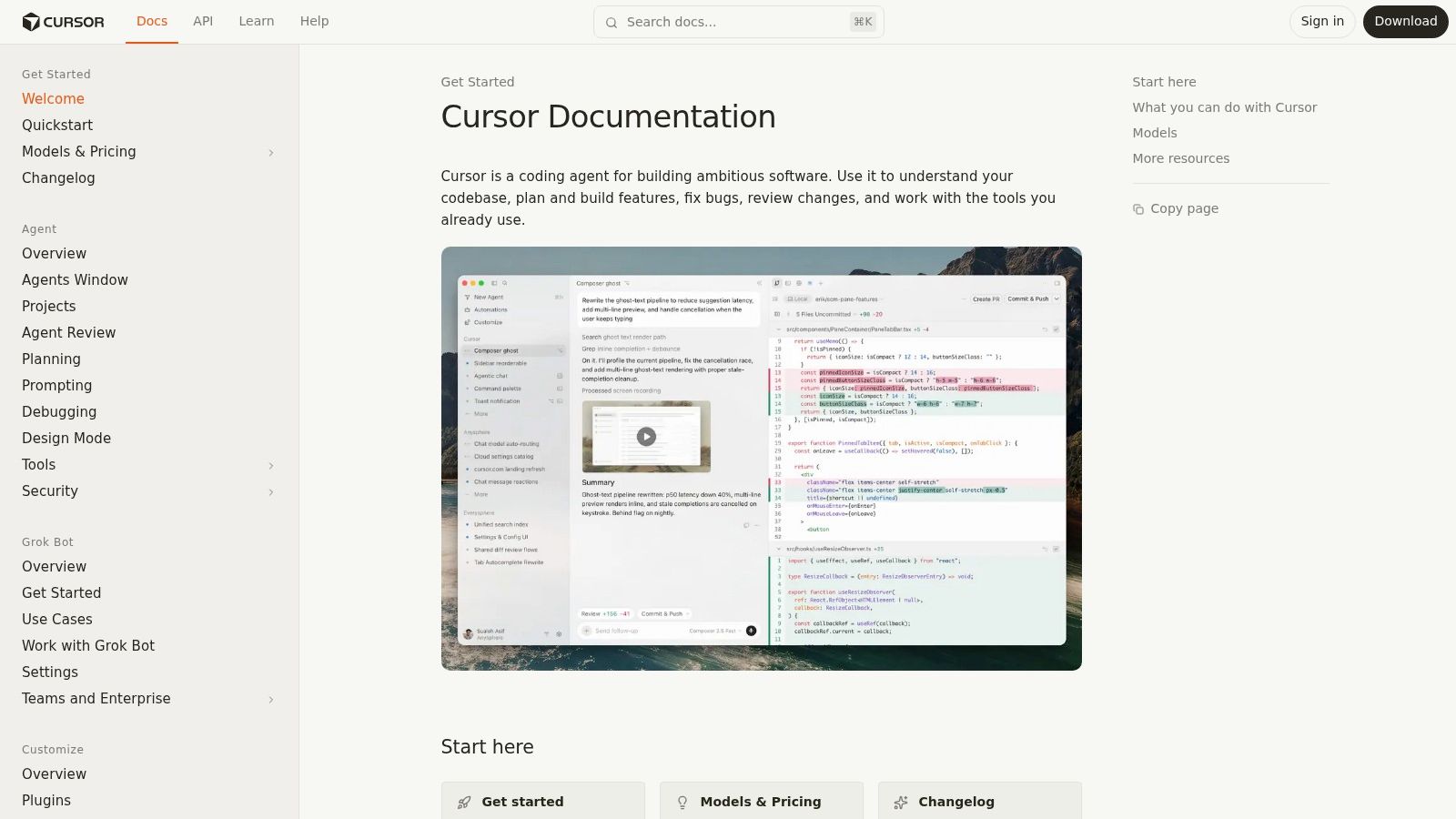
Cursor's Rules for AI documentation provides the foundation for consistent behavior across an Expo or React Native repository. It covers rule creation and management, .cursor/rules organization, and scope across Agent and Editor workflows. A structured rule set gives the team reusable repository guidance without pasting the same prompt into every conversation.
Define rules around decisions that should remain stable across features: the navigation library, screen and component locations, API client boundaries, state management, styling, testing, and platform constraints. For example, a rule can require native modules to stay behind an adapter, direct components to existing design tokens, and keep business logic out of screen files.
Practical rule: Make a convention executable whenever possible. “Use the existing API client” is weaker than naming the client path, request pattern, and verification command.
Rule precedence helps separate repository-wide requirements from feature-specific instructions. An always-applied rule can establish TypeScript and folder conventions. A narrower rule can target API files, tests, or one feature area. Global rules that cover every exception create noise. Rules that are too narrow force developers to restate context.
What to copy and what to change
Copy the repository structure, rule metadata, file references, and migration pattern. Replace the sample paths with actual Expo directories, React Native components, and the commands used by the project.
Projects with a flat .cursorrules file should follow the documented migration path instead of translating the configuration manually. Test each rule by asking Cursor for a small change in a representative file, then inspect the diff and run the relevant checks. The prompt-engineering guidance for developers can help refine those requests, while the rule itself should stay short enough to review during normal AppLighter development.
 Cursor Docs Rules for AI
2. Cursor Docs Quickstart
The Cursor Quickstart is an onboarding exercise, not a complete development method. It demonstrates how to open or clone a project, use Agent, and review suggestions for parameters, function bodies, and edits based on surrounding context. A new team member can complete it quickly and learn Cursor's basic interaction model before dealing with advanced features.
For an Expo or React Native team, use the tutorial as the first controlled workflow. Provide a disposable project or a selected starter branch. Ask the developer to locate a screen, make a small change, inspect the diff, and run the repository's checks. The goal at this stage is teaching safe habits, not shipping a production feature. Cursor proposes changes within the repository, while the repository determines whether those changes fit its architecture and pass verification.
The quickstart leaves several stack decisions open. Its happy path does not cover Expo routing conventions, React Native platform behavior, native dependency constraints, or AppLighter's preconfigured services. A newcomer may learn how to request an edit while still placing a screen incorrectly or wiring a server call outside the project's established boundary.
Turn onboarding into a repository exercise
After the vendor tutorial, replace its generic example with a small task from the actual app:
- Screen change: Request loading, empty, and error states with existing components.
- API change: Ask Cursor to trace an existing request before proposing a new one.
- Navigation change: Add a route while preserving the project's current parameter types.
- Verification: Run linting and type checking, then review the diff for platform-specific risks.
This sequence builds habits that a prompt collection cannot enforce by itself. Developers inspect files, constrain requests, and verify results against the project. For first-time users, that foundation matters more than autonomous multi-step work during the initial onboarding task.
3. spencerpauly awesome Cursor Skills
The awesome Cursor Skills repository is more useful after a team understands basic rules. Its SKILL.md examples package repeatable work into instructions that Cursor can invoke for a defined purpose. The collection includes patterns for CI triage, suggesting new rules, switching projects through MCP, and preserving workspace knowledge.
For Expo and React Native, the strongest use case is operational work that otherwise produces inconsistent chat sessions. A skill can tell Cursor how to investigate a failing test, locate the relevant screen, inspect the API boundary, propose a minimal patch, and report what remains unverified. Another can review a new feature for platform-specific assumptions, such as browser-only APIs, keyboard behavior, permissions, or native module availability.
Skills also introduce a useful shift in responsibility. A prompt describes what a developer wants now. A skill describes how the repository handles a recurring class of work. That makes the instruction reviewable, versioned, and composable.
Don't install the whole collection unchanged
Community skills vary in maturity and assumptions. Read each file as code, then adapt it to your repository. Remove references to tools you don't use, replace generic paths with your actual folders, and define the boundaries for file modification. A CI-triage skill that can edit configuration should usually begin in a read-only or proposal mode until the team trusts its behavior.
A skill should reduce decision fatigue, not hide decisions from the developer.
The AI-assisted coding workflow provides useful context for treating these files as engineering assets rather than disposable prompts. Store selected skills with the project, name them after the work they perform, and test them against a known failure. If the output is too broad, narrow the skill. If it repeatedly misses a required check, encode that check directly.
A good first skill for an AppLighter project might review feature changes against existing authentication, navigation, state, API, and AI integration boundaries. It shouldn't redesign those boundaries every time it runs.
4. sangampandey Cursor Templates
The Cursor Templates repository is most useful at the scaffolding stage. It pairs AI-oriented rules with starter files, import guidance, and working examples, so you can inspect how instructions shape an actual repository rather than reviewing isolated prose.
For an Expo or React Native project, start by tracing one feature through the template. Follow its screen into state, API access, types, and tests. This exposes whether a rule such as “create services consistently” produces the expected naming, error handling, and boundaries.
A template is a reference implementation, not a drop-in foundation.
Before adapting it for AppLighter, separate reusable conventions from stack-specific assumptions. Check routing, styling, state management, environment variables, native modules, and backend structure. A web-oriented template may suggest browser APIs or server behavior that does not belong in an Expo client. A template can also conflict with conventions already established in the application.
Use a small, diff-driven trial rather than importing the repository wholesale:
- Map the structure: Record which directories and files each rule governs.
- Trace dependencies: Follow an example from UI to state, data access, types, and tests.
- Keep matching conventions: Retain patterns that fit the product's architecture.
- Remove competing assumptions: Rewrite rules that prescribe an incompatible router, styling system, or service boundary.
- Test one feature: Ask Cursor to generate a small slice, then compare the result with the template's intended shape.
This approach also helps teams evaluate templates on integration quality. The analysis of the React Native template industry supports judging a starter by how its parts work together, rather than by its file count. For Expo workflows, prioritize examples that keep UI, device behavior, data access, and server logic distinct. That gives Cursor a usable pattern to follow without forcing every AppLighter project into the same architecture.
5. nedcodes-ok cursorrules collection
The cursorrules collection works well as a reference shelf for establishing and migrating Cursor rules. It includes .mdc examples for newer agent-oriented organization, legacy .cursorrules formats, and utilities for validation and generation.
Use it when a team has identified a recurring behavior but needs a clearer way to encode it. For an Expo or React Native project, compare examples covering component structure, testing, TypeScript, Node services, and framework-specific practices. The parallel formats also help during legacy migration, since the rule structure is easier to inspect before conversion.
Its breadth creates a maintenance risk. Copying several files can produce overlapping instructions, and each added rule becomes part of the project's long-term configuration. Web-focused guidance may reference browser APIs, DOM selectors, or server assumptions that do not apply to a native client. A rule can also be technically correct yet incompatible with conventions already established in AppLighter.
Curate around a failure mode
Pick one recurring problem, such as navigation drift or API duplication, and search only for guidance that addresses it. Then adapt the smallest useful fragment:
- Navigation drift: Keep route definitions and parameter types aligned.
- Component sprawl: Encourage existing primitives and clear screen boundaries.
- API duplication: Keep request logic in the project's established client layer.
- Test omissions: Require a relevant test, or document why one is impractical.
- Legacy migration: Compare formats, validate the converted result, and remove the old source after behavior is confirmed.
Treat validators and generators as consistency tools, not architectural reviewers. They can check structure or produce files, but the team must decide whether a rule fits Expo, React Native, and the project's backend. Store a small ruleset in version control, and record the reason behind each retained rule. For AppLighter workflows, that explanation makes later rule changes easier to review and prevents a reference collection from becoming an unexamined configuration dump.
6. hutchic .cursor
The hutchic .cursor repository demonstrates configuration as a working system rather than a collection of disconnected files. It can be used as a template, opened in Cursor, and trimmed to show how rules, skills, and commands relate to one another.
That relationship matters in a greenfield Expo project. Rules establish the constraints. Skills package recurring workflows. Commands give developers a consistent entry point for those workflows. When the three layers agree, a developer can ask for a feature review or migration without reconstructing the process in a new prompt.
The repository isn't a full application template, so it won't teach you how to structure every screen, API, or native integration. Its value is narrower and more practical. It shows how to bootstrap the AI operating layer that sits around the codebase.
Adapt the wiring, not the opinions
Fork or copy the configuration, then remove anything that doesn't map to the project. For AppLighter, a command might ask Cursor to inspect a feature request, identify the relevant Expo screen and API files, apply the project's rules, and finish with a verification report. A related skill could define the review sequence, while a rule could require the existing authentication and state-management patterns.
Keep command names action-oriented and avoid commands that conceal broad destructive behavior. A command that modifies many files should produce a clear diff and state its verification requirements. A command that only gathers context can be safer for onboarding and planning.
Configuration design: Keep the path from command to skill to rule obvious enough that a new contributor can follow it in the repository.
This example is particularly useful for internal standards. Teams can turn the copied setup into a living specification, then update it as the Expo project evolves. Review configuration changes like code. If the setup becomes too opinionated, prune it before developers start bypassing it.
7. survivorforge cursor-rules
Use the survivorforge cursor-rules template when the project needs a clear starting point for its AI operating layer. The repository groups rules by technology, including React, Next.js, Python, and Node. That organization helps an Expo or React Native team find a relevant baseline without sorting through an undifferentiated collection.
Its best role is establishing rules, not scaffolding an entire application. The template can show how to separate UI, data, and testing guidance, then provide a structure for an Expo-specific ruleset. Forking the baseline also gives the team a configuration it can review and change under its own ownership.
The limitation is scope. It does not define every screen, API, native integration, or AppLighter workflow, and some stack directories may offer more depth than others. Libraries and project conventions also change. Treat copied rules as review material, then test them against the repository's architecture before making them default instructions.
Adapt rules to the actual stack
Build the project layer around decisions that repeatedly cause errors:
- Expo boundaries: Keep platform APIs, configuration, and native dependencies aligned with supported targets.
- React Native UI: Reuse existing primitives, preserve accessibility behavior, and account for platform differences.
- Data access: Follow the established API and state layers rather than creating feature-local request patterns.
- Testing: Specify whether a change needs unit, integration, or device-level verification.
- AppLighter conventions: Direct Cursor to the starter kit's authentication, navigation, state, API, and AI integration patterns.
A small, specific ruleset is easier to enforce than a copied framework catalog. Review it when dependencies, navigation, or backend contracts change. Commands and skills can then reference these rules directly, so contributors can trace an instruction back to the convention it protects.
Top 7 Cursor Examples Comparison
| Resource | Implementation Complexity 🔄 | Resource / Setup ⚡ | Expected Outcomes 📊 | Ideal Use Cases 💡 | Key Advantages ⭐ |
|---|---|---|---|---|---|
| Cursor Docs, Rules for AI | Medium, procedural guidance for rule files 🔄 | Low, documentation reading, minor workspace edits ⚡ | Predictable agent behavior; improved rule authoring (⭐⭐⭐⭐) | Teams standardizing rule conventions; migrating legacy rules | Canonical vendor reference; clear migration path |
| Cursor Docs, Quickstart | Low, walkthrough, hands‑on steps 🔄 | Very low, clone example and follow steps ⚡ | Fast onboarding and baseline usage (⭐⭐⭐) | New team members or trialing Cursor on a repo | Rapid, low‑overhead way to see happy‑path behavior |
| spencerpauly/awesome-cursor-skills | Medium, drop‑in skills with light adaptation 🔄 | Low–Medium, copy/edit SKILL.md files ⚡ | Faster automation of repeat tasks; composable workflows (⭐⭐⭐) | Bootstrapping repeatable engineering tasks and CI triage | Practical, community‑curated skill examples |
| sangampandey/cursor-templates | Low–Medium, template integration and review 🔄 | Medium, import and adapt template repos ⚡ | Ready starter projects and consistent scaffolding (⭐⭐⭐) | Creating new projects with AI‑tuned rules and scaffold | Concrete repo examples to diff/adapt for standards |
| nedcodes‑ok/cursorrules‑collection | High, large volume; validation/conversion tools 🔄 | High, curation and migration effort required ⚡ | Broad coverage; easier migration and pattern discovery (⭐⭐⭐⭐) | Migrating legacy .cursorrules and learning idioms at scale | Extensive examples + validators and converters |
| hutchic/.cursor | Low, runnable, opinionated config for quick use 🔄 | Very low, fork/use template out‑of‑the‑box ⚡ | Immediate working Cursor config; good onboarding (⭐⭐⭐⭐) | Greenfield projects or quick internal standardization | Fastest path to a comprehensible, runnable setup |
| survivorforge/cursor‑rules | Low, organized by stack with ready rules 🔄 | Low, fork and copy stack‑specific rules ⚡ | Enforces stack conventions; reduces trial‑and‑error (⭐⭐⭐) | Projects needing framework‑specific rule examples (React/Next/Node) | Targeted, easy‑to‑adopt stack‑oriented rules |
Turn These References Into a Safer AI Workflow
Adopt these resources in sequence instead of installing them all at once. Begin with the official Cursor rules guidance and write down the conventions that govern the Expo or React Native repository. Use the Quickstart to onboard developers with a small, reviewable change. Then select one focused community skill or template, adapt it to the project, and measure its usefulness through the quality of its diffs and verification reports.
The trade-offs are straightforward. Canonical documentation offers current mechanics and a clear migration path, but it has fewer end-to-end mobile examples. Community skills provide reusable workflows, but they need maintenance and careful scoping. Broad collections expose many patterns and formats, but they can overwhelm a team. Focused rules repositories reduce trial and error, though they cover fewer edge cases and require updates as the stack changes.
AppLighter provides a concrete application context for this process because its Expo and React Native starter kit includes authentication, navigation, state management, APIs, and AI integrations. Its preconfigured AI development tooling includes Cursor-oriented rules, plugins, skills, and slash commands, which gives teams an existing workflow to inspect rather than starting with an empty configuration directory.
Before merging Cursor-generated code, verify the change at five levels:
- Rule scope: Confirm that the expected rules applied and didn't introduce unrelated conventions.
- File placement: Check that screens, components, state, API code, and tests landed in the project's established locations.
- Platform behavior: Review iOS, Android, and web assumptions where the feature supports more than one target.
- Automated checks: Run the project's type checks, linting, tests, and relevant build or device checks.
- Human review: Inspect the diff for security, data handling, navigation behavior, accessibility, error states, and unnecessary complexity.
The practical lesson from these cursor examples is simple. Reusable context improves the starting point, but repository conventions and human verification still decide whether the result belongs in production.
AppLighter gives you an Expo and React Native starter kit with authentication, navigation, state management, APIs, AI integrations, and Cursor-ready development tooling already wired into the workflow. Use it as a concrete foundation for applying rules, skills, templates, and commands safely, then visit AppLighter to explore the starter kit.