MVP vs Prototype: Choosing the Right Build
Discover the real differences in the mvp vs prototype debate. Learn when to test user flows versus market demand for your next mobile app launch.
 Rishav
The most common advice in MVP vs prototype discussions is to build a prototype first, then turn it into an MVP. That sequence is convenient, but it isn't a product strategy. The right starting point depends on the uncertainty that could most seriously damage the project.
A clickable prototype can reveal that people misunderstand a workflow. It can't prove that authentication works, payments settle correctly, data persists, or users return after the first session. A working MVP can produce behavioral evidence, but building one to test a simple navigation idea wastes engineering time. The practical question isn't “Which one comes first?” It's “What evidence do we need next?”
Table of Contents
- Defining the Core Purpose of Each Artifact
- Moving Beyond the Fixed Sequence Assumption
- Comparing Timelines and Development Costs
- What Must Never Be Minimum in Production
- Practical Scenarios for Mobile App Validation
- Bridging the Gap with Modern Starter Kits
- Diagnostic Checklist for Your Next Build
Defining the Core Purpose of Each Artifact
A prototype is an early representation of a product. It might be a paper sketch, a clickable Figma flow, a visual mock-up, or a partially coded front end. Its job is to test whether people understand the concept, whether the workflow feels intuitive, and whether the proposed experience is appealing. It usually doesn't need production data, authentication, payments, or a deployable backend.
An MVP, by contrast, is a functioning product released to real users. It includes the smallest feature set that can deliver the core value and generate evidence about adoption, usage, retention, or willingness to pay. That difference matters because people often state what they like in a prototype but behave differently when they must complete a real task in a working application. The distinction is also consistent with the foundational explanation of MVPs and prototypes.
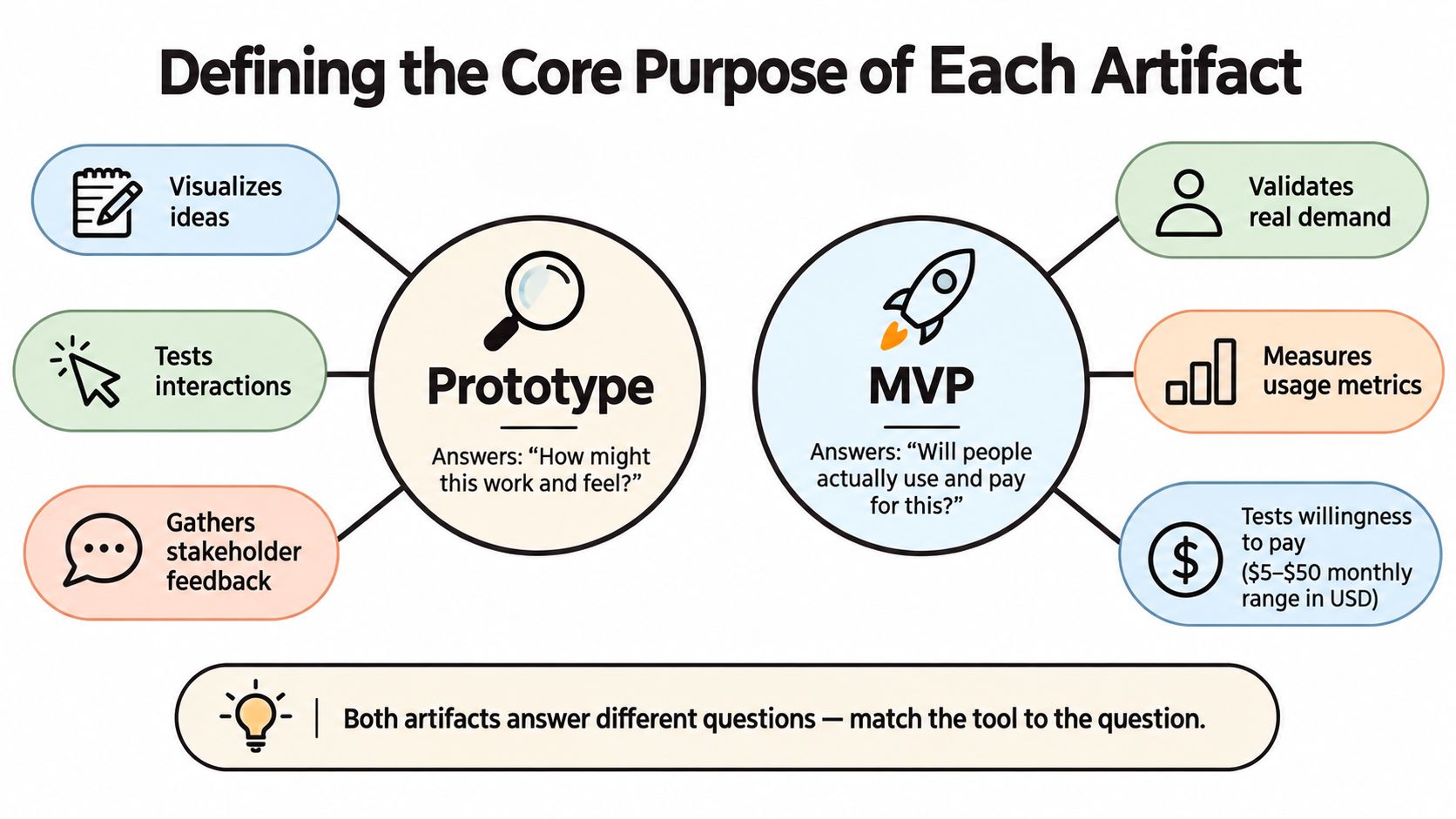 A diagram comparing the core purpose of a product prototype versus a minimum viable product (MVP).
| Artifact | Primary question | Typical audience | Evidence produced |
|---|---|---|---|
| Prototype | Do people understand and want this experience? | Stakeholders and prospective users | Comprehension, usability, and workflow feedback |
| MVP | Will people use the product in real conditions? | Early users in the target market | Usage, adoption, retention, and payment signals |
| Proof of concept | Can the technical approach work? | Product and engineering teams | Technical feasibility evidence |
The prototype is valuable precisely because it avoids unnecessary infrastructure. A team can test mobile navigation, onboarding order, empty states, or a gesture interaction without building the entire data model. That makes it a poor substitute for an MVP, but an excellent instrument for reducing design uncertainty.
The MVP answers a harder question. It asks users to tolerate the realities of a product, including account creation, network conditions, stored data, errors, and repeated use. For a mobile team, that might mean a working iOS, Android, or web application with one complete journey rather than a broad collection of simulated screens.
Practical rule: If the evidence you need concerns what users say about an experience, start with a prototype. If it concerns what users do repeatedly in a real product, build an MVP.
Teams that need a more detailed framework for evaluating real demand can test ideas with an MVP. For app-specific context, the distinction is also useful when reviewing what an MVP means in app development.
Moving Beyond the Fixed Sequence Assumption
“Prototype, then MVP, then launch” sounds disciplined, but it hides the most important decision. Which assumption is riskiest right now? If the answer is user comprehension, a prototype may be enough. If the answer is offline synchronization, permissions, or a third-party integration, a screen mock-up won't produce useful evidence.
A prototype can show a convincing payment screen without proving that a payment succeeds, fails safely, or produces the right entitlement in the database. It can illustrate an offline mode without proving that conflicting edits reconcile correctly. It can present a polished login flow without validating token expiry, account recovery, or permission boundaries. The risk-based view of MVPs and prototypes is more useful than treating them as mandatory steps in a fixed order.
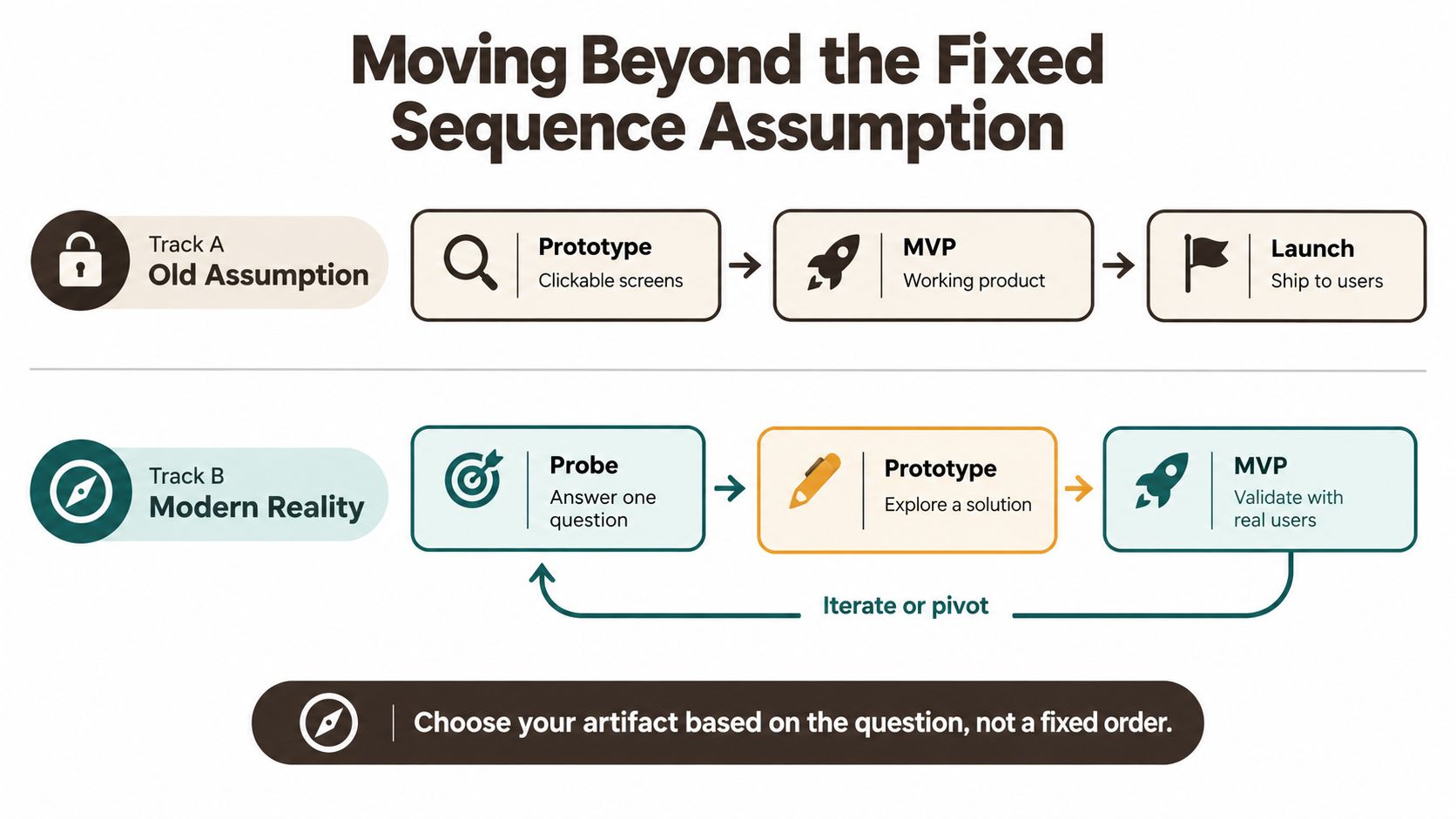 A diagram comparing linear product development paths versus iterative, modern product development strategies using prototypes and MVPs.
Build the smallest evidence-producing artifact
A practical evidence ladder has four useful levels:
- Screen prototype: Test whether users understand the proposition, navigation, and key workflow.
- Thin vertical slice: Connect one meaningful path to real authentication, data, APIs, or device behavior to test technical feasibility.
- Concierge or manually operated test: Deliver the workflow with human assistance when automation or marketplace liquidity is uncertain.
- Production MVP: Let real users complete the core job and measure repeated usage, payment behavior, and reliability.
This ladder prevents two common mistakes. The first is building elaborate visual mock-ups for a problem that is actually a backend integration risk. The second is building a broad MVP when a quick prototype could have exposed a confusing workflow in days.
Technical uncertainty changes the build order
Suppose a health app depends on permissions and sensitive records. A prototype can test the screen sequence, but a thin functional slice should test access rules, data persistence, and recovery behavior before the team invests in a larger product. Suppose a social app depends on ranking or matching. A clickable feed can test visual hierarchy, but only a working slice can reveal whether the underlying data and matching behavior produce a credible experience.
The artifact should grow when the uncertainty demands it, not because a popular roadmap says it must. A functional slice can be the prototype when the core question is technical. An MVP can follow directly when the team already understands the user flow and needs market evidence.
Comparing Timelines and Development Costs
The price gap between a prototype and an MVP isn't a matter of visual polish. It reflects the number of real-world responsibilities the product must handle. A prototype can simulate a successful path. An MVP must preserve state, process meaningful actions, handle failure, and make behavior measurable.
Available industry benchmarks place no-code prototypes around $1,000 at the starting point, with launch timelines of roughly 1–4 weeks. The same comparison places simple custom MVPs at approximately $15,000–$30,000 over 8–12 weeks, while AI-enabled MVPs may require $15,000–$50,000 or more over 16–24 weeks. These are benchmarks, not quotes, and the actual investment changes with product complexity, team composition, integrations, and compliance needs. The figures are documented in the MVP development cost comparison from Uinno.
| Artifact Type | Estimated Cost | Timeline | Primary Output |
|---|---|---|---|
| No-code prototype | Around $1,000 to begin | Roughly 1–4 weeks | Clickable mock-up for internal or stakeholder review |
| Simple custom MVP | Approximately $15,000–$30,000 | Roughly 8–12 weeks | Working product for real-user validation |
| AI-enabled MVP | Approximately $15,000–$50,000 or more | Roughly 16–24 weeks | Product with data pipelines and model integration |
The prototype's lower cost comes from what it deliberately excludes. It may not include a production database, authentication, API contracts, deployment automation, crash reporting, or data recovery. Those exclusions are sensible when the team is testing positioning or user flow. They become dangerous when the team interprets positive feedback as proof that the product can operate.
An MVP takes longer because users need to complete a meaningful task, not merely tap through a demonstration. Data needs to persist correctly. The team needs enough instrumentation to distinguish a confusing workflow from a broken request. If the app involves payments, notifications, device permissions, or offline behavior, each dependency introduces additional failure paths.
The strategic objective isn't to build the cheapest artifact. It's to reach trustworthy evidence before spending on features that don't reduce the main uncertainty.
Mobile teams should separate scope reduction from infrastructure deletion. Removing secondary profiles, advanced filters, social sharing, or customization can make an MVP smaller. Removing secure authentication, reliable storage, error handling, or deployment recovery can make the test meaningless.
Before setting a budget, compare the work against real agency and product-development inputs, such as those discussed in mobile app building cost research. Then write down the evidence the spend must produce. A prototype should answer a design question. An MVP should answer a behavioral question. If the deliverable can't answer either, it may be an expensive demo.
What Must Never Be Minimum in Production
“Minimum” should describe feature breadth, not software quality. An MVP can have one narrow job and still require dependable authentication, correct data handling, acceptable performance, clear error states, and a way to observe and recover from failures.
This distinction matters because poor execution contaminates the experiment. If users abandon an app because it crashes during onboarding, loses their data, or takes too long to respond, their behavior doesn't tell you whether the product proposition is weak. It tells you that the implementation failed to provide a fair test.
A 2025 survey of more than 1,000 U.S. mobile users found that 55% require consistently high performance to remain loyal, while 36% tolerate only occasional issues, according to Luciq's mobile user expectations research. The figures point to a practical constraint: users may not separate a valuable idea from unreliable software. They experience one product.
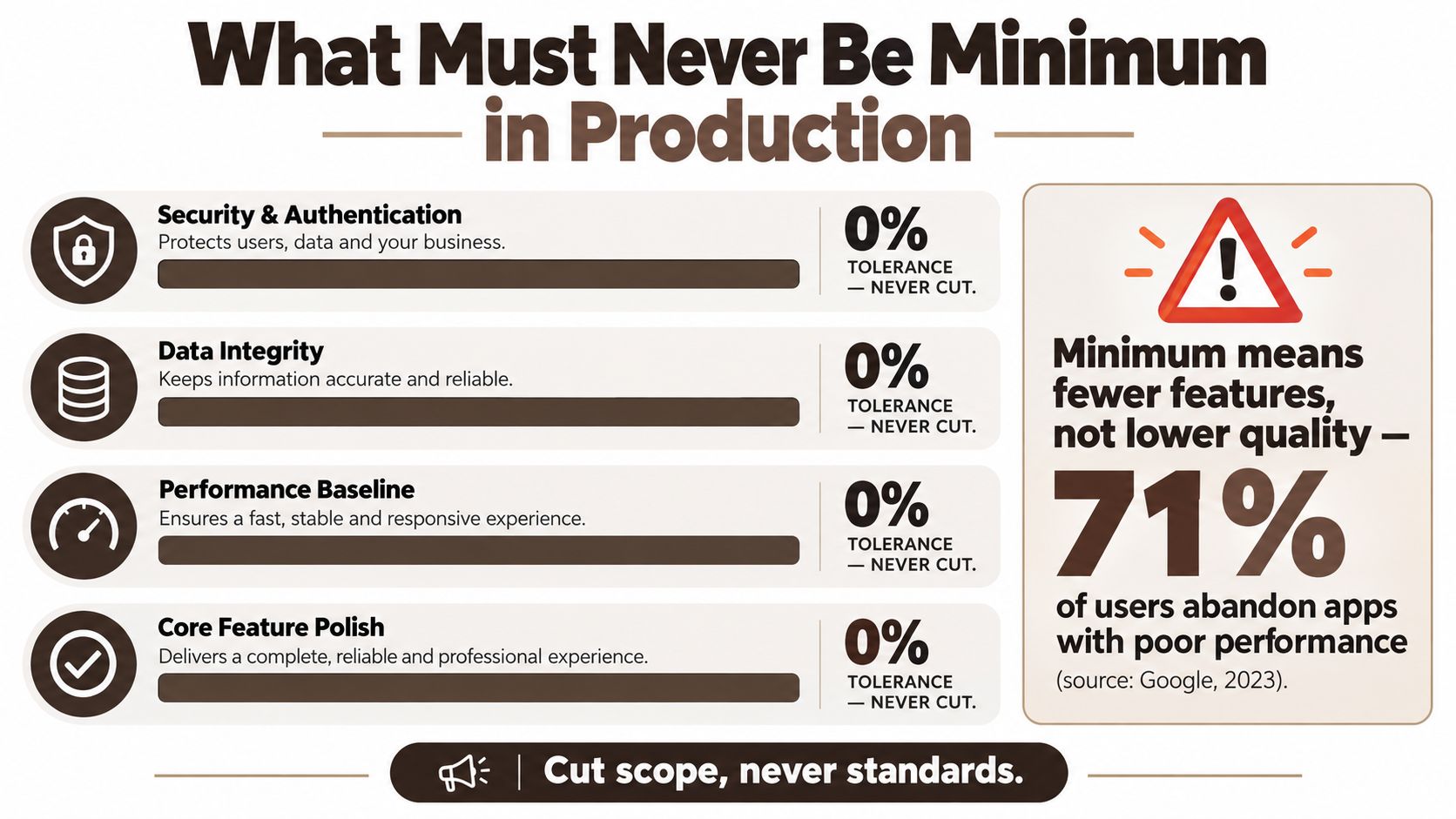 An infographic titled What Must Never Be Minimum in Production highlighting four key non-negotiable software development standards.
The reliability layer belongs in the first release
A narrow MVP still needs a baseline that protects the validity of its learning:
- Security and authentication: Protect accounts, enforce permissions, and avoid treating client-side visibility as access control.
- Data integrity: Save the right records, prevent accidental duplication, and define what happens when a request fails halfway through.
- Performance baseline: Keep startup, navigation, and primary interactions usable under realistic network and device conditions.
- Error handling: Explain failures in language users can act on, rather than exposing a blank screen or an unhandled exception.
- Observability: Capture crashes, failed requests, and meaningful events so the team can diagnose behavior instead of guessing.
- Recovery: Make it possible to redeploy, restore data, and correct a broken release without rebuilding the entire product.
Quality can remain narrow
Core feature polish doesn't require a large feature set. If the MVP helps users schedule one type of appointment, that flow should handle validation, confirmation, cancellation, and failure clearly. If it stores a single category of user record, that record should remain accurate when the app is closed, reopened, or briefly disconnected.
Teams often cut testing because the audience is small. That can backfire. A small audience makes each user's experience more important, since a handful of broken sessions can distort early conclusions. The better compromise is to reduce surface area while protecting the path that produces evidence.
Practical Scenarios for Mobile App Validation
A mobile product team shouldn't choose between a prototype and an MVP by habit. Map each uncertainty to the cheapest artifact that can expose it.
Use a prototype for experience questions
A visual prototype is the right choice when the risk sits in comprehension or interaction design. For example, a gesture-heavy navigation model may look elegant to its designer but confuse first-time users. A clickable flow can test whether people discover the gesture, understand the destination, and recover after making a wrong move.
Use the same approach for a complex onboarding sequence. Product managers, sales teams, and non-technical stakeholders can review the flow before engineers build account creation, permissions, and backend state. The prototype should include realistic labels, meaningful empty states, and enough interaction to expose confusion. It doesn't need a functioning API if the API isn't the uncertainty.
Use a thin functional slice for system questions
A functional slice becomes necessary when the behavior depends on infrastructure:
- Marketplace matching: A prototype can show cards and filters, but a working slice must connect users, inventory, matching rules, and result ordering.
- Offline synchronization: Simulated offline screens don't prove that edits reconcile correctly when connectivity returns.
- Premium subscriptions: A pricing screen tests comprehension. A working purchase flow tests entitlement, renewal state, access control, and failure recovery.
- Device-dependent features: Camera, location, notifications, and permissions require real device behavior rather than a static interaction.
- Social publishing: A feed mock-up can't validate content creation, moderation workflows, storage, or the return experience.
For teams exploring community features, resources such as how to build a social media app can help surface the broader system decisions. The key is still to isolate the smallest complete behavior rather than copy a full social product.
A useful test is to ask what would falsify the assumption. If a user can reject the idea without interacting with a real backend, use a prototype. If the answer depends on latency, stored state, matching, payment, or repeated use, build the smallest working path that includes that dependency.
Bridging the Gap with Modern Starter Kits
The distance between a clickable screen and a reliable MVP used to be dominated by setup work. Teams had to establish authentication, navigation, state management, database connections, API conventions, environment handling, and deployment before they could test a meaningful user journey.
Opinionated starter kits reduce that setup burden by providing a reusable baseline. They don't remove product decisions, and they don't turn every prototype into a validated business. They can, however, make a thin vertical slice more practical because engineers spend less time reconstructing common foundations.
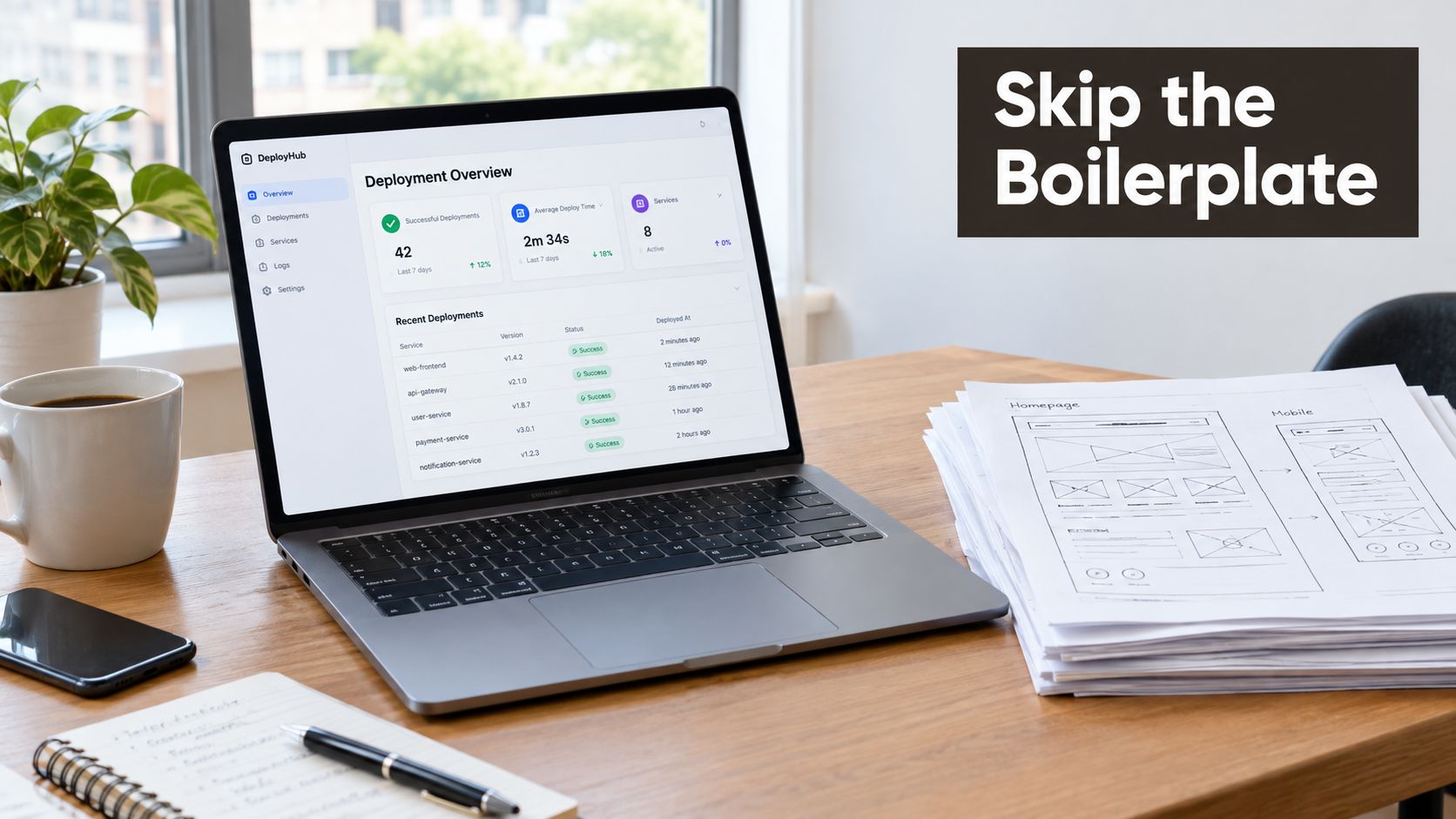 A laptop showing a dashboard displaying deployment metrics next to physical wireframe sketches on a wooden desk.
Reuse infrastructure, not assumptions
A useful starter baseline can include:
- Cross-platform UI: Shared React Native and Expo foundations for iOS, Android, and web delivery.
- Authentication: A known account and session pattern instead of a one-off login implementation.
- State management: Predictable handling for loading, success, empty, and error states.
- Data access: A database adapter and API layer that let the team connect one real workflow.
- Deployment tooling: A repeatable path from local development to a testable release.
- Development assistance: Rules, plugins, and conventions that help engineers make consistent changes.
AppLighter is one example of this category, combining an Expo and React Native foundation with a database adapter, an edge-ready Hono and TypeScript API layer, authentication, navigation, state management, and AI-assisted development tooling. Its relevance to the prototype-to-MVP gap is practical: a team can keep the feature set narrow while retaining more of the infrastructure needed for trustworthy testing. More detail is available in the React Native Expo starter kit overview.
The critical trade-off is avoiding false confidence. A preconfigured stack can shorten the path to a functional slice, but teams still need to define data ownership, permissions, monitoring, release checks, and the exact behavior they want to measure. Reusable infrastructure saves setup effort. It doesn't validate the product proposition.
Diagnostic Checklist for Your Next Build
Use this checklist before assigning the next sprint. The answers should identify the smallest artifact that can produce useful evidence.
- Name the riskiest assumption. Is it about comprehension, desirability, technical feasibility, operational delivery, or willingness to pay? Write one sentence, not a list of ambitions.
- Identify the required behavior. If users only need to react to a screen flow, use a prototype. If they must create an account, save data, receive a result, or return later, include the relevant working infrastructure.
- Separate stated preference from observed behavior. Interviews and prototype tests reveal what people understand and claim they want. A functioning product is needed to observe completion, repetition, abandonment, and payment behavior.
- Check the failure path. Decide what happens when authentication expires, a request times out, data conflicts, payment fails, or the device goes offline. If the answer affects the hypothesis, your artifact must include that behavior.
- Define the evidence threshold. Choose the event that would support continuing and the result that would force a change. Don't build instrumentation after the test starts.
- Remove unrelated scope. Cut secondary features, administrative convenience, and premature scaling work. Keep anything required for security, data correctness, acceptable interaction performance, monitoring, and recovery.
- Choose the next build deliberately. Select a screen prototype, thin vertical slice, concierge test, or production MVP. The choice should follow the unanswered question, not a template roadmap.
A prototype is finished when it makes the design uncertainty smaller. An MVP is finished when it makes the market uncertainty smaller without introducing execution problems that distort the result.
The best next step may not be a larger build. It may be a narrower one that reaches the difficult evidence sooner. Teams that sequence work this way avoid polishing a workflow that nobody understands, and they avoid scaling infrastructure before users have demonstrated a reason to return.
AppLighter gives mobile teams a preconfigured Expo and React Native foundation with authentication, navigation, state management, database connectivity, an edge-ready API layer, and AI-assisted development tooling. Use AppLighter to move from the right validation artifact to a focused, working mobile MVP without treating reliability foundations as optional.