Mobile App Development in USA: A Founder's 2026 Guide
Mobile app development in USA explained for 2026. Real cost ranges, hiring models, tech stacks including Expo, and compliance essentials for founders.
 Parth
Parth
A realistic U.S. MVP budget is $30,000–$150,000 for typical teams, and the fastest U.S. product in 2026 is rarely the one with the most features. It's the one that minimizes sensitive data before launch.
You're probably looking at a familiar spreadsheet right now. Five agencies have sent five different estimates, a freelancer says the first version can be ready quickly, and an internal engineer insists the product can ship within a quarter. All three may be right, but none has answered the question that matters most: which decision will create expensive rework six months after launch?
That's the core problem in mobile app development in the USA. You aren't just buying code. You're choosing a product scope, technical foundation, hiring model, compliance posture, and release strategy under uncertainty. A cheaper quote can become the expensive option if it leaves you with native rewrites, weak authorization, unclear ownership, or an app that can't evolve.
Table of Contents
- What Every Founder Faces Before the First Line of Code
- How the U.S. App Market Reached Near-Universal Scale
- Choosing Between In-House, Agency, and Freelance Teams
- Building with Expo and React Native Without the Wiring Tax
- Turning Cost Headlines Into a Real U.S. Budget
- Security and U.S. Compliance as an Architecture Choice
- Vendor Evaluation Checklist and a Sample 12-Week Plan
- Your First Two Weeks After Reading This
What Every Founder Faces Before the First Line of Code
At the kickoff meeting, every option sounds plausible. The agency talks about strategy and polish, the freelancer talks about speed, and the internal engineer talks about control. Meanwhile, your feature list keeps expanding because every stakeholder has a reasonable idea.
Treat the situation as a finite decision set, not an open-ended search for “the best developer.”
Five decisions determine your rework exposure
-
Choose the product boundary. Define the smallest release that tests the riskiest assumption. A marketplace, subscription product, AI assistant, and logistics app each carry different technical risks. Don't let a low-risk screen obscure a high-risk workflow such as background processing, payments, or location tracking.
-
Choose the stack after identifying native risk. Expo and React Native are strong defaults for many iOS and Android MVPs, but they aren't a permission slip to ignore device-specific requirements. Validate hardware access, background behavior, app extensions, offline requirements, and performance-sensitive flows before you commit.
-
Choose the hiring model for the product's shape. A long-lived product needs compounding knowledge. A fixed-scope validation project may benefit from an agency. A narrowly defined feature inside an existing codebase may suit a freelancer. The wrong model creates coordination costs that don't appear in the first proposal.
-
Choose a data posture before design is complete. Decide what you won't collect, where credentials live, how deletion works, and whether AI features process personal information. A privacy policy won't repair an architecture that stores unnecessary sensitive data.
-
Choose the launch surface. iOS and Android parity, web support, app-store accounts, analytics, customer support, and post-launch maintenance all affect scope. “Launch” means more than passing review.
Practical rule: Ask every vendor to identify the three decisions most likely to force a rewrite. If the answer is vague, the proposal is premature.
Founders also need a financing plan that matches the product risk. If you're preparing to raise, resources such as find US seed investors for mobile apps can help you separate investor research from vendor selection. Don't use funding conversations to avoid making architecture decisions. Investors and builders both need to see that your first release has a deliberate boundary.
How the U.S. App Market Reached Near-Universal Scale
The modern U.S. app market began with a distribution breakthrough, not a complex development framework. When Apple launched the App Store in July 2008, it offered approximately 500 third-party applications, including 125 free apps. Users downloaded more than 10 million applications during the first weekend, and Apple reported over 100 million cumulative downloads by September 9, 2008, according to its announcement about App Store downloads.
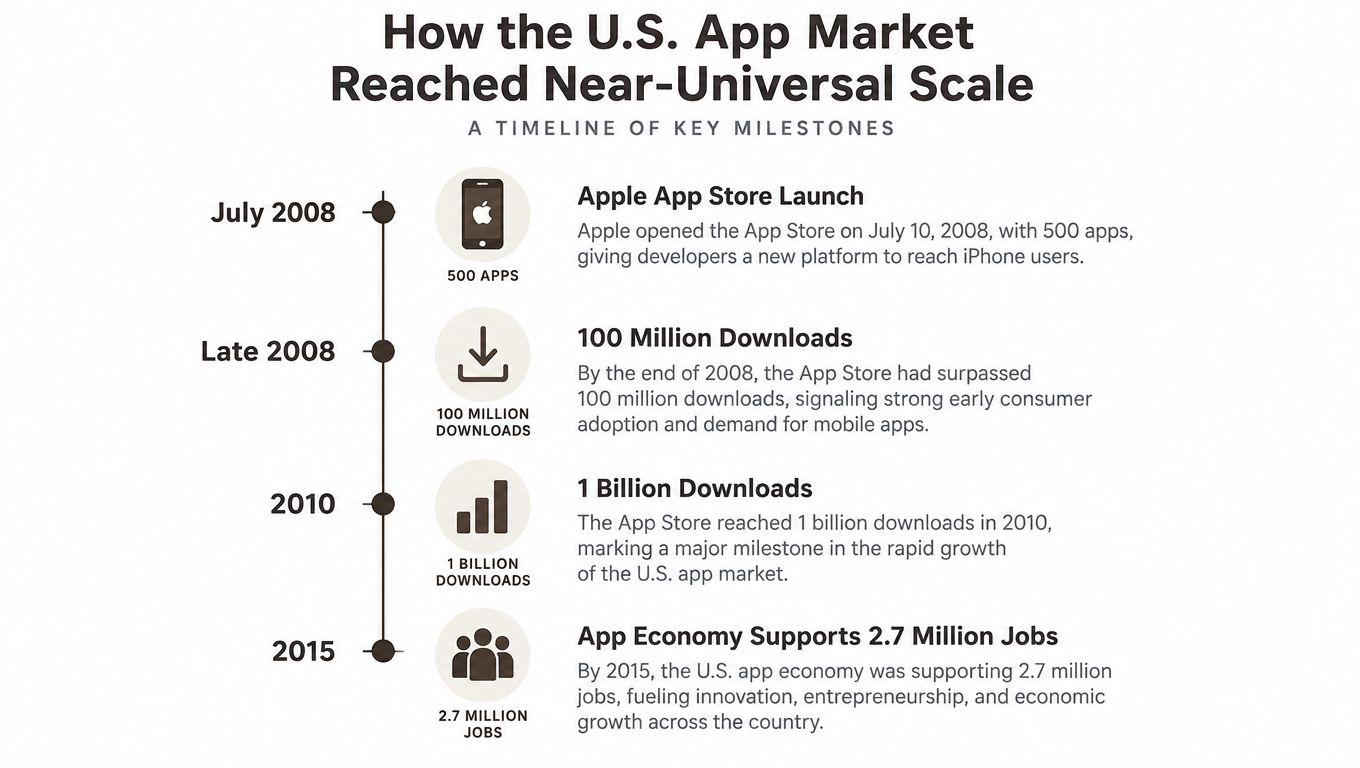 A timeline graphic showing key historical milestones in the growth of the U.S. mobile app market.
The catalog expanded from roughly 500 apps to more than 800 within the first weekend, then reached approximately 3,000 applications by September, while downloads moved from zero at launch to 100 million in roughly eight weeks. That pace proved that a phone could become a scalable consumer software channel, with centralized distribution, downloadable updates, paid products, and freemium pricing.
The audience is mainstream now
Pew Research Center's latest mobile-ownership data reports that 91% of U.S. adults owned a smartphone, compared with 35% in 2011, while 98% owned some type of cellphone, as shown in its mobile fact sheet. That shift created a broad installed base for communication, commerce, transportation, finance, media, and productivity.
Your users therefore arrive with hardened expectations. They expect reliable authentication, sensible notifications, fast interfaces, privacy controls, accessible flows, and a consistent experience across platforms. A mobile product can reach a national audience, but that audience won't excuse basic friction because it's evaluating your app against mature products it already uses every day.
The historical lesson is useful: distribution became easier, but expectations became harder. Building for the U.S. market means designing for a saturated audience, not introducing mobile software to early adopters.
Choosing Between In-House, Agency, and Freelance Teams
The hiring model changes the type of risk you carry. In-house teams give you control and product memory, agencies provide concentrated delivery capacity, and freelancers offer flexibility. None is universally cheaper because each shifts cost into a different place.
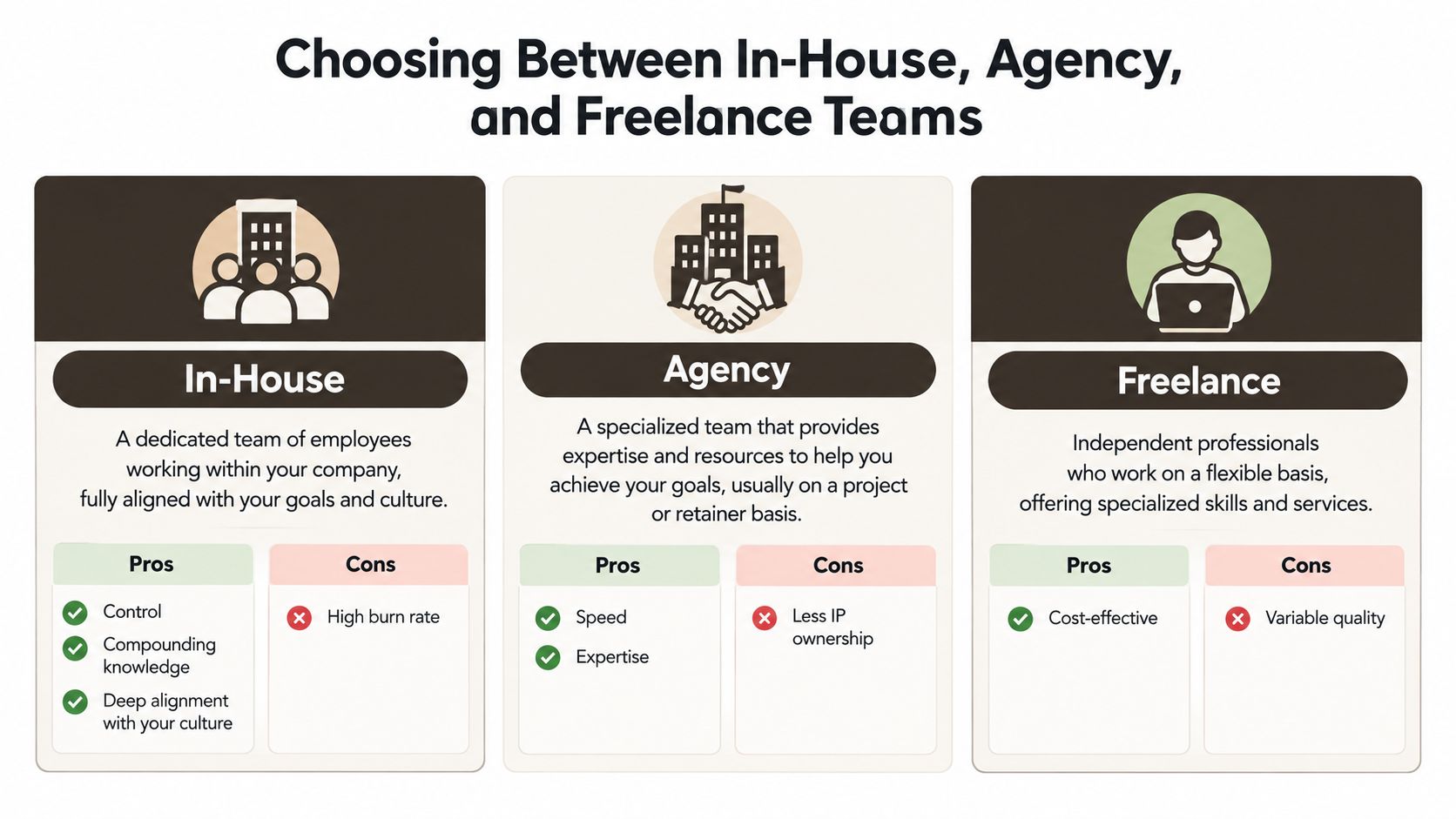 A comparison chart outlining the pros and cons of hiring in-house, agency, or freelance development teams.
In-house teams
Hire in-house when mobile software is becoming a sustained product capability rather than a one-off experiment. Your engineers retain context about user behavior, business rules, analytics, and technical debt. That knowledge compounds through every release.
The tradeoff is burn before validation. You're paying for product management, design, engineering, QA, infrastructure knowledge, and management capacity even when the product direction is still changing. In-house is a strong fit when you expect continuous discovery and feature work. It's a poor fit when you're still trying to prove whether anyone wants the product.
Agencies
An agency fits a fixed-scope MVP when requirements are clear enough to price and the team can demonstrate relevant Expo or React Native work. Agencies can bring design, engineering, QA, and release experience together, but your roadmap competes with other client work.
Ask who will build the product, not just who attends the sales call. Confirm IP assignment, repository access, documentation, release ownership, support terms, and what happens when the original team rolls off. You should also understand whether the agency's process can accommodate discovery without turning every unanswered question into a change request.
Freelancers
A freelancer is a good choice for a well-defined feature inside an existing codebase. It's a riskier choice for a new product that requires architecture, product discovery, design, backend work, security review, and store submission.
The apparent savings often move into founder coordination. Someone must define tickets, review pull requests, test releases, resolve ambiguity, and maintain continuity when availability changes. Use a freelancer for a bounded deliverable, not as a substitute for an entire product team.
| Project shape | Sensible default |
|---|---|
| Continuous product development | In-house team |
| Fixed-scope MVP with clear requirements | Specialized agency |
| Isolated feature in an established codebase | Freelancer |
Before choosing a vendor, compare the same way you'd compare influencer marketing platform alternatives. Look beyond the feature list and evaluate ownership, workflow, support, switching costs, and how well the tool fits your operating model. For a deeper view of what a mobile consultant can contribute, review this mobile development consultant guide.
Building with Expo and React Native Without the Wiring Tax
Expo and React Native can reduce duplicated platform work, but only when the foundation is designed for production rather than assembled screen by screen. React Native provides the shared interface layer. Expo manages much of the runtime and build workflow, while still giving you a path to native modules when the product needs them.
 Screenshot from https://www.applighter.com
A practical MVP stack usually separates responsibilities clearly:
- Expo and React Native: Shared UI, navigation, device integration, builds, and release workflows.
- TypeScript: Explicit contracts for screens, API responses, state, and shared business logic.
- Supabase or a comparable backend: Authentication, database access, storage, and policy enforcement.
- Hono or another edge API layer: Server-side secrets, privileged operations, AI requests, webhooks, and narrow client permissions.
- Automated testing and deployment: Repeatable checks and store-ready builds instead of manual release rituals.
Expo is excellent at removing repetitive setup. It doesn't eliminate native decisions. Push notifications, deep links, device permissions, background work, camera behavior, health data, Bluetooth, and platform-specific payment flows still need deliberate validation on real devices.
Keep privileged work off the phone
Never place confidential credentials or unrestricted AI provider keys in the mobile bundle. The client should receive narrowly scoped, short-lived credentials, while the edge layer performs privileged operations and applies authorization rules.
That boundary helps you test the product's security and makes future platform changes less painful. It also prevents a common MVP mistake, where the fastest prototype becomes the permanent security model because nobody budgeted for a second architecture pass.
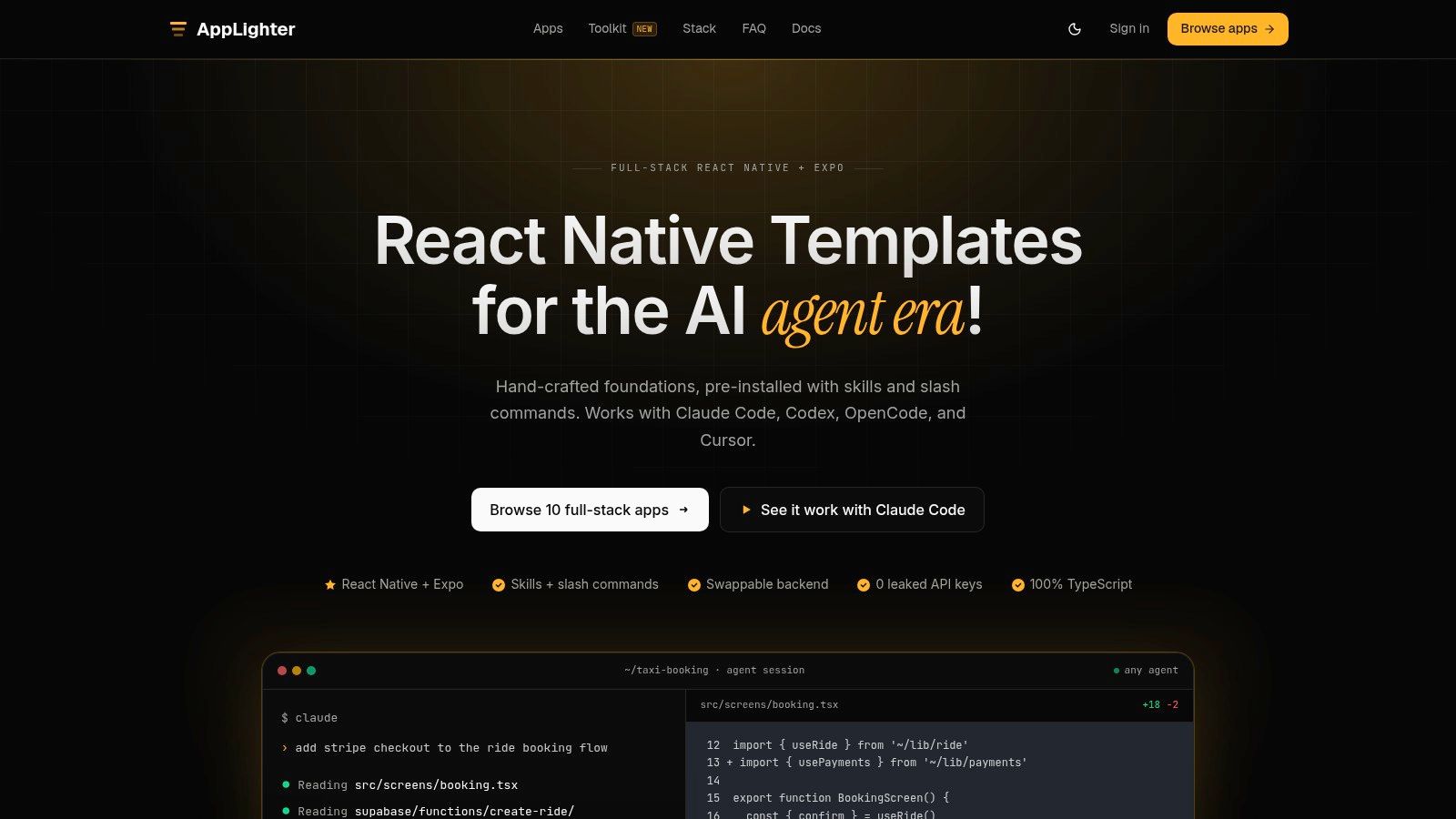
A starter kit such as AppLighter can preconfigure authentication, navigation, state management, backend integration, and AI-oriented development tooling for an Expo and React Native product. That can remove repetitive glue work, but it doesn't remove the need to validate your own native requirements, data flows, and release controls. Teams considering the stack can also review this guide to build an app with React Native.
The useful question isn't whether Expo is “cheaper” than native development. Ask whether your riskiest features fit the managed workflow, and whether the team has a clean escape route when a native module becomes necessary.
Turning Cost Headlines Into a Real U.S. Budget
Headline budgets are only useful when they help you decide what to build first. Available U.S. estimates place basic MVPs around $30,000–$60,000, mid-tier apps around $60,000–$150,000, and complex AI, real-time, or regulated products at $150,000–$500,000 or more, as outlined in this U.S. mobile app development cost analysis.
Those ranges describe product complexity, not just coding hours. The right budget allocates money to uncertainty. A polished onboarding flow is rarely the largest technical risk. Payments, background execution, AI inference, offline synchronization, device hardware, and compliance boundaries can be.
Classify features before pricing them
| Feature Class | Default MVP Plan | Why |
|---|---|---|
| Authentication and account recovery | Prototype now | It defines the user model, session behavior, and backend permissions. |
| Subscriptions and payments | Validate the real purchase path early | Store rules, entitlements, receipts, refunds, and account restoration can force architectural changes. |
| AI inference | Design behind an API interface | Keep providers replaceable and keep keys server-side. Validate latency, output quality, and cost before expanding use cases. |
| Push notifications | Prototype one complete workflow | Permission timing, token registration, deep links, and notification routing affect retention and navigation. |
| Offline mode | Validate natively first if essential | Conflict resolution and synchronization create more than a local cache. Defer if the product can function online. |
| Device hardware | Validate natively first | Camera, Bluetooth, location, health data, and background behavior can expose platform-specific limits. |
| Web support | Design behind shared contracts | Shared business logic helps, but responsive UI and browser capabilities still need separate validation. |
A founder should prototype the feature that could invalidate the product, not the feature that looks impressive in a demo. If payments are central, test entitlement restoration before investing in secondary screens. If AI is central, test the request boundary, moderation, latency, and failure states before building a broad prompt library.
Spend on decisions that are expensive to reverse
Cross-platform development isn't automatically cheaper. Teams can create rework if they postpone native integration checks, accessibility remediation, performance testing, or store-release work until the end. It can be economical when Expo and React Native establish authentication, navigation, state, APIs, and deployment conventions early.
A useful budget has separate lines for discovery, product design, foundation, vertical slices, testing, security, release, and post-launch support. Don't hide all of those inside “development.” For a more detailed discussion of how real quotes differ from headline assumptions, see this analysis of mobile app building costs.
Budget discipline: Defer features that can sit behind stable interfaces. Validate features that can force a native rewrite, new data model, or new compliance boundary.
Security and U.S. Compliance as an Architecture Choice
A privacy policy is a document. Compliance is a set of product behaviors, storage decisions, permissions, disclosures, deletion workflows, and backend controls. If those behaviors don't exist in the architecture, legal review at launch will expose a build problem.
NIST's mobile-app vetting guidance points developers toward OWASP's Mobile Application Security Verification Standard, or MASVS. MASVS defines assurance levels ranging from standard security to defense in depth and resilience against reverse engineering, with domains covering architecture, threat modeling, storage, privacy, cryptography, authentication, sessions, networking, platform integration, code quality, build settings, and resilience. NIST's mobile application vetting guidance provides the relevant framework, while the OWASP MASVS standard provides the control structure.
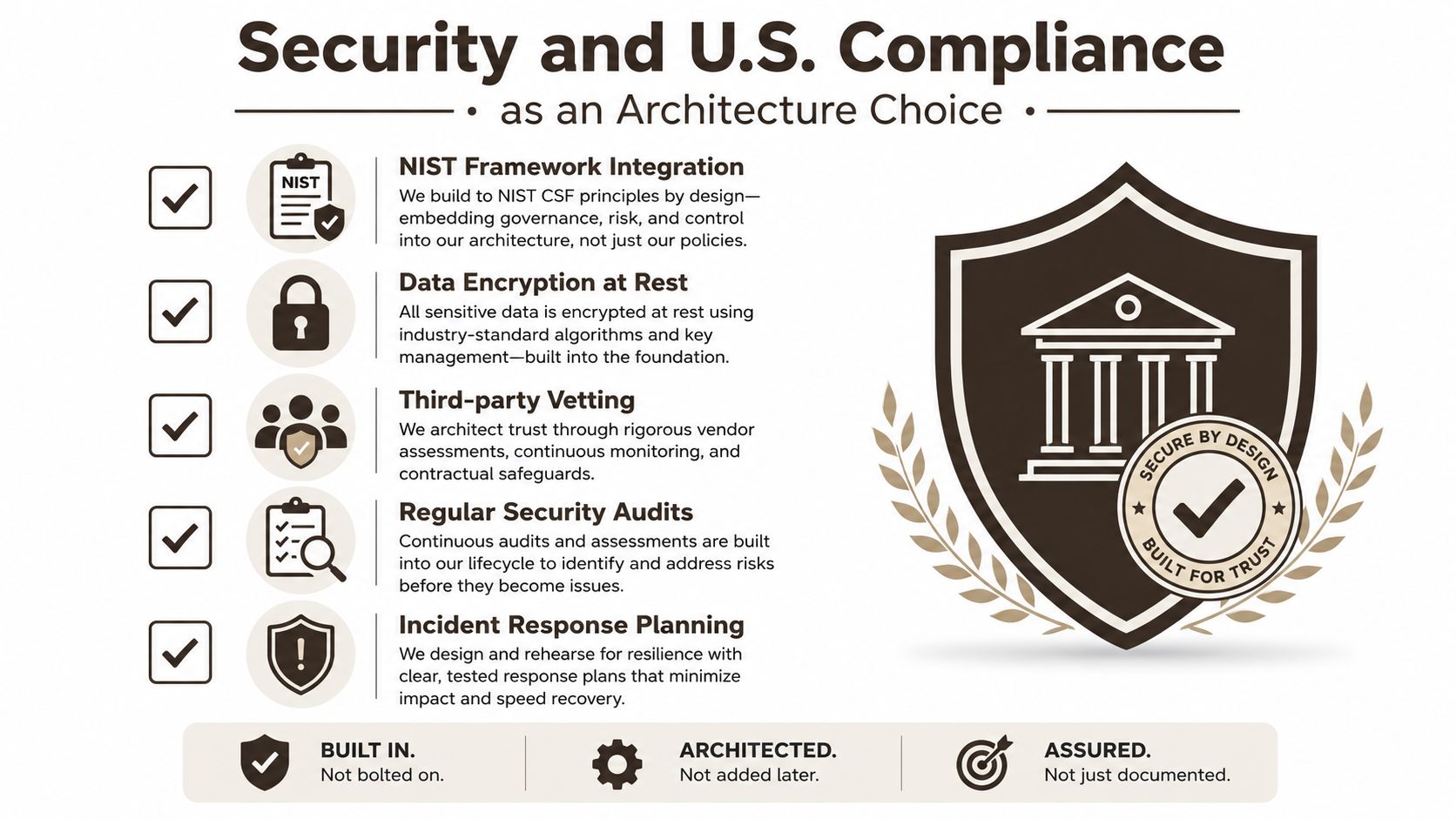 A professional infographic detailing U.S. security and compliance measures built into an architecture for trust and safety.
Build a release gate around the app's real surface
For an Expo and React Native product, map each production capability to a control and a test:
- Authentication: Test session expiry, token revocation, password recovery, and unauthorized access.
- Supabase or backend access: Confirm row-level policies, object ownership, and protection against unauthorized object access.
- Storage: Keep sensitive local state in OS-protected storage rather than plaintext files or ordinary application storage.
- Network communication: Use validated HTTPS and inspect sensitive-data logging.
- Platform interaction: Review permissions, deep links, clipboard behavior, WebViews, backups, and interaction with other installed apps.
- AI calls: Route provider requests through a server-side edge API and avoid exposing confidential credentials in the client.
- Resilience: Consider tampering, reverse engineering, and what an attacker gains from extracting the bundle.
OWASP's Mobile Application Security Testing Guide, referenced through the MASVS ecosystem, supplies platform-specific testing methods for iOS and Android. Run those checks before store submission, not after an incident.
Treat state boundaries as product requirements
In 2025, new state privacy laws took effect in Delaware, Iowa, Nebraska, New Hampshire, New Jersey, Tennessee, Minnesota, Maryland, and other states, while at least a dozen states passed or debated AI-related requirements involving transparency, algorithmic discrimination, audits, and children's protections, according to this policy roundup affecting Android development.
That fragmented environment makes data minimization a speed strategy. Decide early whether you need precise location, children's data, sensitive profiles, persistent identifiers, or AI training data. Build consent, deletion, retention, and disclosure workflows into the product rather than treating them as launch paperwork.
The fastest national MVP is often the one that collects less. A smaller data footprint narrows the security surface, reduces operational obligations, and limits the number of state-specific behaviors you'll need to maintain.
Vendor Evaluation Checklist and a Sample 12-Week Plan
A vendor's presentation tells you how it sells. A working session tells you how it builds. Before signing, ask for a short technical probe that covers one real user flow, one backend interaction, and one release assumption.
Evaluate the team before evaluating the quote
Use this checklist:
- Relevant portfolio: Ask for live Expo or React Native products with comparable device features and backend requirements.
- Security process: Require a clear MASVS-aware approach to storage, sessions, API authorization, logging, and testing.
- Delivery ownership: Confirm repository access, app-store ownership, cloud access, documentation, and IP assignment.
- Post-launch terms: Review response expectations, maintenance scope, operating-system updates, and emergency support.
- Team continuity: Identify the engineers who will work on the product and what happens if they leave.
- Pricing structure: Request fixed milestones or explicit assumptions, not a single unexplained total.
- References: Speak with customers who can describe launch quality, communication, and the first difficult change request.
A practical 12-week sequence
Weeks 1 and 2, discovery and risk mapping. Define the riskiest assumption, core user journey, data posture, target platforms, and release criteria. Produce a short product brief and a technical decision record.
Weeks 3 and 4, design and foundation. Create the primary flows, establish the Expo and React Native project, configure TypeScript, authentication, navigation, state, backend contracts, analytics boundaries, and automated builds.
Weeks 5 through 8, vertical slices. Build complete slices that run from interface to API to stored result. Include error states, permissions, loading behavior, session expiry, and the first real device integrations. Don't spend these weeks producing disconnected screens.
Weeks 9 and 10, soft launch preparation. Test on representative iOS and Android devices, verify push and deep links, review accessibility, inspect logs, and validate store metadata. Invite a controlled group of users if the product permits it.
Weeks 11 and 12, hardening and release. Fix the issues that affect trust, security, onboarding, payments, data handling, and recovery. Complete the release checklist, document ownership, and establish a post-launch support queue.
Keep the budget tied to deliverables rather than calendar optimism. Discovery should buy clarity, foundation should buy repeatability, vertical slices should buy evidence, and hardening should buy confidence. If a vendor can't explain what risk each phase retires, the plan is only a schedule.
Your First Two Weeks After Reading This
On Monday, write down the one assumption that could kill the product. Design the smallest flow that tests it, then classify every proposed feature as prototype now, design behind an interface, or validate natively first.
By day three, decide what data the app won't collect and where every credential and AI request will live. By the end of the first week, choose in-house, agency, or freelance based on the product's expected lifespan, then run a fixed-scope technical probe with your preferred candidate.
Use Expo and React Native as the default when the native risk is acceptable, and put privileged operations behind a server-side edge layer. If you want an already wired foundation for Expo, authentication, navigation, state, backend integration, and AI-oriented tooling, evaluate AppLighter alongside a custom build.
AppLighter provides preconfigured Expo and React Native foundations for authentication, navigation, state management, backend integration, and AI-assisted development workflows. Visit AppLighter to review the starter kits and decide whether a wired foundation can reduce setup work without hiding the technical risks your U.S. MVP still needs to validate.