How to Build a Social Media App with Expo
Learn how to build a social media app with Expo and React Native. Covers auth, real-time feeds, media, state, backend, and shipping faster with AppLighter.
 Parth
Parth
You've got the app idea, and you're ready to open Expo. The tempting move is to start with a feed, profile screens, and a sign-in flow. But a social app can look finished while still failing at the hard parts: giving people a reason to connect, keeping them safe, and bringing them back.
To build a social media app that can grow beyond its first users, start with the product loop and the system behind it. Expo, Supabase, and a Hono API can make a practical stack, while starter kits and AI tools can speed up the wiring. Neither replaces decisions about retention, authorization, or moderation.
Table of Contents
- Why Building a Social Media App Is Harder Than It Looks
- Planning Your Expo Architecture Before You Write Code
- Wiring Authentication as a Server-Side Boundary
- Building Real-Time Feeds, Posts, and Notifications
- Handling Media Uploads Without Killing Performance
- Designing Safety, Moderation, and Reporting as a Core System
- Shipping Your App With AI Tooling and a Retention Playbook
Why Building a Social Media App Is Harder Than It Looks
By February 2025, social platforms had reached 5.24 billion active user identities, equivalent to 63.9% of the world's population. These are identities, not necessarily unique people, but the figure still puts a new app in context: it enters a mature, global ecosystem. Users interacted with an average of 6.83 platforms monthly, so your product isn't only competing to replace an existing app. It needs to earn a recurring place among services people already use. (DataReportal's Digital 2025 overview)
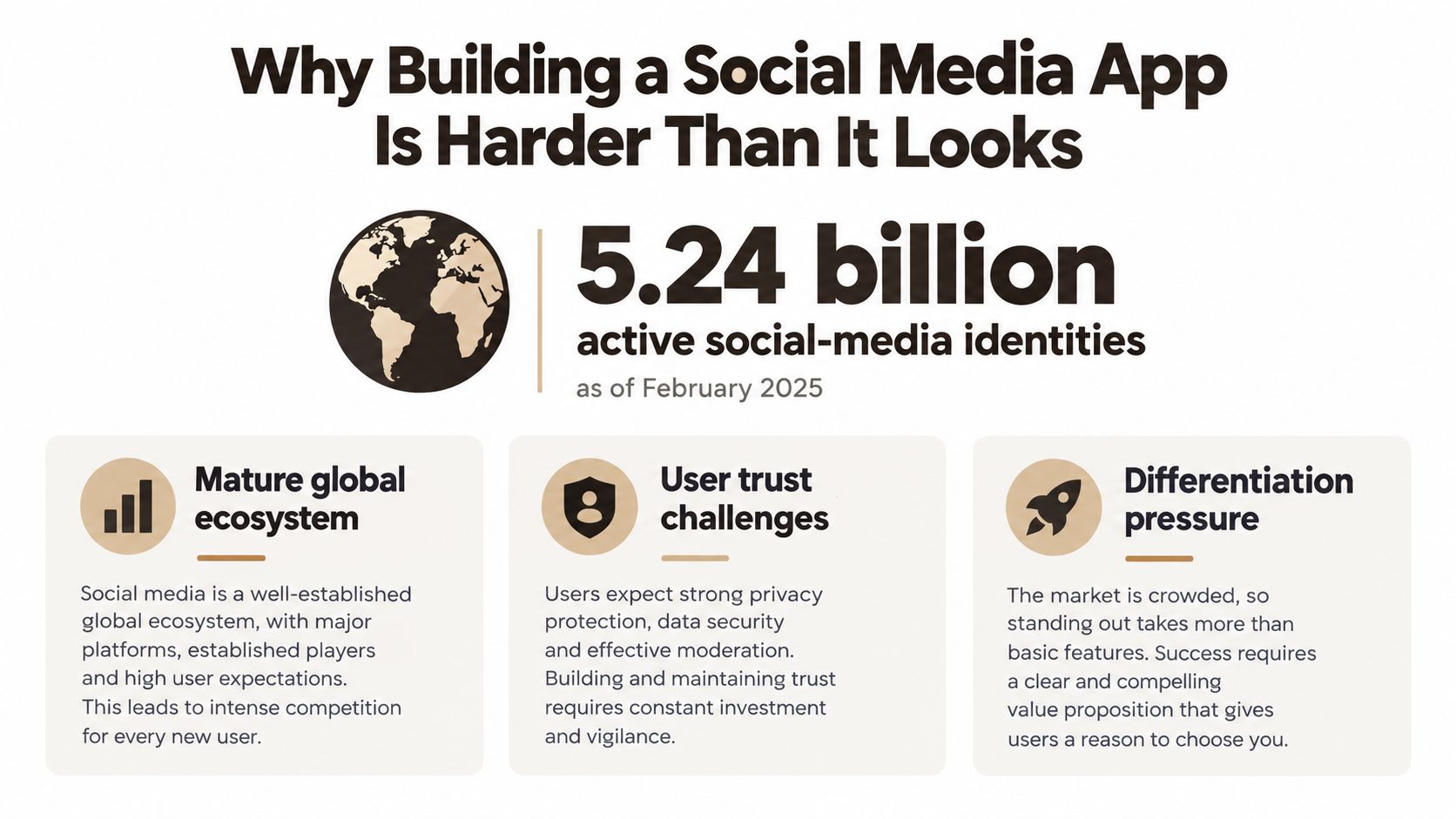 An infographic titled Why Building a Social Media App Is Harder Than It Looks featuring statistics and challenges.
That scale doesn't mean there's no room for a new network. It means you need a clear reason for a specific community to show up, interact, and return. A niche audience, a distinctive content format, or a different way to organize relationships can be a useful starting point. A broad feature list isn't a differentiator by itself.
History offers a useful warning. SixDegrees.com launched in 1997 with profiles, friend lists, and private messaging, and attracted millions of users. It shut down on December 30, 2000, after failing to turn that network scale into sustainable revenue. (SixDegrees.com's history) The lesson isn't that early social networks were doomed. It's that registrations don't prove users receive lasting value from participating together.
What the MVP must prove
Measure whether people form a network and get something meaningful from it. Track connection creation, invitations, repeat sessions, content or message interactions, and whether the product has a plausible monetization path. Those signals tell you more than downloads or profile counts alone.
Build for a repeatable social action. A user should be able to find someone, share something, or respond to another person without needing a large audience first.
The architecture should reinforce that product loop. Expo gives you a shared React Native foundation; Supabase can provide Postgres, auth, and realtime capabilities; and Hono with TypeScript can act as an edge-ready API boundary. An opinionated starter kit such as AppLighter can provide pre-wired app foundations, but your team still has to decide how identity, relationships, discovery, and communication work together. Start with measurable retention and a clear differentiator, not vanity downloads.
Planning Your Expo Architecture Before You Write Code
Make the key architecture choices before building screens. Changing navigation patterns, state boundaries, or API access conventions midway through an MVP creates work without improving the product.
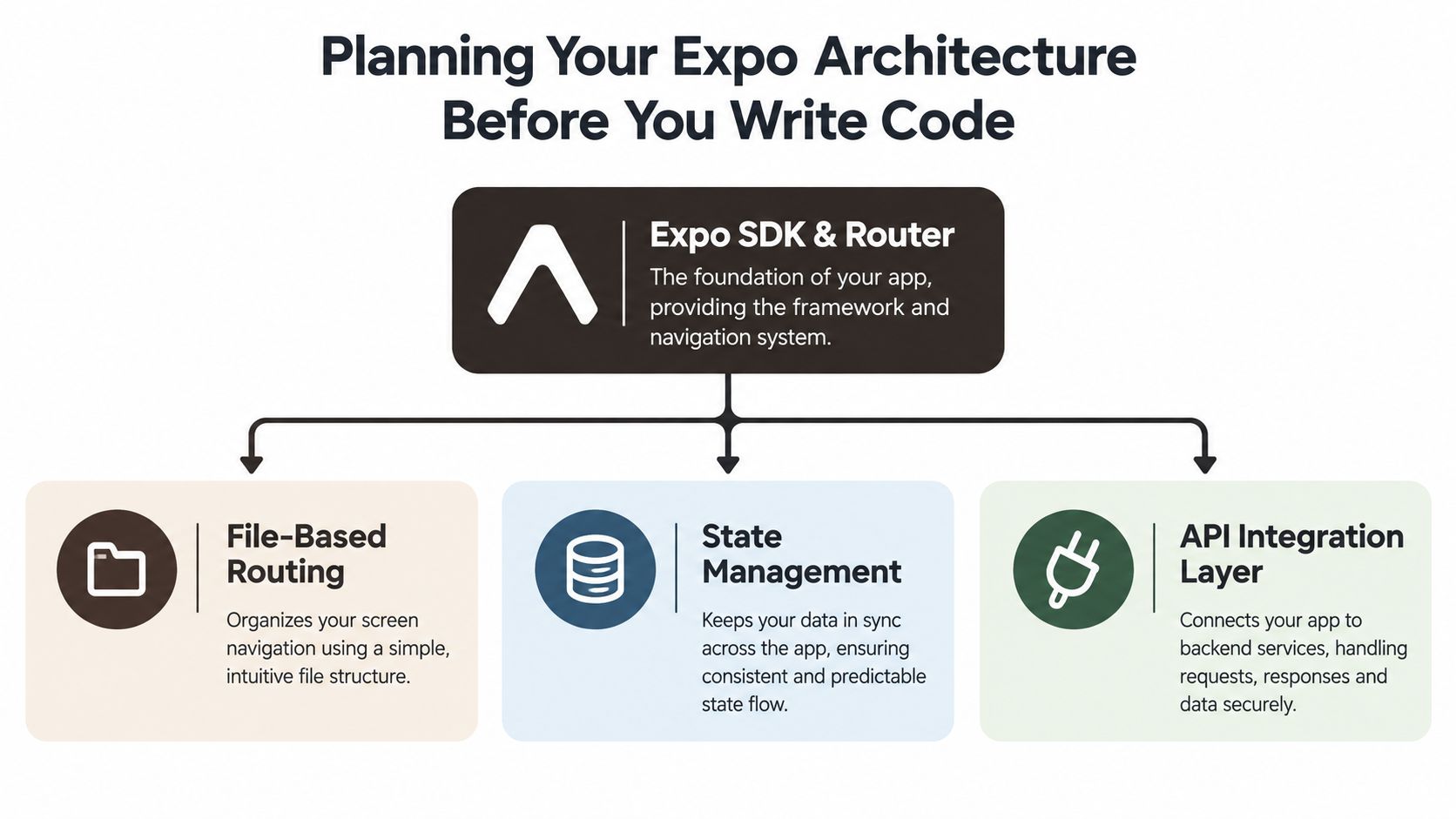 A diagram illustrating the core pillars of planning Expo architecture: SDK and Router, file-based routing, state management, and API integration.
Use Expo's Router for file-based navigation, with React Navigation patterns where you need native-feeling stacks, tabs, and transitions. Keep screen components focused on rendering and user interaction. Put data access in hooks or a typed API client rather than scattering requests across screens.
For state, separate server data from local UI state. TanStack Query fits server data fetching, caching, and mutations. Zustand can handle lightweight client state such as an open composer, selected media, or temporary onboarding choices. Don't introduce a global store just because the app has many screens; first identify which state needs to survive navigation and which belongs to the server.
Set clear boundaries between layers
A practical project layout separates routes, reusable components, hooks, API clients, and database types. Keep API contracts and generated or shared database types in a place that both the app and server can use consistently. Put backend-specific authorization and business rules in the API, not in components that could be bypassed by a modified client.
Hono with TypeScript can provide the edge API layer, while Supabase, accessed through the configured adapter or Vibecode DB, can supply Postgres, authentication, and realtime channels. The app should call typed endpoints for protected operations rather than treating direct database access as a substitute for server-side authorization.
| Layer | Recommended choice | Role in the app |
|---|---|---|
| Mobile framework | Expo with React Native | Shared app foundation for iOS, Android, and web |
| Navigation | Expo Router with React Navigation patterns | File-based routes and native-feeling navigation |
| Server state | TanStack Query | Fetching, caching, and mutation handling |
| Local state | Zustand, where useful | Lightweight UI state that doesn't belong on the server |
| Data and realtime | Supabase with the configured adapter | Postgres, auth, and realtime channels |
| API | Hono with TypeScript | Typed edge layer for application logic and authorization |
A starter kit like AppLighter can save repetitive setup around navigation, theming, environment handling, and CI hooks. That's useful when the alternative is spending early development time on project plumbing. It doesn't make product or security decisions for you.
Commit to the boundaries early. When screens, data access, and authorization have distinct homes, each new feature is easier to reason about and test.
Wiring Authentication as a Server-Side Boundary
Authentication isn't a sign-in screen. It's the boundary that determines whether a user can access or change a resource. Passwords and long-lived secrets shouldn't live on the device, and a client-side check can't authorize a protected action.
OWASP recommends OAuth2/JWT-style authentication where appropriate, authorization on every protected server request, revocable device-specific tokens, and platform-protected storage such as iOS Keychain or Android Keystore. (OWASP's Mobile Application Security Cheat Sheet)
Use HTTPS-only transport. Issue short-lived access tokens with rotating refresh tokens, and validate token expiry, issuer, audience, and signature at the API. Store revocable credentials in secure native storage. For an additional practical reference on token flows, see the SignalZen API authentication guide.
Authorize every resource action
A valid login only establishes identity. It doesn't prove a user can edit a post, read a message, or perform a moderation action. The Hono API should enforce object-level authorization for every protected request, checking the acting user against the target resource and requested action.
Centralize the checks in middleware, and make each route declare what it acts on. For example, a comment-edit route should verify ownership or an explicit moderation permission, not just check that the request carries a valid token. Apply rate limits to login, posting, reactions, and follows to make automated abuse harder.
The React Native and Supabase template guide to authentication, RLS, and storage can help teams think through how these components fit together. The API still needs to enforce its own authorization rules; database policies and client behavior shouldn't be treated as a reason to skip server checks.
Test the paths users shouldn't be able to take
Common mistakes include trusting a client-side isAdmin flag, exposing database identifiers without checking access, bundling secrets into the app, and leaving sessions active after a password change or account compromise. Build negative-path tests before release. Attempt unauthorized reads and writes across users, test token expiry and refresh-token reuse, and verify logout, session revocation, and account deletion.
A screen that hides an edit button is not security. The server must reject the edit even if a user sends the request directly.
Building Real-Time Feeds, Posts, and Notifications
A feed is a product decision and a data-access pattern. Start with a small, understandable model in Postgres: users, posts, follows, likes, and comments. Expose the operations through a typed API, then use TanStack Query in Expo to fetch and cache feed pages, profiles, and interaction counts.
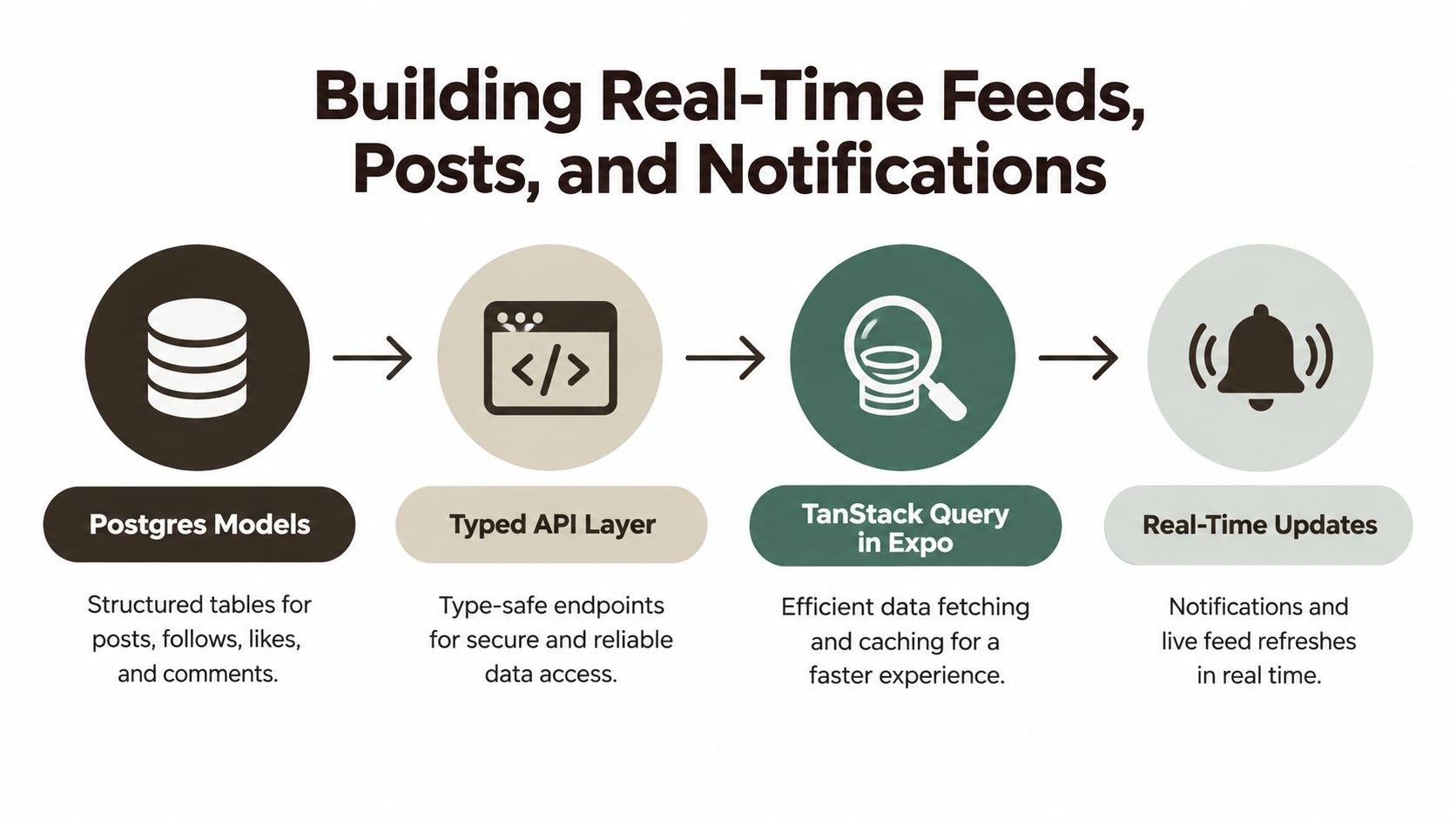 A diagram illustrating the four-step architecture for building real-time social media feeds, posts, and notifications.
Choose chronological ordering if users should see what they follow in sequence. It's straightforward to explain and debug, though it can make a quiet network feel empty. An algorithmic feed can help surface relevant activity, but it adds ranking logic that a small team must be able to inspect. If you rank posts, start with a transparent score your team can explain, then tune it using observed behavior rather than building an opaque recommendation system prematurely.
Make interactions feel immediate
For a like or follow, update the interface optimistically, then reconcile the result with the server. If the request fails, roll back the change and show a clear error. This keeps routine interactions responsive without pretending the server has accepted something it hasn't.
Supabase realtime channels can refresh relevant parts of a feed or profile when new activity arrives. Use subscriptions selectively. A client doesn't need to listen to every event in the system, and broad subscriptions can add complexity without improving the experience.
Push notifications should come from meaningful events: replies, follows, mentions, or activity from creators a user has chosen to follow. Indiscriminate pushes may create short-term opens while increasing opt-outs or uninstalls. For implementation details on notification permissions and delivery, use this production guide to push notifications in Expo.
Retention tracking should follow the journey from install and registration through profile completion, first follow, first post, first meaningful interaction, and return sessions. Compare cohorts by acquisition source and platform. Aggregated mobile benchmarks put social-app retention at roughly 30–40% on Day 1, 15–25% on Day 7, and 8–15% on Day 30, but these are directional targets, not guarantees; results vary by region, platform, and business model. (devtodev's retention overview) Focus on activated users, not downloads.
Handling Media Uploads Without Killing Performance
Media upload is a mobile experience backed by a server pipeline. If users wait for a large file to travel through your application API before they can continue, the composer feels slow and the API takes on work better handled by object storage.
 A person holding a smartphone showing a camera interface with a photo of an empty urban sidewalk.
Use Expo's camera and image-picker tools to capture or select media. Compress images on the device where appropriate, and upload media using signed URLs rather than sending binary content through Hono. The API can issue the signed upload permission after it verifies the user and intended operation; the client then uploads directly to storage.
Treat uploads as a processing pipeline
Store a canonical media reference and processing status with the post record. The interface can show a placeholder while backend processing creates thumbnails or prepares video variants. Validate the content type server-side, apply upload limits appropriate to the product, and handle failed or incomplete uploads explicitly.
Don't trust a filename or MIME type supplied by the client as proof of file contents. Media validation, scanning, and transformation belong on the backend or in trusted infrastructure. For video, make processing status part of the model so the app can distinguish a pending asset from one that's ready to display.
Mobile performance depends on more than upload speed. Large originals consume bandwidth and battery, especially on unreliable connections. Generate appropriately sized variants, render thumbnails in scrolling lists, and configure image caching so revisiting a feed doesn't require fetching every asset again.
Each media route should verify authentication, ownership of the parent post, an allowed content type, and rate limits. That protects storage and keeps one user from attaching media to another person's content. Think of upload as two connected systems: a mobile workflow that feels dependable and a backend pipeline that validates every asset.
Designing Safety, Moderation, and Reporting as a Core System
Safety controls are part of the product, not cleanup work for after launch. A 2025 study catalogued 100 privacy and safety features across 10 popular social media apps and found that many still lacked relatively easy-to-implement privacy features. Separate evaluations identified broken or redundant safety resources and insufficiently non-US-centric mental-health support. (The 2025 privacy and safety study)
A feed can work exactly as intended and still become unusable if users can't control who sees their content, block unwanted contact, or report abuse. This matters especially when a product serves communities that may face distinct safety risks. Moderation choices affect whether users can participate at all.
Model safety as product behavior
Start with audience controls that users can understand, such as public, followers, and custom lists where the product needs them. Make block and mute actions easy to find and apply. A report flow should offer clear categories and explain what happens next without promising a particular enforcement result.
On the backend, represent reports and enforcement actions as records rather than informal notes. A practical foundation includes a reports table, an enforcement_actions table, an audit_log table, and a moderator queue. Track state transitions such as open, reviewing, actioned, appealed, and closed, with an appeal path and an audit trail for staff decisions. Region-specific rules should be applied deliberately, not left implicit in a single global policy.
A network effect only helps when people can safely take part in the network.
Moderator tools don't need to be elaborate at MVP stage, but moderators need a reliable way to review reports, see relevant context, record actions, and handle appeals. The Sift AI guide to social media moderation offers additional context on moderation approaches. For your own product, define response ownership and escalation rules before the first serious report arrives.
AppLighter's pre-built screens can give teams a starting point for app flows, but safety policy and enforcement logic still need to match the community and product. Configure the system before the network grows. It's much harder to retrofit user trust after people have already encountered broken controls.
Shipping Your App With AI Tooling and a Retention Playbook
AI-assisted development can speed up app work, but social products need especially careful review because they combine authentication, user-generated content, messaging, media, and discovery. A 2025 worldwide survey of 725 businesses found that 76.9% said AI-assisted development simplifies complex app projects, while 81% identified security as the leading concern about the future of app development. (GoodFirms' app-development trends survey)
Treat generated code and starter kits as accelerators, not security review. Threat-model the social graph, test for insecure direct object references, review prompt-injection risks in AI features, manage secrets outside the client bundle, and use privacy-conscious analytics. Put a human review gate in the release process. A guide for engineering managers can help teams establish review practices for agent-assisted development.
Before launch, prepare cohort dashboards by acquisition source and platform, then test onboarding, feed ranking, notifications, and recommendations independently. Use a practical release checklist covering app-store metadata, EAS builds, OTA updates, deep links, and crash reporting. For more ways to approach this work, see these user retention strategies.
Starter kits buy time on wiring; verification protects the product. AppLighter provides a preconfigured Expo foundation with navigation, authentication, state management, and AI-assisted development tooling, so your team can spend launch week improving the product loop rather than rebuilding project setup.
If you're ready to build, start by defining the social action your MVP must prove, then map its data model, authorization rules, and safety flows before adding polish. AppLighter offers an Expo and React Native starter kit with app foundations wired together, so you can focus on validating the product and invite your team to explore AppLighter.