App Development Framework: Your Complete Guide
Learn what an app development framework is, compare React Native, Flutter, and native SDKs, and discover how AppLighter speeds up your path to production.
 Sanket
About one-third of mobile app developers use cross-platform frameworks, with Flutter reaching 46% usage in 2023 and React Native at 35%. An app development framework is a structured set of tools and conventions that helps developers build mobile apps faster by reusing code across platforms while still aiming for near-native performance.
The counterintuitive part is that the framework that gets you to launch fastest may not be the framework that costs the least to maintain. Teams usually feel the consequences after launch, when platform updates arrive, offline behavior becomes important, web support enters the roadmap, or a backend needs to move between serverless and edge environments. The right decision is therefore less about choosing a fashionable toolkit and more about designing a system that your team can keep healthy.
Table of Contents
- What Is an App Development Framework
- Core Components of a Modern Framework
- Comparing Major App Development Frameworks
- How to Choose the Right Framework for Your Project
- Migration Challenges and Implementation Lessons
- How AppLighter Accelerates Your Development
- Your Next Steps Toward Production
What Is an App Development Framework
An app development framework is an architectural foundation, not just a collection of UI components. It gives developers conventions for structuring screens, managing state, handling navigation, connecting APIs, testing features, and packaging software for target platforms. Instead of solving the same infrastructure problems repeatedly, a team starts with established patterns and spends more time on product behavior.
A useful analogy is a well-equipped workshop. Native SDKs give you platform-specific tools with direct access to the operating system. Cross-platform frameworks provide shared tools that can produce results for more than one platform. Neither option builds the product automatically, but both reduce the amount of raw plumbing your team must create and maintain.
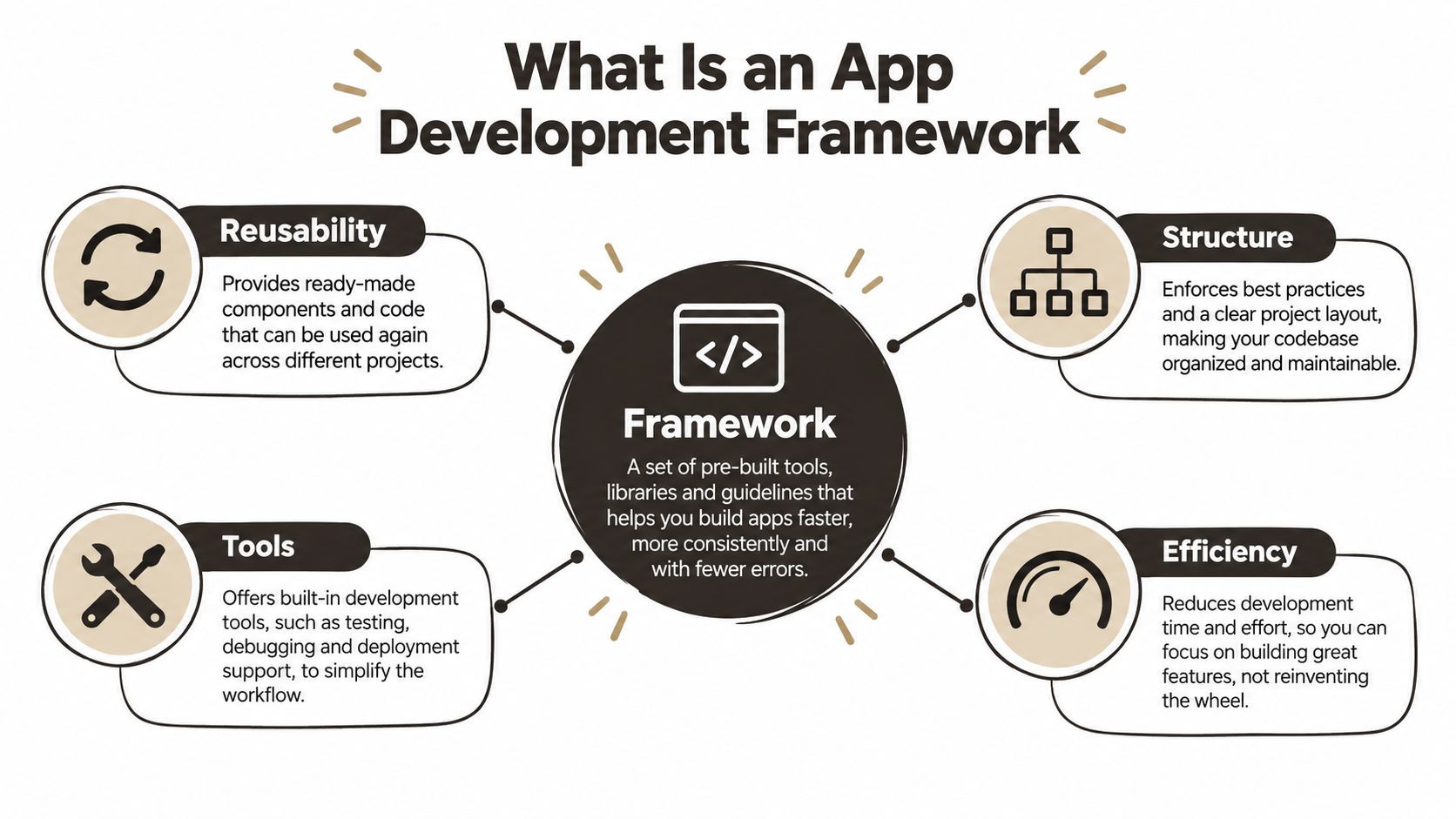 A diagram explaining an app development framework with icons for reusability, structure, tools, and efficiency.
From code sharing to system design
Earlier hybrid approaches often relied heavily on web wrappers. The modern app development framework era accelerated between 2015 and 2017, when performance-oriented cross-platform tools moved beyond that model. A 2025 review of cross-platform development identifies React Native as a major shift in 2015 and Flutter as Google's framework developed in 2017 with Dart and a custom rendering engine.
That history matters because today's choice affects more than how screens render. It determines where business logic lives, how much platform-specific code your team will own, how easily you can add web support, and whether your backend architecture can evolve without forcing a mobile rewrite.
A framework also creates a shared language for a team. A designer, mobile developer, backend engineer, and AI-assisted developer can work from clearer boundaries when the project has predictable conventions. Developers exploring AI-assisted workflows may also benefit from resources on software development for AI prompters, particularly when prompts need to produce code that fits an existing architecture rather than isolated snippets.
The maintenance lens
Evaluate a framework by asking what it prevents your team from rebuilding and what it forces your team to learn. A polished demo can hide difficult upgrade paths, inconsistent native modules, weak testing conventions, or a state layer that becomes hard to reason about as features multiply.
The strongest framework is usually the one that makes the next release boring. Shared code, clear platform escape hatches, reliable tooling, and an ecosystem your team understands will matter more than a showcase feature you use once.
Core Components of a Modern Framework
A modern framework resembles a house with both visible rooms and hidden infrastructure. The UI is what users see, but navigation, state, networking, authentication, storage, testing, and release tooling determine whether the house remains usable after repeated renovations.
The visible layer
The UI toolkit provides components for text, forms, lists, gestures, modals, animations, and responsive layouts. React Native maps many components to native platform primitives, while Flutter controls rendering through its own widget system. Native SDKs give you the most direct access to platform conventions, but they also require platform-specific implementation choices.
Navigation defines how users move through the application. A simple stack may work for a small product, but authenticated routes, deep links, tabs, modal flows, and restoration after interruption need deliberate rules. If navigation logic gets scattered across screens, every new feature becomes a risk.
State management answers a more important question than “where do we store variables?” It defines which data belongs to a screen, which data is shared across the session, which data comes from the server, and which data must survive offline use. Poor state boundaries create duplicated requests, stale views, and bugs that are difficult to reproduce.
The structural layer
API integration connects the app to authentication, databases, payments, analytics, notifications, and third-party services. A reliable framework setup should make request validation, error handling, retries, loading states, and authorization consistent. It shouldn't force every screen to invent its own interpretation of a failed request.
Storage is another architectural decision. Local persistence may support drafts, cached content, preferences, or offline-first workflows, but it also introduces synchronization questions. A framework can simplify access to storage, yet it can't decide which version of a record is authoritative when the device reconnects.
Testing and release tooling complete the foundation. Unit tests protect business rules, component tests protect interaction behavior, and device testing catches platform-specific failures. Continuous integration then turns those checks into a repeatable process rather than a manual ritual performed before release.
Practical rule: Choose components that reduce the number of decisions each feature team must make, but keep escape hatches for behavior that genuinely belongs to iOS or Android.
The building analogy has one limitation. You can replace a kitchen cabinet without changing the foundation, but replacing a framework often affects every layer. That's why teams should evaluate the relationships between components, not select each library in isolation.
 A modern desk workspace with a laptop displaying code, a notebook, and colorful plastic building blocks.
Comparing Major App Development Frameworks
There isn't one universally superior app development framework. Each option optimizes a different balance between platform fidelity, code reuse, iteration speed, ecosystem access, and long-term ownership.
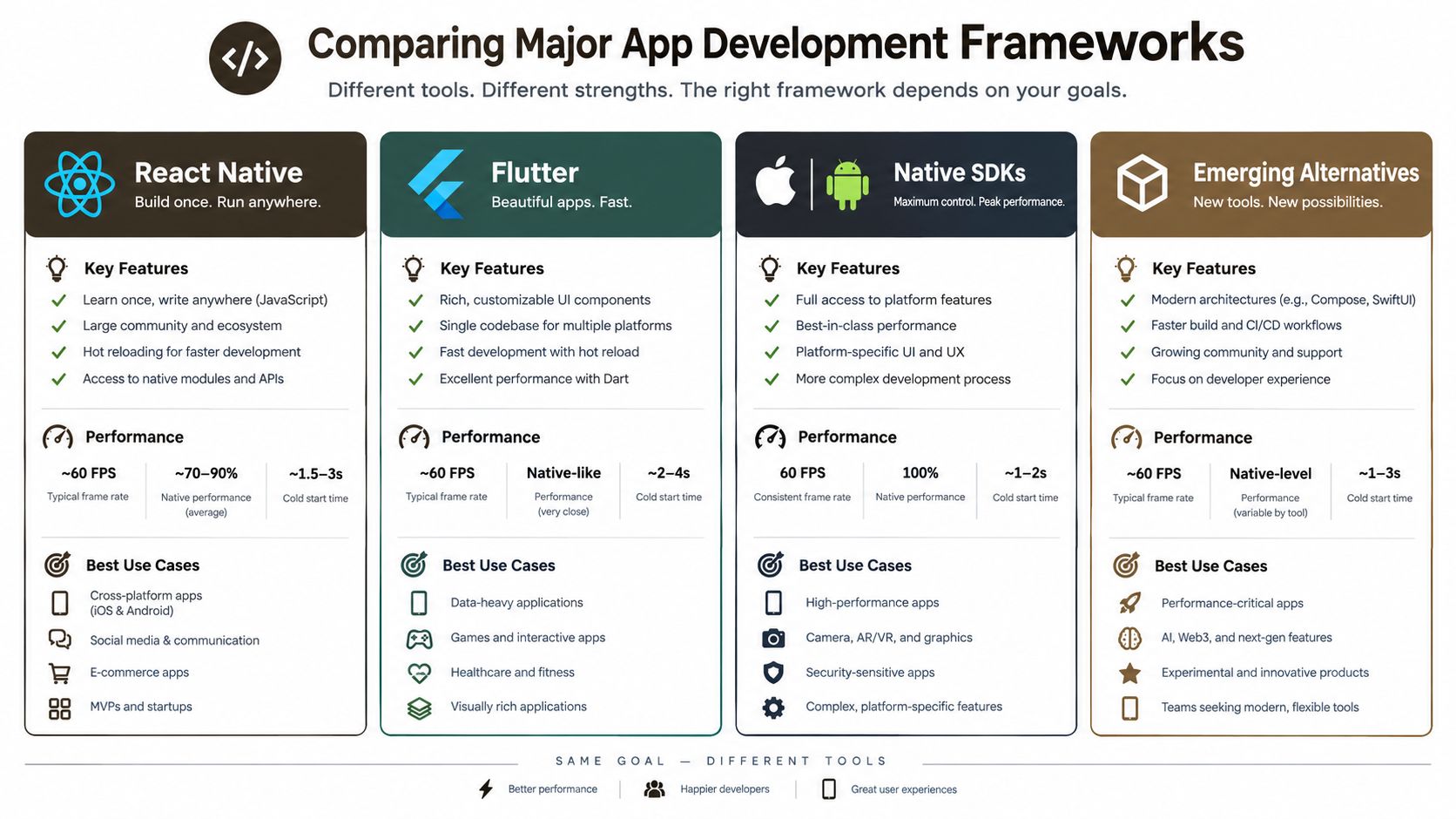 A comparison chart outlining key features, performance metrics, and use cases for four major mobile app development frameworks.
React Native
React Native fits teams that already use JavaScript or TypeScript and want to share product logic across mobile and possibly web. Its ecosystem is broad, and Expo can remove much of the setup friction. The trade-off is that complex platform integrations still require native knowledge, and teams must keep dependencies, native modules, and build configuration aligned.
React Native works well for product applications with forms, feeds, collaboration, commerce, and API-driven workflows. It becomes less straightforward when the product depends heavily on specialized graphics, unusual device hardware, or platform behavior that the framework doesn't expose cleanly.
Flutter
Flutter gives developers a tightly integrated rendering and widget model. That consistency makes custom interfaces easier to control and can reduce differences between platforms. Flutter uses Dart, so teams must be comfortable adopting a language and ecosystem that may differ from their existing web stack.
The framework is no longer niche. One cited trend reports that cross-platform usage reached about one-third of mobile developers, while Flutter rose from 30% in 2019 to 46% in 2023, and React Native stood at 35% in 2023. The same framework usage trend shows Cordova declining from 29% in 2019 to 10% in 2023, reflecting movement away from older hybrid approaches.
Native SDKs
Native Swift and Kotlin development remains the clearest choice when the product depends on platform-specific performance, advanced hardware access, or exact operating system conventions. Native code also gives teams the earliest access to platform APIs and the most direct debugging tools.
The cost is duplicated implementation. Teams must maintain separate UI decisions, build systems, tests, and release concerns. Native is often the sensible choice for a platform-focused product, but it can become expensive when the roadmap requires parity across iOS, Android, web, and shared business logic.
Kotlin Multiplatform and other alternatives
Kotlin Multiplatform takes a selective approach. Teams can share business logic while keeping platform-native interfaces, which can be attractive when consistency in validation, networking, and domain rules matters more than sharing every screen.
The choice should also include delivery operations. A framework won't rescue a weak release process, so teams should plan how they'll optimize CI/CD for mobile apps. For a deeper technical comparison, the React Native performance benchmarks across Expo, bare, Flutter, and native can help frame questions, but benchmark results should never replace testing your own critical flows.
How to Choose the Right Framework for Your Project
Start with the product's hardest requirement, not the team's favorite syntax. If the application needs intensive graphics, unusual hardware access, or platform-specific capabilities, native development may be justified. If it needs broad reach, rapid iteration, and a large amount of shared business logic, a cross-platform approach may reduce operational burden.
Evaluate the product boundary
Write down the features that can fail expensively. Authentication, payments, background work, offline synchronization, camera workflows, notifications, and accessibility deserve more attention than a generic screen comparison. Test those paths in a small technical spike before committing to a framework.
Then separate shared logic from platform expression. Validation, API clients, permissions policy, caching rules, and domain calculations are often good candidates for reuse. Interaction patterns, system navigation, accessibility behavior, and hardware-specific experiences may benefit from native implementation.
Evaluate the team boundary
A framework is only productive when the team can debug its entire stack. A JavaScript team may reach productive delivery quickly with React Native, but it still needs enough native understanding to investigate build failures and platform modules. A Kotlin team may prefer shared business logic through Kotlin Multiplatform, while a product team with strong Dart experience may favor Flutter.
Community size matters, but dependency quality matters more. Check whether the libraries your product needs are maintained, typed, tested, and compatible with your release approach. A large ecosystem doesn't help if the critical package has no clear upgrade path.
Evaluate the deployment boundary
Mobile clients rarely exist alone. They call APIs, process authentication, store data, and may need low-latency endpoints near users. Hono is a Web Standards-based framework that can run unchanged across Cloudflare Workers, Deno, Bun, Vercel, Netlify, AWS Lambda, Lambda@Edge, and Node.js, as described in its runtime portability documentation. That kind of portability can reduce framework-specific branching when the same TypeScript API layer must move between deployment environments.
The right question isn't “Which framework has the most features?” It's “Which architecture lets this team change direction without rewriting every layer?”
Score each candidate against the product's hardest requirements, the team's current skills, the expected platform mix, and the support plan after launch. A framework that looks slightly slower to prototype may still win if it makes upgrades, debugging, and hiring easier over the life of the product.
Migration Challenges and Implementation Lessons
Framework migrations rarely fail because a team can't render a screen. They fail at the seams, where old data models, authentication assumptions, native dependencies, analytics events, and release processes meet the new architecture.
A common migration mistake is treating the existing app as a set of screens. The product includes undocumented behavior, such as how expired sessions are recovered, which cached records take precedence, what happens when a request is repeated, and which analytics events stakeholders rely on. Rebuilding the interface without inventorying those rules creates a visually similar app with different behavior.
Start with boundaries, not components
Before moving code, map the system into domain logic, API contracts, persistence, platform services, and presentation. Migrate one vertical slice that crosses those boundaries, such as sign-in through profile loading, rather than converting every button first. That slice exposes the underlying integration problems early.
Data deserves its own plan. Define field mappings, null behavior, version compatibility, rollback options, and how the new client behaves when old and new versions coexist. Teams handling this work should document data migration strategies before they begin changing schemas or persistence layers.
Preserve the escape hatch
Cross-platform code doesn't eliminate native work. A team may still need native modules for permissions, background execution, media, or a device capability that the framework doesn't model well. Budget time for those integrations and keep their interfaces narrow, tested, and documented.
Recent coverage frames the strategic question around long-term maintenance across mobile, web, and edge backends, with Flutter, React Native, and Kotlin Multiplatform considered for near-native experiences and shared development effort. This discussion of mobile framework direction is useful because it shifts attention from feature checklists to architecture ownership.
The safest migration is incremental. Keep the old path available where risk is high, release small slices, compare behavior, and remove legacy code only after the new path has demonstrated stability. A rewrite can be necessary, but calling it a migration doesn't make its risks disappear.
How AppLighter Accelerates Your Development
A starter foundation is useful when it removes repetitive setup without hiding the architecture. AppLighter combines Expo and React Native for the client, Vibecode DB with a Supabase adapter for data, and Hono with TypeScript for an edge-ready API layer. Its preconfigured foundation includes authentication, navigation, state management, and AI integrations, so a team can begin with connected application structure rather than disconnected demo screens.
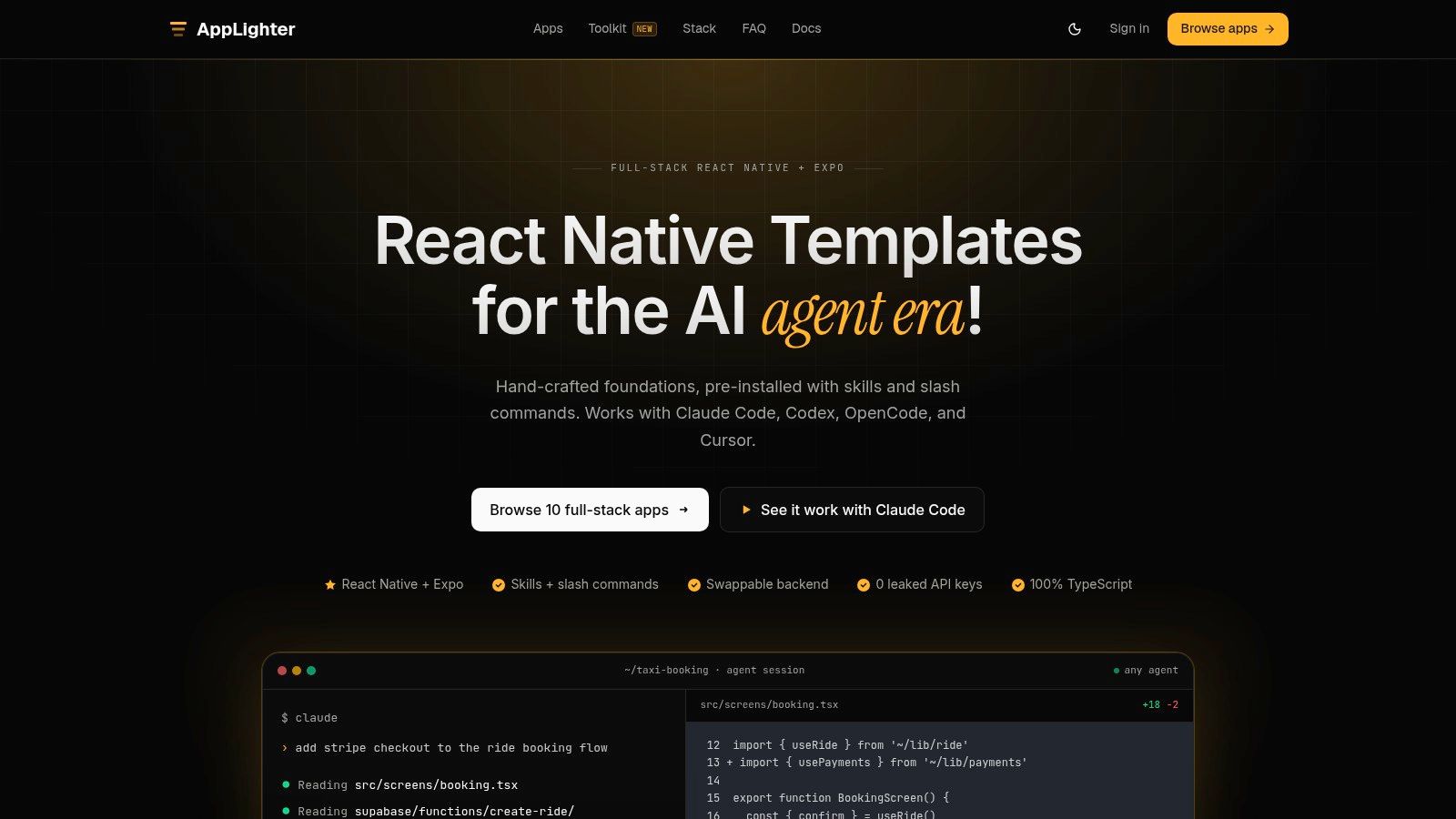 Screenshot from https://www.applighter.com
The practical advantage is consistency across the stack. TypeScript can describe contracts between the mobile client and API, while shared conventions reduce the number of decisions an indie developer or small product team must make before testing a real workflow. It doesn't remove the need for architecture decisions, native debugging, or product-specific security review. It gives those decisions a place to live.
Where the foundation helps
Teams building an MVP often lose time wiring authentication, navigation, loading states, database access, and environment-specific configuration before they can validate the product. A connected starter lets them focus earlier on domain behavior and user feedback. Agencies can also reuse a known structure across client work, provided they review and adapt the defaults rather than treating them as universal rules.
The Hono layer is particularly relevant for teams that expect their backend to move between serverless and edge environments. Hono's published benchmark reports roughly 402,820 ops/sec, compared with 212,598 ops/sec for itty-router, 297,036 ops/sec for sunder, and 197,345 ops/sec for worktop in its documented test set. Those figures come from Hono's own benchmark documentation, so they should be treated as directional evidence from that test rather than a substitute for application-specific profiling.
A useful way to assess a starter kit is to delete a feature and see whether the remaining structure still makes sense. If the architecture depends on hidden conventions that only the original author understands, the initial speed may become future maintenance debt. If the pieces are explicit and replaceable, the foundation can support a sensible hybrid approach.
Teams looking to improve delivery should measure more than time to first screen. Track how quickly a new developer understands the repository, how consistently features handle errors, how easily the API can be tested, and how much native code each release requires. These are the practical concerns addressed in resources on improving developer productivity, and they matter more than a fast initial scaffold once the app has real users.
Your Next Steps Toward Production
Choose the framework around the product's hardest technical requirement, then test that requirement in a small vertical slice. Separate reusable domain logic from platform-specific interaction, verify the health of critical dependencies, and include backend portability in the architecture review. Treat maintenance, release operations, offline behavior, and native escape hatches as first-class criteria, not post-launch details.
If a connected React Native and Expo foundation fits your team, AppLighter can provide the starting structure for authentication, navigation, state, data, APIs, and AI-assisted development. Visit AppLighter to review the foundation and decide whether it matches your path from prototype to production.