Mobile App Tech Stack: How to Choose the Best mobile app tech stack
Explore how to choose a mobile app tech stack that fits your goals. This concise guide outlines layers, trade-offs, and how to accelerate MVP development.
 Damini
Picking a tech stack for your mobile app is a lot like laying the foundation for a skyscraper. Get it right, and you can build fast, scale high, and weather any storm. Get it wrong, and you're building on sand, creating a mountain of technical debt that will eventually come crashing down. This guide is your blueprint for making that critical decision.
Why Your Tech Stack Is Your Most Critical Decision
Let’s be clear: your mobile app tech stack isn't just a shopping list of programming languages and tools. It's the very DNA of your product. This collection of technologies dictates your development speed, your budget, how well your app performs, and whether it can handle a million users down the line. Nailing this choice upfront is arguably the single most important technical decision you'll make.
A poor choice can lock you into a slow, expensive development cycle. For instance, imagine deciding to build separate native apps for both iOS and Android from day one. With Android holding a massive 72.55% of the global market share, you can't just ignore it. But building natively for both platforms means you've just doubled your engineering team's workload, your timeline, and your costs.
This is exactly where a smart tech stack changes the game. Modern cross-platform frameworks let you write code once and ship it to both app stores, reaching billions of users without doubling the effort. With the global mobile app market projected to hit an eye-watering USD 626.39 billion by 2030, being on both platforms from the get-go is non-negotiable. Explore more mobile app development statistics on cmarix.com.
The Consequences of a Poorly Chosen Stack
Getting your stack wrong creates immediate friction and long-term pain. The wrong tools lead to a cascade of problems that don't just stay in the engineering department—they directly impact the business by slowing growth and draining cash.
Here's what you're up against:
- Slow Development Cycles: A clunky or mismatched stack means new features take forever to build, and you end up missing key market opportunities.
- Difficulty Scaling: When your app suddenly gets popular, a non-scalable architecture will crumble under the load, leading to crashes, slowdowns, and unhappy users.
- High Maintenance Costs: Technical debt piles up fast. Soon, your team is spending more time fixing what's broken than building new things that make you money.
- Hiring Challenges: Choosing an obscure or outdated technology makes finding talented developers a nightmare. It's both harder and more expensive to build out your team.
Think of your tech stack as a long-term business partner. A good one helps you realize your vision. A bad one constantly gets in your way. The time you invest in planning now will pay off for years to come.
On the flip side, a well-architected stack is a massive advantage. It gives your team the power to build, test, and ship features quickly. This kind of agility is how small, smart teams can run circles around bigger, slower competitors. This guide will give you the practical insights you need to choose a stack that not only gets you to launch but also sets you up for success long after.
Deconstructing the Anatomy of a Modern App Stack
To build a great mobile app, you have to understand what it’s made of. A mobile app tech stack isn't one giant piece of code. It's more like a modern skyscraper—a collection of different layers, each with a specific job, all working together. Getting a handle on how these layers interact is the first step to making smart architectural decisions for your project.
Let's start with the part everyone sees: the frontend. Think of this as the building's interior design and all its interactive elements. It's what your users see, touch, and experience—the buttons, the layout, the animations. It’s the face of your application.
This diagram shows how a solid foundation is what lets you build fast, scale high, and create something that lasts.
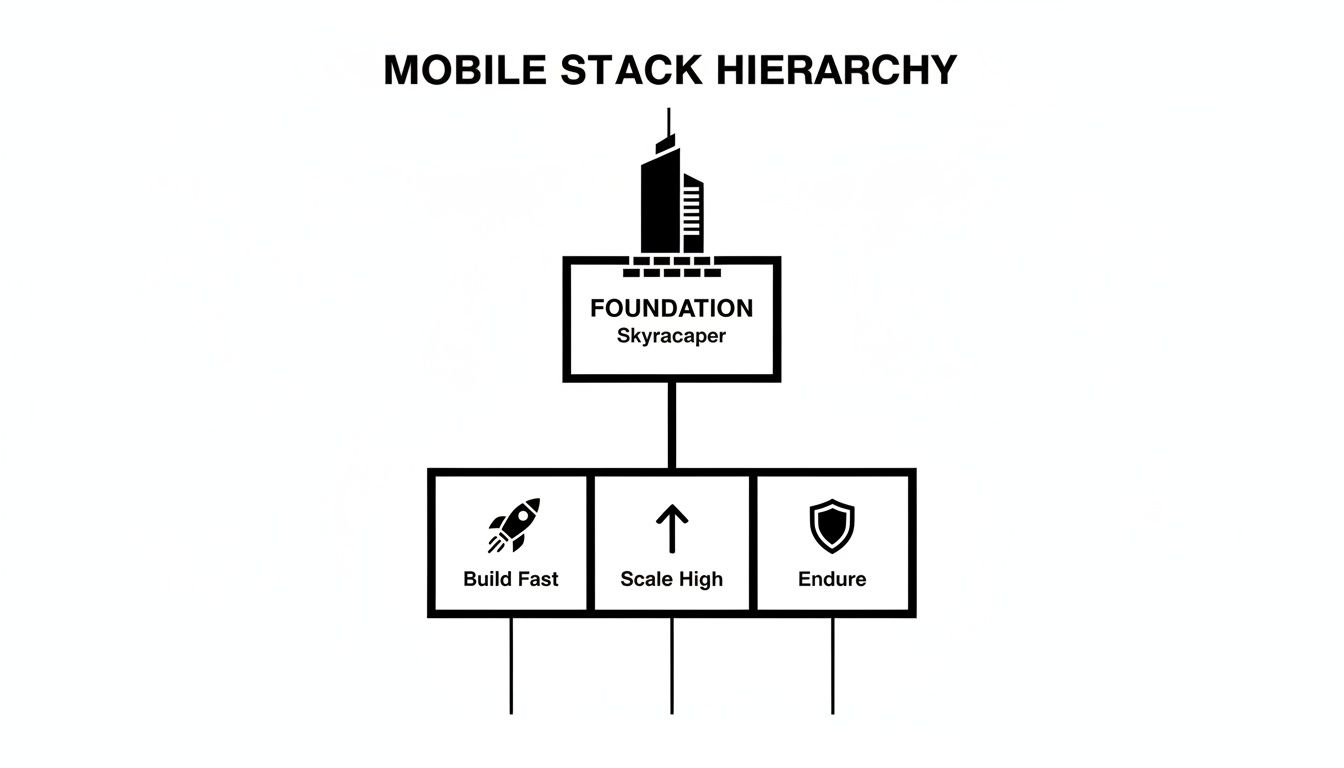 A mobile stack hierarchy diagram showing 'FOUNDATION Skyracaper' supporting 'Build Fast', 'Scale High', and 'Endure'.
Ultimately, speed, scalability, and stability all rest on the foundational choices you make for your stack.
The Engine Room and The Library
Behind that beautiful frontend is the backend, which is the skyscraper's engine room and central nervous system. This is where all the real work gets done. The backend crunches the business logic, handles requests from the app, and talks to other services. When a user taps a button to save their profile, the backend is what takes that request, makes sense of it, and tells the database what to do.
Of course, all that data has to live somewhere. That's the job of the database. It's your app's digital library, meticulously organizing and storing every bit of information. User profiles, product catalogs, chat messages—it all gets stored in the database so it can be safely kept and quickly pulled up whenever the backend asks for it.
You wouldn't build a skyscraper without a structural engineer, and you can't build a scalable app without a well-planned backend and database. These layers are the invisible foundation of a fantastic user experience.
These three layers—frontend, backend, and database—are the bedrock of almost any app. But a truly modern stack needs a few more support systems to run securely and efficiently.
Essential Supporting Systems
First up, security. You need an authentication layer to protect your app and its data. This is your building's security team, checking IDs at the door. It handles everything from user sign-ups and logins to password resets, making sure only the right people can access sensitive information.
Next, you need a way to build and ship your app without losing your mind. That’s where a CI/CD pipeline comes in. Think of it as an automated assembly line for your software.
- Continuous Integration (CI): This part automatically pulls in code changes from all your developers and merges them into one place.
- Continuous Deployment (CD): Once the code is merged and passes all the automated tests, this part automatically releases it to your users.
This system is a game-changer. It dramatically speeds up development, cuts down on human error, and lets your team ship new features and fixes way faster.
Finally, once your app is out in the wild, you need to know what's going on with it. Monitoring and analytics tools are your building's central control room, with dashboards showing every vital sign. These tools track performance, log crashes, and give you real insight into how people are actually using your app. Without good monitoring, you're flying blind.
Together, these layers—from the user-facing frontend all the way down to the monitoring systems—form a complete, modern mobile app tech stack. Every single piece is critical for building a product that’s not just powerful, but also reliable and easy to manage for years to come.
Aligning Your Tech Stack with Your Business Goals
Picking a mobile app tech stack isn't just a technical puzzle; it's one of the most critical business decisions you'll make. The "best" technology on paper is useless if it doesn't line up with what you're actually trying to accomplish right now. Are you racing to build a Minimum Viable Product (MVP) to test an idea, or are you crafting a high-end gaming experience that needs every ounce of a phone's power?
Each goal requires a completely different toolkit. The whole game is about balancing three competing priorities: speed, performance, and scalability. You almost never get all three at once, so your business goals have to be the tie-breaker.
For an early-stage startup, for instance, the number one priority is almost always speed. You have to get to market, see what users think, and start learning before a competitor beats you to the punch or the money runs out. In that world, development velocity isn't just a nice-to-have; it's everything.
Speed vs Performance: The MVP Dilemma
When your mission is to launch an MVP and validate an idea, a cross-platform tech stack is usually the smartest bet. Frameworks like React Native (especially when supercharged with a platform like Expo) let you write your code once and deploy it to both iOS and Android.
For a startup, this is a massive win for a few reasons:
- Get to Market Faster: You're not managing two completely separate apps, which can easily slash your development timeline by 30-40%.
- Lower Your Burn Rate: One codebase means a smaller team, which directly translates to lower engineering costs.
- A Consistent Experience: Your app will look and behave almost identically on an iPhone or an Android device right from the start.
A cross-platform approach is the ultimate accelerator for an MVP. It's about getting a functional, good-enough product into the hands of real users as fast as humanly possible to start the learning cycle.
Of course, this speed comes at a price. Cross-platform apps can sometimes struggle to match the silky-smooth, pixel-perfect feel of a true native app. But for most MVPs, that's a perfectly acceptable compromise. If your core idea is compelling, users will forgive a few minor imperfections.
Performance vs Scalability: The Long Game
On the other hand, if you’re building something where performance is the main feature—think a powerful photo editor, a stock trading app, or a graphically rich game—then going native is the only real choice. Writing your app directly in Swift for iOS and Kotlin for Android gives you complete and total control.
This native path unlocks some serious advantages:
- Peak Performance: You get direct access to the device's hardware, from the GPU to the camera and sensors, ensuring maximum speed and responsiveness.
- Day-One Access to New Features: When Apple or Google releases a new OS feature, like interactive widgets, you can build with it immediately.
- No-Compromise UI/UX: You have the freedom to design a user interface that perfectly matches the look and feel of each specific platform.
All that power comes with a higher price tag in time and complexity. You'll need specialized developers for each platform, and your project will take much longer. But for an app where a split-second delay can ruin the experience, that investment is absolutely necessary.
Tech Stack Trade-Offs For Different App Goals
To make this choice clearer, the table below maps these different approaches to common business goals. There's no single right answer, just the right answer for your specific situation.
| Goal | Cross-Platform (e.g., React Native) | Native (e.g., Swift/Kotlin) | Best For |
|---|---|---|---|
| Speed to Market | Excellent. A single codebase cuts development time dramatically. | Slower. Requires building and maintaining two separate apps. | Startups and teams launching an MVP to validate an idea quickly. |
| Development Cost | Lower. Fewer developers and less code to manage. | Higher. Requires specialized iOS and Android engineers. | Bootstrapped companies or projects with a limited initial budget. |
| Peak Performance | Good. Fine for most apps, but may lag with intensive tasks. | Excellent. Direct hardware access for maximum speed and responsiveness. | Gaming, AR/VR, or any app where performance is the core feature. |
| Access to Features | Good. Core features are available, but new OS updates may have a delay. | Excellent. Immediate access to the latest platform-specific APIs. | Apps that need to be on the forefront of technology and OS innovation. |
Ultimately, choosing a tech stack is about knowing your priorities. Success comes from picking the path that gets you to your specific finish line, whether that’s launching in three months or building the most performant app in your category.
A Proven Tech Stack for Launching Faster
Theory is great, but a real-world blueprint is better. When your main goal is getting a polished app into users' hands—fast—you need a mobile app tech stack that’s designed for speed and synergy. This isn't about just grabbing popular tools off a shelf; it's about building an integrated system where every part makes the others stronger.
For startups, solo developers, and lean product teams, a modern stack built around React Native (via Expo), Supabase, and Hono/TypeScript is a proven shortcut for turning months of development into weeks. This combination creates a remarkably smooth path from the user's screen right down to the database.
 A laptop showing an architectural drawing, a smartphone, and a plant on a wooden desk, with 'LAUNCH FASTER' text on the wall.
This isn't just a trendy setup; it's a reflection of where the industry is heading. Cross-platform development is a dominant force, with React Native leading the charge at 43% adoption among mobile developers. And for good reason—it lets smaller teams build for both iOS and Android from a single codebase, capturing the entire market from day one.
With smartphones projected to generate 64.55% of all app development revenue by 2025, a cross-platform strategy has become essential for maximizing reach and ROI. You can dig deeper into these trends in this app development market report.
The Frontend: The Cross-Platform Powerhouse
The heart of this stack is Expo, a framework and platform built right on top of React Native. Think of Expo as a developer experience layer that smooths out all the notoriously rough edges of mobile development. It handles the messy native configuration for iOS and Android, so you can just focus on writing your app's features in JavaScript and React.
- One Codebase, Multiple Platforms: You write the code once, and it runs natively on iOS, Android, and even the web. This is a massive win for development time and budget.
- Simplified Tooling: Expo takes care of the build process, over-the-air updates, and even simplifies app store submissions, eliminating huge sources of friction.
- Rich Library of APIs: Need to access the camera, push notifications, or local storage? Expo provides a simple, unified JavaScript API for all of it.
In short, Expo makes building a mobile app feel more like building a modern web app. It’s why so many developers now rely on it for everything from quick prototypes to full-scale production applications.
The Backend: Instant Infrastructure with Supabase
While Expo runs the show on the frontend, Supabase gives you a powerful and scalable backend-as-a-service (BaaS) without you having to manage a single server. It’s built on the rock-solid, open-source PostgreSQL database, giving you all the power of a relational database without the operational headaches.
Supabase is like getting a pre-built engine room for your app. It comes with a robust database, user authentication, storage, and auto-generated APIs right out of the box, letting you connect your frontend to a fully functional backend in minutes, not weeks.
This is a complete game-changer for moving quickly. Instead of spending weeks wrestling with user accounts, password resets, and database migrations, you can configure it all through the Supabase dashboard. Its client libraries plug directly into your React Native app, making things like fetching data and managing users almost trivial.
The API Layer: Fast and Lightweight with Hono
Finally, what about custom server logic that doesn't quite fit into Supabase's auto-generated APIs? That's where Hono comes in. Hono is an incredibly fast, lightweight web framework for TypeScript that runs on any JavaScript runtime—including edge environments like Cloudflare Workers.
Think of Hono as the nimble specialist for specific tasks. While Supabase handles the core data operations, you might spin up a Hono endpoint to process a payment with Stripe or integrate with a niche third-party service. Because it’s so minimal, it’s blazing fast and efficient, ensuring your app stays snappy. Together, these three tools create a cohesive and formidable tech stack that’s truly built for speed.
Putting Your Chosen Stack into Action
Alright, you’ve mapped out your perfect mobile app tech stack. Now for the fun part: making it real. Moving from a diagram on a whiteboard to a product people can actually use is where the rubber meets the road. Whether you're building from scratch or overhauling an existing app, this is the phase where a clear plan prevents headaches and launch-day disasters.
If you’re starting with a blank slate, the initial setup can feel like a mountain of tiny, crucial decisions. This is where a good checklist is your best friend. Even better, a pre-configured starter kit like AppLighter can handle most of this grunt work for you, letting your team skip the boilerplate and start building features that matter.
 A tablet displays a 'Launch Checklist' with a checked item and a pen, on a desk with a laptop and plants.
Quick Launch Checklist for a New App
If you’re running with a modern stack like the Expo and Supabase combo we've talked about, your initial sprint will look something like this. Each step builds on the last, creating a solid foundation for your app.
-
Get Your Tools Ready
- First things first, install the necessary command-line tools (CLIs) for Expo, TypeScript, and whatever backend you've chosen.
- Initialize your Expo project. This command creates the basic file structure and dependencies for your React Native app.
- Set up Git from day one. You’ll thank yourself later.
-
Fire Up the Backend
- Head over to your backend service (like Supabase) and create a new project.
- Define your initial database schema. This means creating the tables for essentials like users, profiles, and whatever core data your app needs.
- Hop into the dashboard and turn on the authentication providers you need, like email/password, Google, or Apple sign-in.
-
Connect the Two Halves
- In your Expo project, install the backend’s client library (for example,
@supabase/supabase-js). - This is critical: store your API keys in environment variables. Never hardcode them directly into your app's source code.
- Initialize the client connection in your app's main entry point so it’s available everywhere.
- In your Expo project, install the backend’s client library (for example,
This initial handshake between your frontend and backend is a huge milestone. Once data can flow securely from the user's screen to your database, your app officially has a pulse.
Navigating a Migration on an Existing App
For those of you with an app already in the wild, the challenge is different. You’re not just building; you're changing the engine on a moving car. Migrating your tech stack is a delicate operation that requires serious planning to avoid disrupting your users.
A phased rollout is almost always the right answer. Instead of a risky, all-at-once "big bang" launch, break the migration into smaller, manageable chunks. You could, for example, start by moving just your user authentication over to the new system. Run it alongside the old one for a while to make sure everything is rock solid before you switch everyone over.
When it's time to tackle the database, the stakes get even higher. Here are a few things to obsess over:
- Schema Mapping: Go field by field, mapping everything from your old database to the new one. Pay close attention to data types, relationships, and any special constraints. Don't assume anything.
- Data Transformation: You'll need to write scripts to move all your existing data. Write them, test them, and then test them again in a staging environment. Do this until you're absolutely confident before you even think about touching production data.
- Downtime Strategy: Can you pull this off with zero downtime, or do you need to schedule a maintenance window? The answer depends entirely on your app’s architecture and what your users will tolerate.
Ultimately, successfully implementing or migrating a mobile app tech stack comes down to being methodical. A starter kit can dramatically lower the risk for new builds by giving you a proven, integrated foundation. It lets you sidestep many of these early hurdles and focus on what really counts: shipping value to your users.
Common Questions About Mobile App Tech Stacks
Getting into mobile app development always kicks up a storm of questions, especially around the infamous "tech stack." The choices you make here ripple through everything—your budget, your timeline, and what your product can actually do down the road. Let's dig into the big questions that pop up for founders and developers all the time.
Answering these honestly is your best defense against costly mistakes. It helps you build a clear strategy and ensures your technology is an asset, not a liability.
How Much Does a Mobile App Tech Stack Cost?
This is usually the first question on everyone's mind, and the honest answer is: it's all over the map. The cost isn't one single price tag. It’s a mix of tools and services that range from totally free to seriously expensive.
On one end of the spectrum, you can build a stack that's entirely open-source. For example, you could use React Native for the app itself, host your own PostgreSQL database, and write a custom backend with Node.js. The software costs nothing, but your real "cost" is paid in time, expertise, and the headache of managing it all. You're on the hook for everything: setup, security, maintenance, and figuring out how to scale.
On the other end, you have managed services that you pay for, designed to save you time and effort.
- Backend-as-a-Service (BaaS): Platforms like Supabase or Firebase have generous free tiers, often more than enough to get an MVP off the ground. As you grow, you'll slide into their paid plans, which might be $25 per month or scale up into the hundreds or thousands, depending on your traffic and data needs.
- Hosting and Serverless Functions: Services like Vercel or Cloudflare Workers that run your backend code also start free and charge you as your usage climbs.
- Specialized APIs: If your app relies on outside services for payments (Stripe) or maps (Google Maps Platform), they'll have their own pricing, usually based on transactions or API calls.
The real equation is a trade-off between your money and your time. A purely open-source stack saves cash on subscriptions but burns through engineering hours. A BaaS platform has a monthly bill but can save you hundreds of hours in setup and maintenance—a massive win for most startups.
Can I Change My Tech Stack Later?
The short answer is yes, but the realistic answer is that you really, really don't want to. It’s a painful, expensive, and risky process. Think of it like trying to swap out the foundation of a house while people are still living in it. A full migration is a massive engineering project, not a simple switch.
Changing your frontend framework, like moving from native Swift to React Native, almost always means a complete rewrite. The code, logic, and UI components just don't translate.
Moving your backend or database is like performing open-heart surgery on your app. You have to meticulously map old data to the new system, run complex transfer scripts without losing or corrupting anything, and handle downtime gracefully. For a live app with real users, the risk of disaster is incredibly high. This is exactly why getting these foundational choices right from day one is so important.
What Makes a Stack Good for an AI App?
When you're building an AI-powered app, the technical goalposts move. Your stack has to be ready for more than just standard user data; it needs to handle heavy computations, interact with large models, and maybe even process data in real-time.
A solid AI tech stack typically needs to deliver on four key things:
- Efficient Backend Processing: AI models can be computationally expensive. Your backend needs a way to run these heavy tasks without freezing up the rest of the app. This is a perfect job for serverless functions or dedicated microservices.
- Vector Database Support: Modern AI features, especially things like semantic search or smart recommendations, lean heavily on vector databases. Your backend service should either have one built-in (like Supabase does with pgvector) or connect to one easily.
- Real-Time Capabilities: If you want to stream responses from an LLM to create that smooth, conversational feel, your stack needs top-notch support for tech like WebSockets.
- Scalability: AI workloads can be spiky and unpredictable. Your infrastructure has to be able to spin up more resources on demand to handle a sudden surge in users without falling over.
What Is a Starter Kit and Why Use One?
A starter kit is a pre-built, production-ready foundation for your app. It bundles together a complete, opinionated tech stack where all the tedious, essential wiring is already done for you—authentication, navigation, database connections, and even deployment pipelines.
Instead of burning the first few weeks building the same login flow for the hundredth time, a starter kit lets you jump straight to creating the unique features that actually matter to your users. It’s not just a random collection of tools; it’s an integrated system where everything is designed to work together perfectly from the get-go.
Using a starter kit like AppLighter gives you a few killer advantages:
- Massively Faster Time to Market: You get to skip the most time-consuming and repetitive setup work, giving you a huge head start.
- Lower Technical Risk: The architecture has been pre-vetted and built with best practices in mind, which means you're far less likely to make a foundational mistake that will haunt you later.
- Focus on What Matters: Your team can pour all its energy into building your app's core value, not reinventing the wheel on solved problems.
For any team where speed is the name of the game, a great starter kit is one of the biggest cheat codes you can find. It’s the smartest way to build on the shoulders of experts and launch with confidence.
Ready to stop wrestling with boilerplate and start shipping features? AppLighter is the premium Expo (React Native) starter kit that gives you a complete, production-ready foundation out of the box. Launch your mobile app in record time.
Related Articles

Mobile App Development Cost Calculator Guide
Use our mobile app development cost calculator to get a realistic budget estimate. Learn the key factors that drive app costs and how to save money.

Mobile App Development for Startups Your Ultimate Guide
Master mobile app development for startups with our step-by-step guide. Learn to validate your idea, choose a tech stack, and launch your MVP fast.